Abandoned Cart Settings: Every Option Explained
The abandoned cart settings decide when a cart counts as abandoned or lost, whose carts are saved, which orders close a cart, the WhatsApp message, the reports you get, the privacy notice at checkout and where carts are sent. This guide explains every option and its default, section by section. Abandoned Cart Recovery is a Shop Manager Pro feature (Pro); the settings can be saved without Pro, so you can prepare everything first.
Open the Abandoned Cart Settings
In your WordPress admin, go to Shop Manager → Modules → Abandoned Carts, or click Configure on the Abandoned Cart Recovery card under Modules. The abandoned cart settings are split into eight sections: Recovery, Reminder Emails, Coupon, WhatsApp & SMS, Reports, Privacy, Webhook and Advanced. Click a section to open it. Changes in every section are saved together with Save Changes at the top of the page.
The Reminder Emails and Coupon sections have their own guide: Abandoned Cart Emails and Discount Coupons.
Recovery: Saving and Timing
Recovery is the section the abandoned cart settings open on.
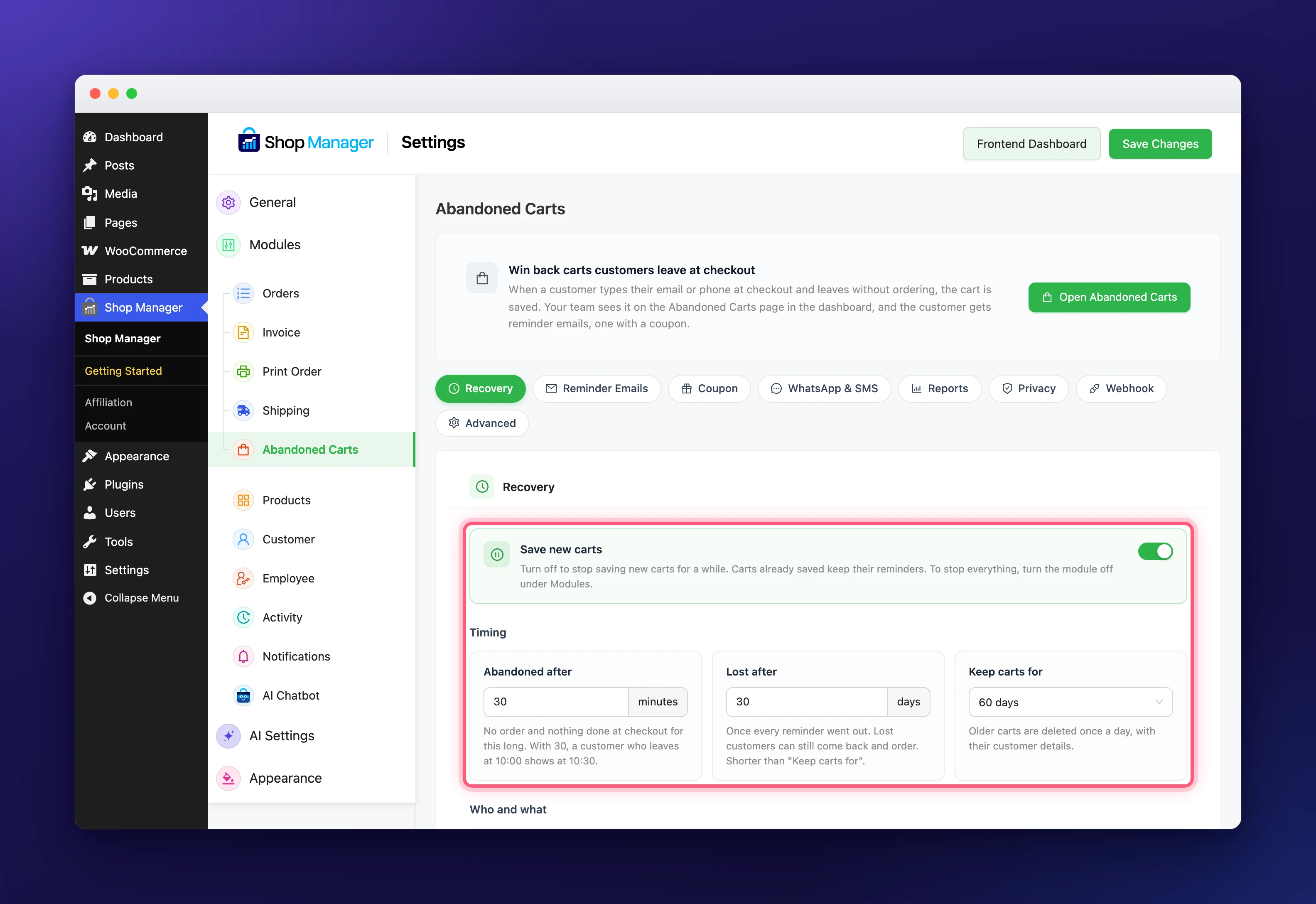
- Save new carts (on): turn off to stop saving new carts for a while. Carts already saved keep their reminders. To stop everything, turn the module off under Modules.
- Abandoned after (30 minutes, from 10 to 1,440): how long a cart waits with no order and nothing done at checkout. With 30, a shopper who leaves at 10:00 shows at 10:30.
- Lost after (30 days, at least 10): once every reminder went out, a cart still not ordered after this many days counts as lost. Lost shoppers can still come back and order. It must be shorter than Keep carts for.
- Keep carts for (60 days; 30, 60, 90, 180 or 365): older carts are deleted once a day, with the shopper’s details.
Recovery: Who and What
- Do not save carts for: signed-in users with these roles are never saved, so your team’s test orders do not show up or get reminders. By default the list holds administrators, shop managers, other roles that manage WooCommerce or edit orders, and the Shop Manager staff roles. Guests and customers are always saved. Remove every role to save carts for everyone.
- Counts as ordered (Processing, Completed, On hold): an order with one of these statuses closes the cart and stops its reminders. A payment that failed or is still pending never counts, so that shopper keeps getting reminders. On hold is for bank transfer and cheque orders.
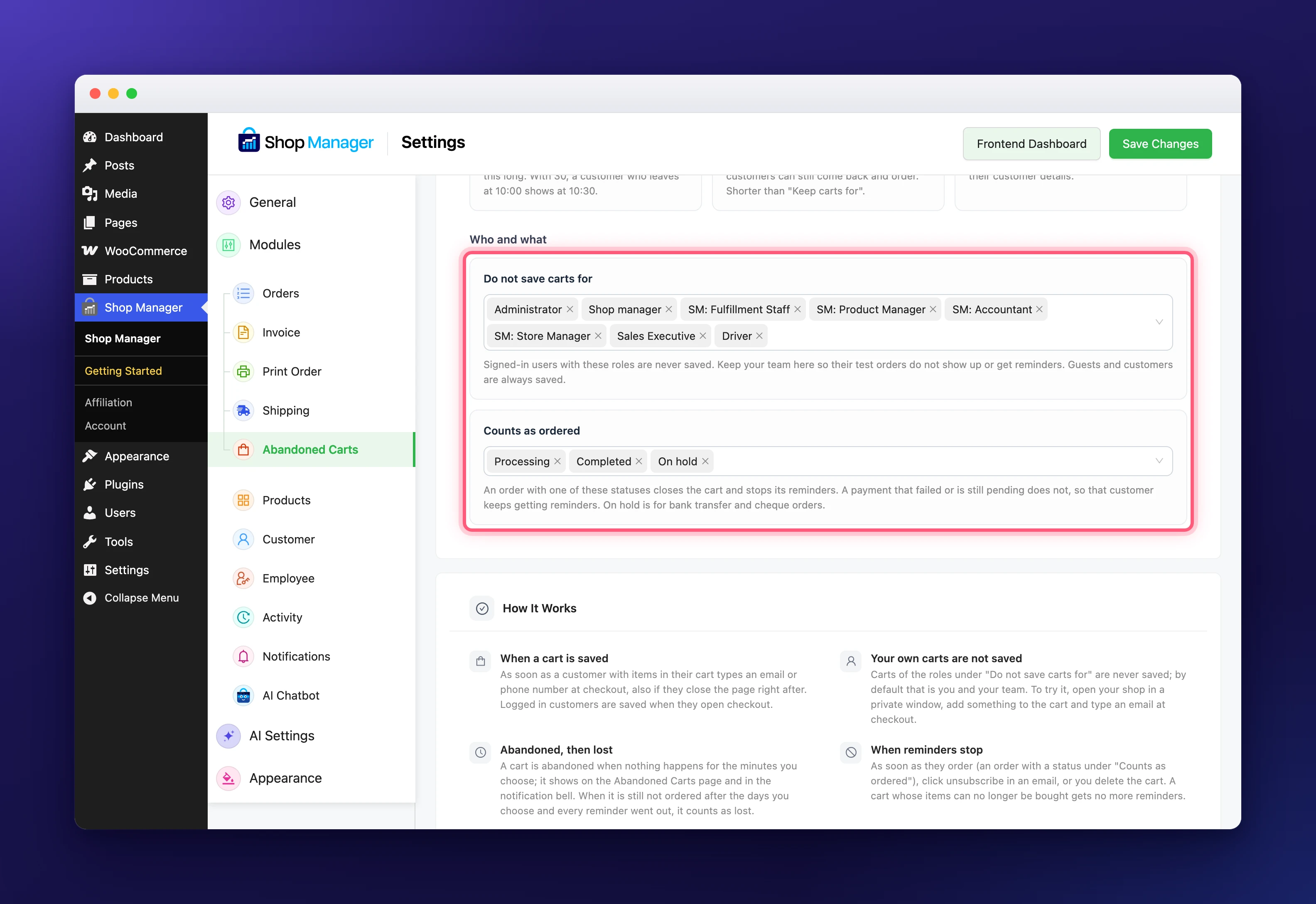
The How It Works panel at the bottom of the Recovery section of the abandoned cart settings sums up these rules. For the full picture, see Abandoned Cart Recovery for WooCommerce: How It Works.
WhatsApp and SMS Abandoned Cart Settings
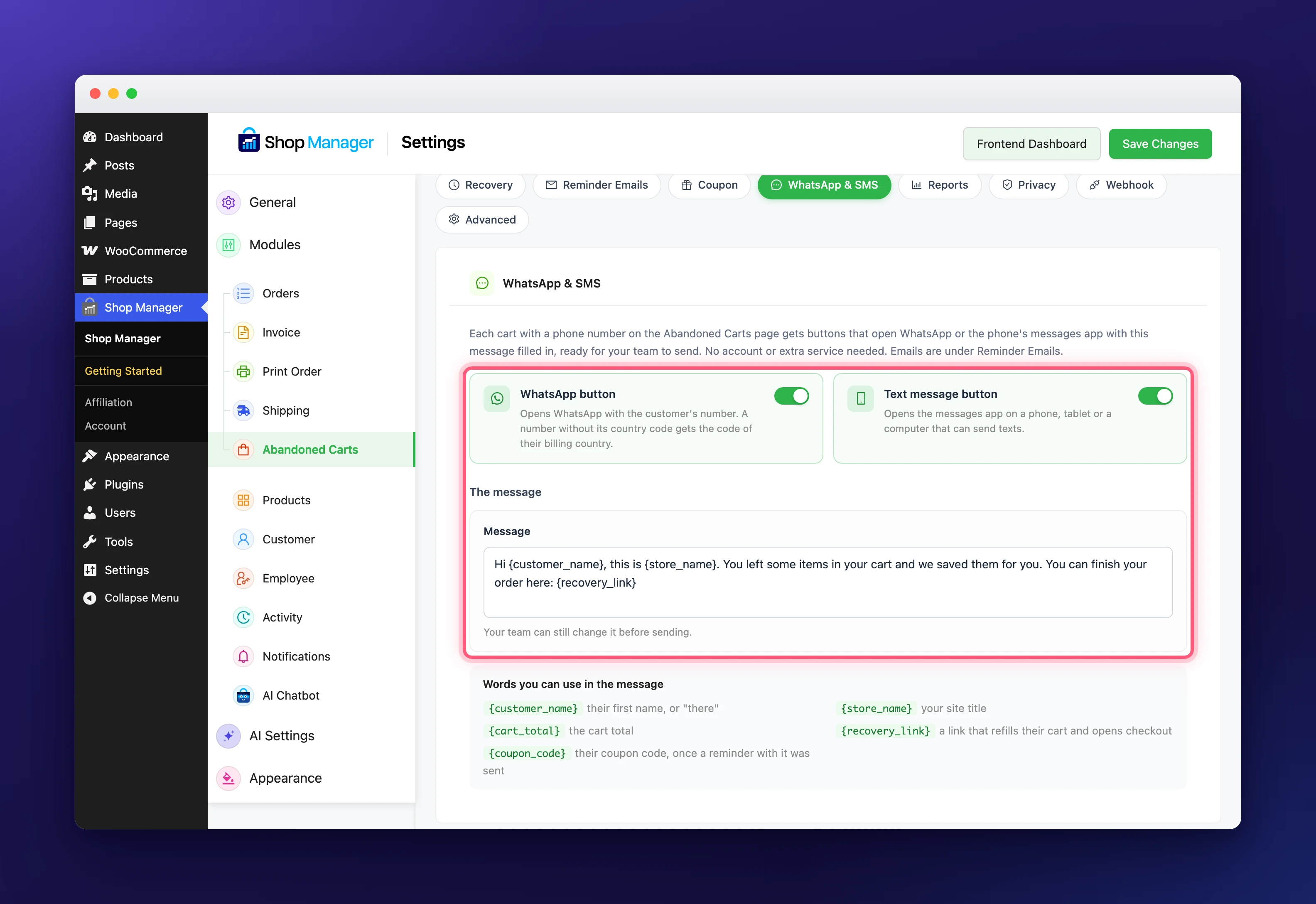
Each cart with a phone number on the Abandoned Carts page gets buttons that open WhatsApp or the phone’s messages app with a message filled in, ready for your team to send. No account or extra service is needed.
- WhatsApp button (on): opens WhatsApp with the shopper’s number. A number without its country code gets the code of their billing country.
- Text message button (on): opens the messages app on a phone, tablet or a computer that can send texts.
- Message: the text both buttons start with. Your team can still change it before sending. You can use
{customer_name},{store_name},{cart_total},{recovery_link}(a link that refills their cart and opens checkout) and{coupon_code}(once a reminder with a coupon was sent).
Reports
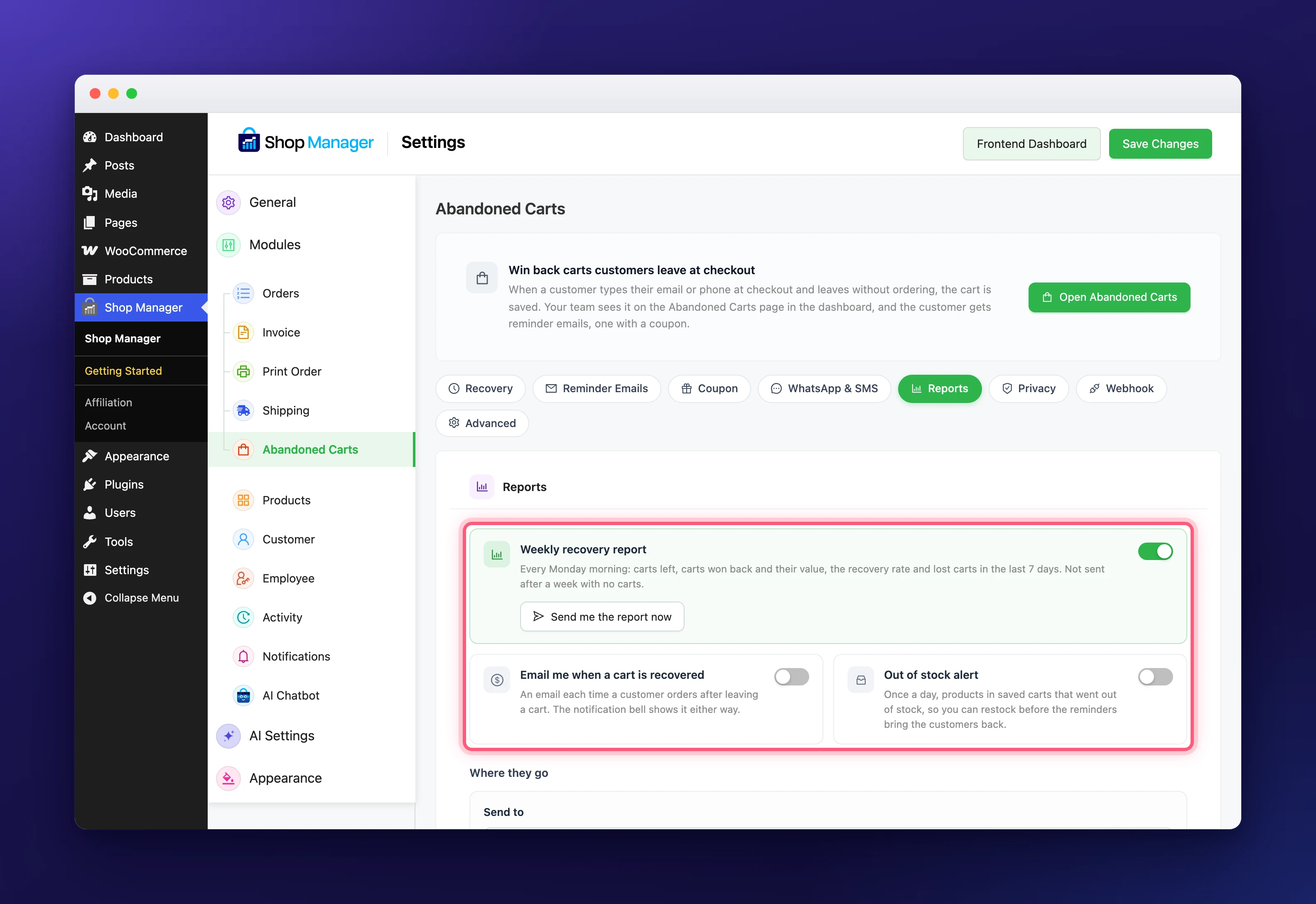
These abandoned cart settings decide which emails you, the store owner, get about your carts.
- Weekly recovery report (on): every Monday morning, the carts left, the carts won back and their value, the recovery rate and the lost carts of the last 7 days. It is not sent after a week with no carts. Send me the report now sends it to you straight away.
- Email me when a cart is recovered (off): an email each time a shopper orders after leaving a cart. The notification bell shows it either way.
- Out of stock alert (off): once a day, the products in saved carts that went out of stock, so you can restock before the reminders bring the shoppers back.
- Send to: up to 5 addresses, one per line. Empty sends the reports to your site’s admin email.
Privacy
In the Privacy section of the abandoned cart settings, you choose what shoppers see at checkout.
- Notice at checkout (on): a short line under the email field telling shoppers their details are saved for reminders. Recommended for shoppers in the EU and the UK. You can change the text.
- “No thanks” link (on, shown after the notice): a shopper who clicks it is not saved on this visit, and what was saved is deleted at once. You can change the link text.
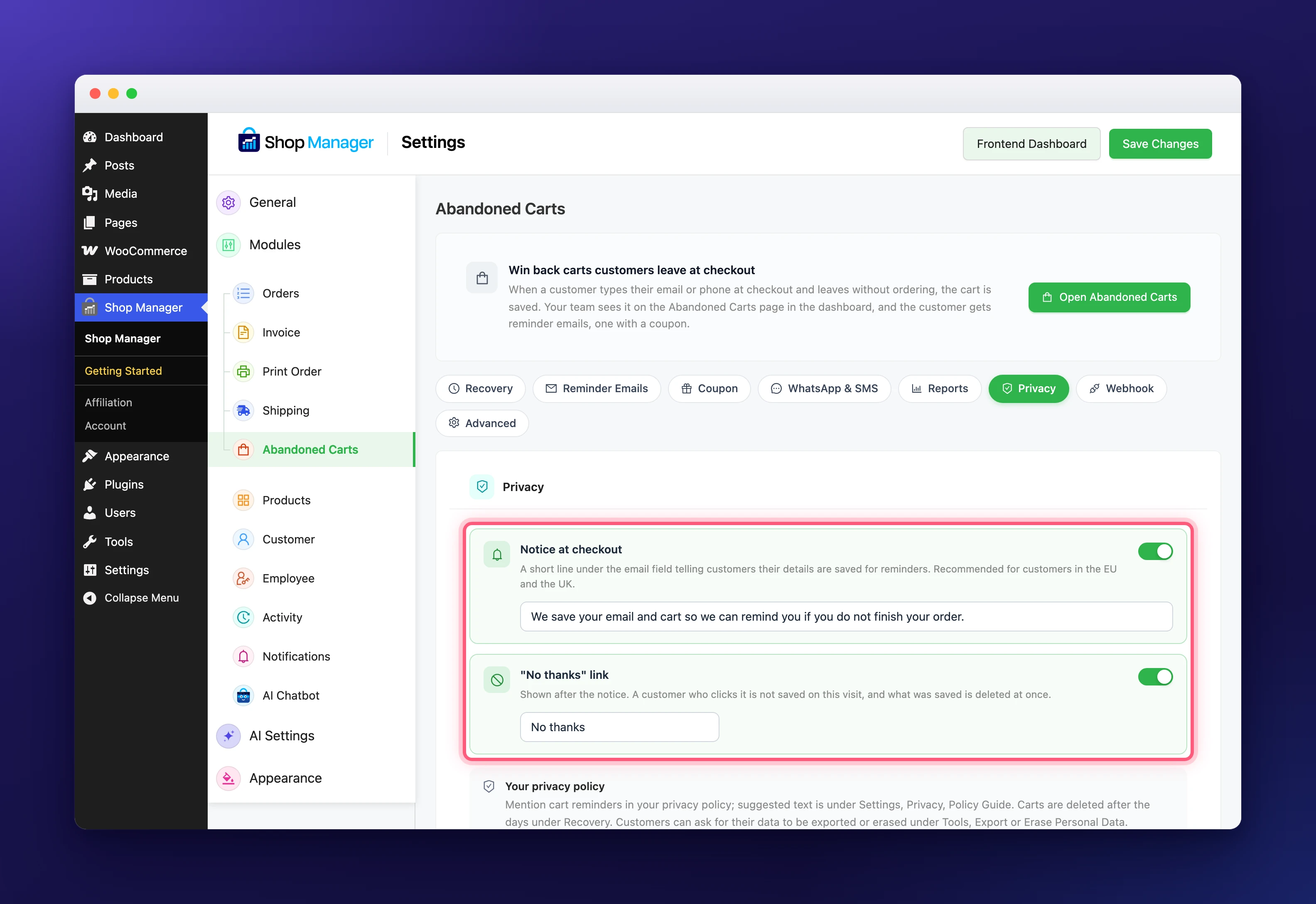
Mention cart reminders in your privacy policy; WordPress suggests text under Settings, Privacy, Policy Guide (see WordPress’ Privacy Settings guide). Shoppers can ask for their saved carts to be exported or erased with WordPress’ own tools under Tools, Export Personal Data and Erase Personal Data.
Webhook
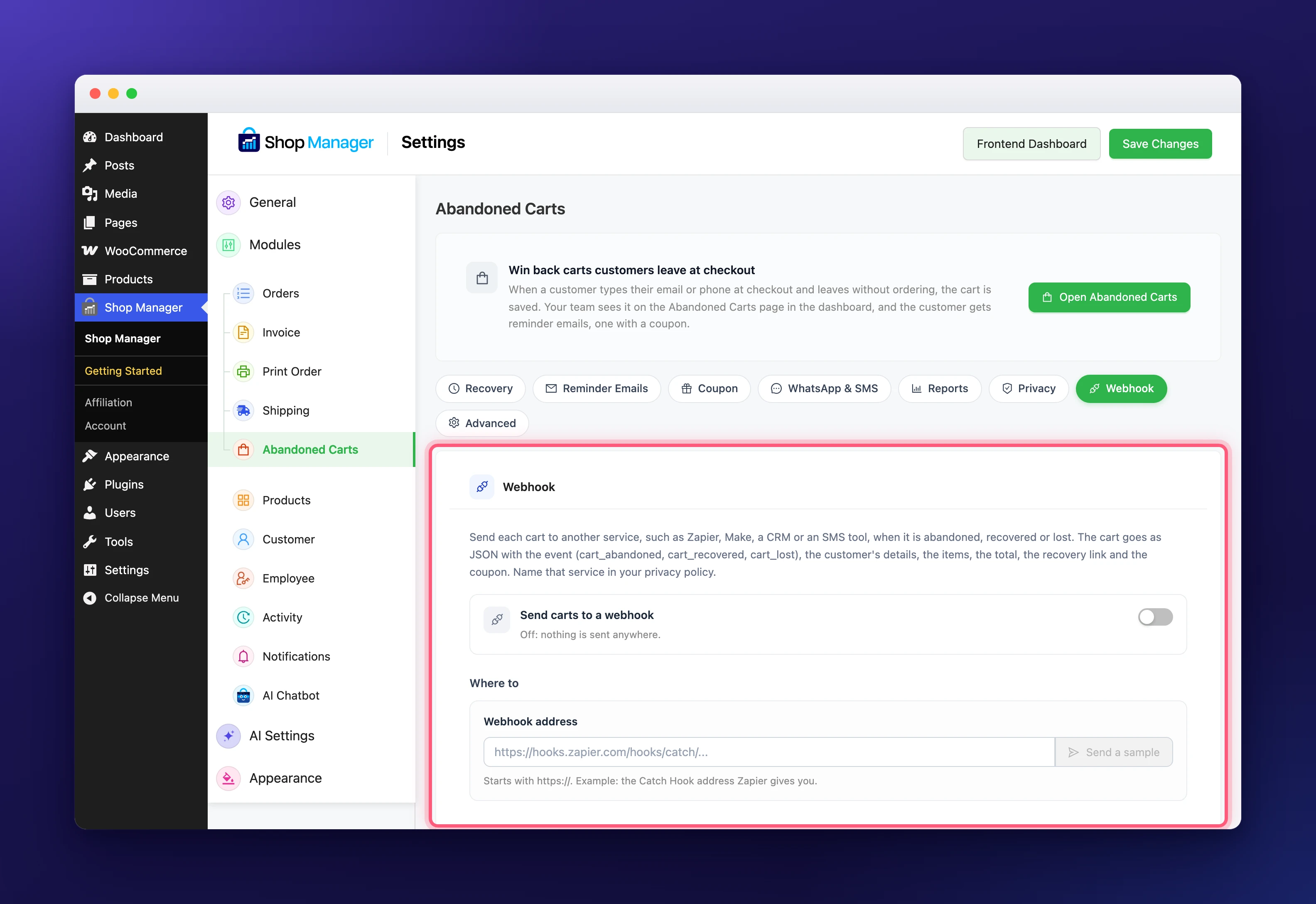
A webhook sends each cart to another service, such as Zapier, Make, a CRM or an SMS tool, when it is abandoned, recovered or lost.
- Send carts to a webhook (off): off means nothing is sent anywhere.
- Webhook address: starts with https://, for example the Catch Hook address Zapier gives you. Addresses on your own network are refused. Send a sample sends a sample cart to check the connection.
The cart goes as JSON with the event (cart_abandoned, cart_recovered or cart_lost), the shopper’s details, the items, the total, the recovery link and the coupon. Name that service in your privacy policy.
Advanced Abandoned Cart Settings
Tracking tags on the reminder link, the last of the abandoned cart settings, are added to the checkout address when a shopper comes back through a reminder, so Google Analytics and similar tools show those visits. Write one per line as name=value, up to ten, for example utm_source=cart-reminder and utm_medium=email. Empty by default.
Good to Know About the Abandoned Cart Settings
- Use one abandoned cart plugin at a time. When the abandoned cart settings find another one, they show a warning, because a shopper who leaves a cart would get two sets of reminders and coupons.
- Staff access to the Abandoned Carts page is set per role in Roles & Access. See Manage WooCommerce Abandoned Carts in Your Dashboard for the page itself.
- All other Shop Manager tabs are listed in the Settings Reference.