Manage WooCommerce Product Reviews Simply
Reviews are moderated from Products → Reviews: approve them, reply in public, mark spam, or bin the ones you do not want. It is free, and your role needs Reviews access, with editing and deleting as separate permissions.
Reading the List
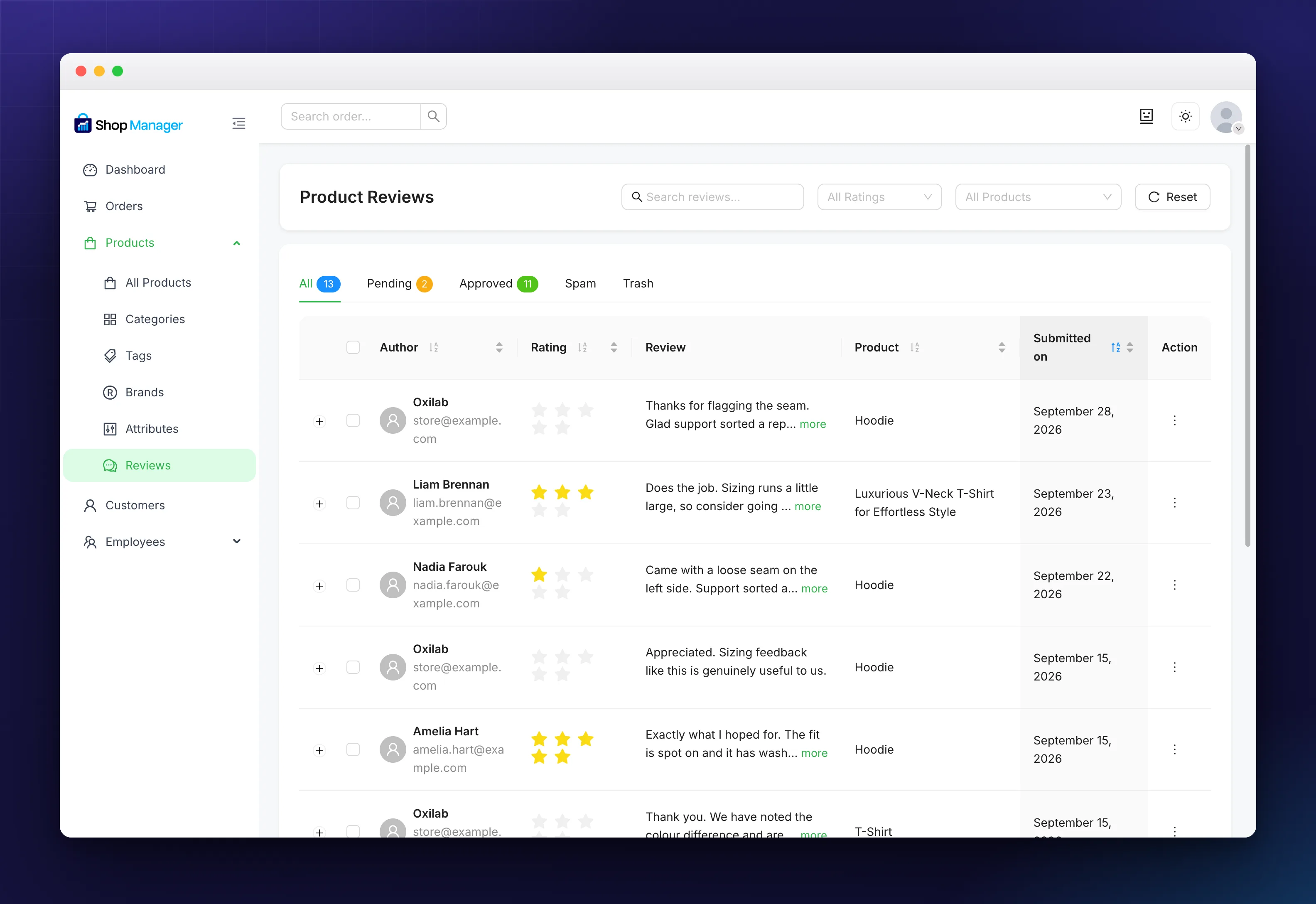
Status tabs across the top carry a count each: All, Pending, Approved, Spam and Trash. The columns are Author with their email, the star Rating, the Review itself, the Product, Submitted on, and Action.
Long reviews are cut short with a more link, and the + at the start of a row expands it so you can read the whole thing along with any shop reply. Clicking Author, Rating, Product or Submitted on sorts by that column.
Your own replies appear in this list as rows of their own, with no star rating. That is why the All count is higher than the number of customer reviews you have.
Moderating One Review
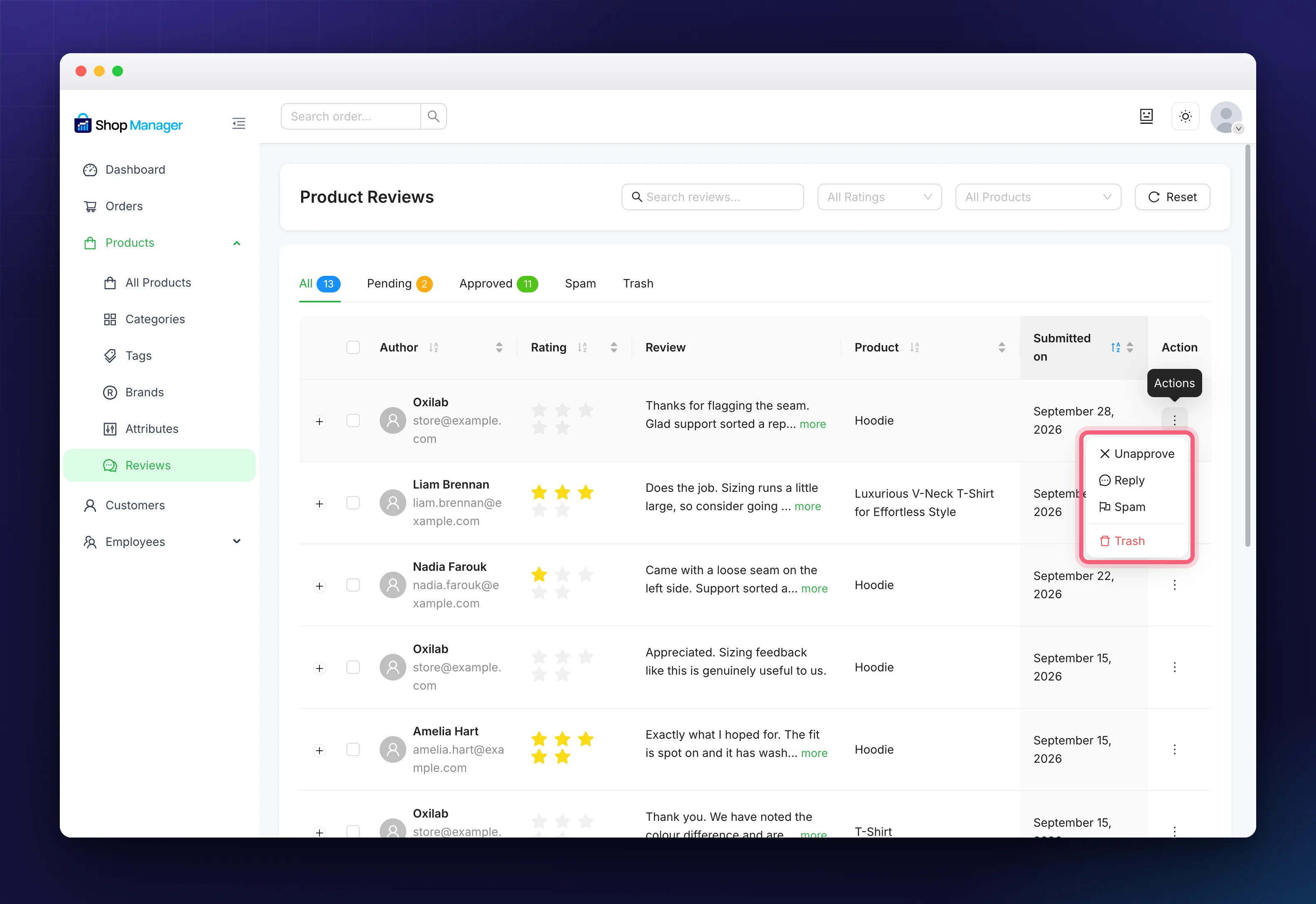
The ⋮ at the end of a row opens its actions. What you get depends on where the review already is:
- Approve publishes a pending review so the storefront shows it. On a review that is already live the same slot reads Unapprove, which hides it again without deleting anything.
- Reply opens a box. What you write is posted publicly under the review, which is the point: a calm reply to an unhappy customer is read by everyone who comes after them.
- Spam takes it out of public view and files it under the Spam tab.
- Trash moves it to the Trash tab.
You cannot edit what a customer wrote. Replying is the only way to add your side, and that is deliberate.
Moderating Several at Once
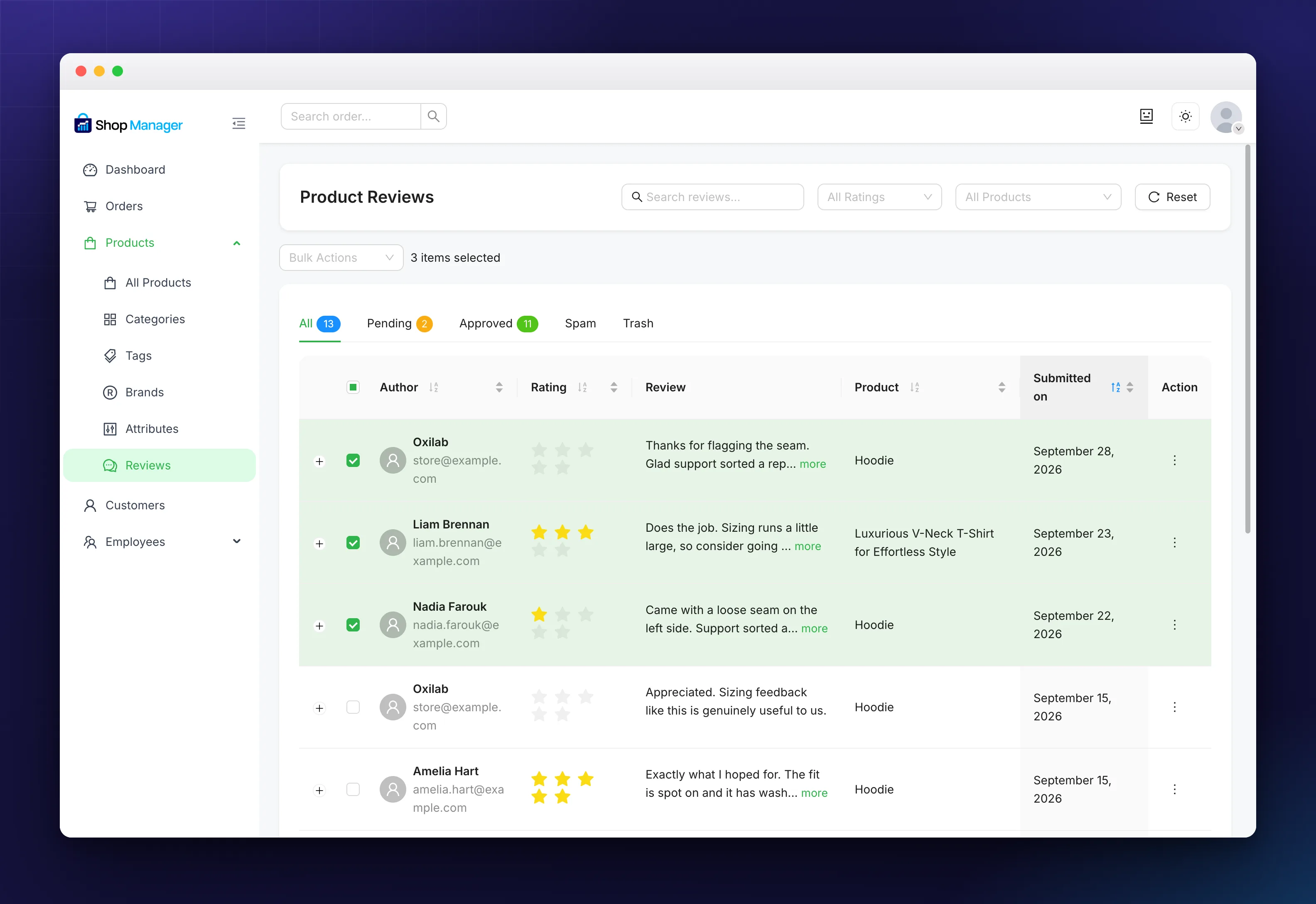
Tick some rows and a Bulk Actions control appears above the table with a count beside it. From there you can approve, unapprove, mark as spam or trash the lot in one go.
Finding the Ones That Matter
The header has a search box for review text, an All Ratings filter and an All Products filter, with Reset to clear them.
Filtering to one and two stars is the useful habit here. It surfaces the customers worth replying to first, which is usually a better use of ten minutes than reading the five-star ones. The Pending tab is worth a look on the same trip, and insight cards on the dashboard flag pending reviews for you.
Troubleshooting
No reviews at all.
Clear the filters with Reset first. If the list is still empty, check reviews are switched on under Shop Manager → Settings → Products, which shares that setting with WooCommerce.
A new review is not on the storefront.
It is waiting in Pending. Approve it and it appears.
I cannot approve or trash anything.
Those need the reviews edit and delete permissions on your role.
Frequently Asked Questions
Are these the same reviews WooCommerce stores?
Yes. There is no separate copy, so moderating here changes them everywhere.
What is the difference between Unapprove and Trash?
Unapprove hides a review but keeps it in Pending. Trash removes it from the list into the Trash tab.
Related Documentation
- WooCommerce Product Management: the products being reviewed.
- Dashboard Insight Cards: get told when reviews are waiting.
- All product management guides