What Is Shop Manager for WooCommerce?
Shop Manager for WooCommerce gives you a fast, clean dashboard on the front of your own website, so you can run your shop without logging into the WordPress admin every time. This page explains what it is and who it suits. The guides linked at the bottom cover each part in detail.
Note: Shop Manager is an add-on for WooCommerce. It does not replace WooCommerce, it sits on top of it and gives you a better place to work.
What It Is
WooCommerce already stores your orders, products and customers. The usual way to manage them is wp-admin, which was built for editing a website rather than running a busy shop. Shop Manager adds a separate dashboard on your own site at /sm-dashboard/, laid out for store work instead.
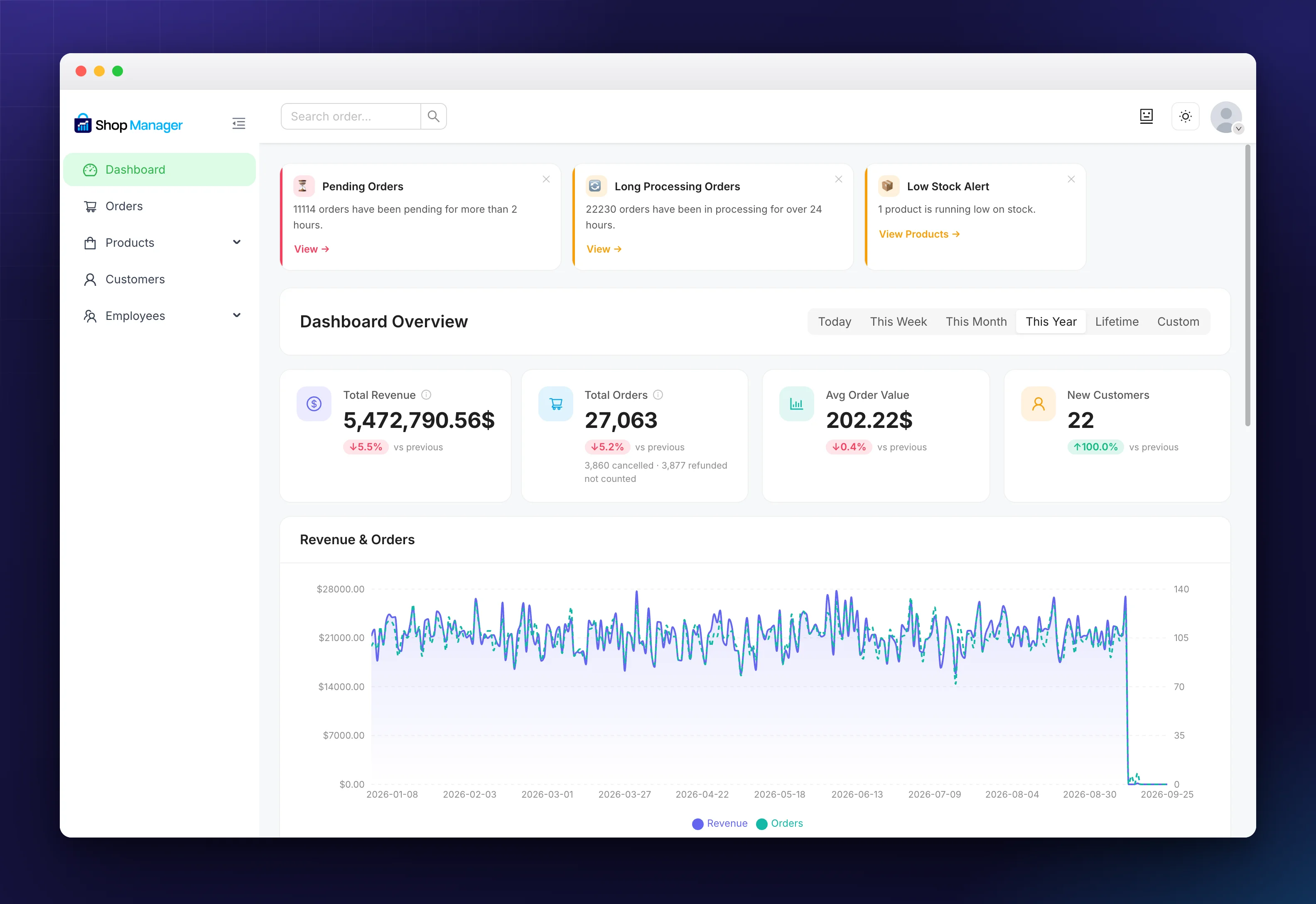
It reads and writes the same records as WooCommerce, so a status you change here is the status WooCommerce reports everywhere else. Nothing is copied, and nothing is stored twice.
Why Store Owners Use It
- It is faster to work in. Every screen is built for quick, repeated jobs like changing a status or fixing a stock count.
- The numbers are live. Revenue, average order value and top products are read from your store as it is right now, not from an overnight report.
- Your team does not need wp-admin. Staff can handle orders and products without the keys to the rest of your website.
- It works on any screen. The dashboard reflows for tablet and phone, so you can check an order away from your desk.
Who It Is For
- 🏪 A store owner who would rather not start every morning in the WordPress admin.
- 👩💼 A shop manager or member of staff who handles orders but should not have full admin access.
- 👨💻 A developer or agency handing a client a dashboard they will actually use.
- 📦 A busy shop that needs bulk actions and a reliable order routine.
Where to Go Next
Each area of the dashboard has its own set of guides. Pick the one you need:
- Getting started: install the plugin and open your dashboard.
- Order management: the order list, printing, shipping labels and tracking.
- Product management: products, categories, attributes and reviews.
- Customer management: customer profiles and automatic tags.
- Employees, roles and permissions: give staff their own way in.
- Dashboard and analytics: your headline numbers and store alerts.
- Settings: switch parts of the dashboard on and off.
Free and Pro
The free plugin runs a real shop on its own. Pro is an optional paid upgrade. Each guide says at the top whether the feature it covers needs Pro, and Shop Manager pricing has the full comparison.
Frequently Asked Questions
Does it require WooCommerce?
Yes. Shop Manager is built on top of WooCommerce and needs it installed and active. It does not work with other shop plugins.
Will it change or delete my existing store data?
No. Activating Shop Manager does not create, move or delete any of your orders, products or customers.
Do I need a shortcode?
No. The dashboard page is created for you at /sm-dashboard/ when you activate the plugin.
Can my staff use it without full admin access?
Yes. Give them a role that works inside the dashboard and leaves the rest of your WordPress site alone.
Does it work on mobile?
Yes. The dashboard is responsive, though it is designed mainly for desktop use.
Related Documentation
- How to Install Shop Manager for WooCommerce: requirements and the two ways to install.
- Set Up Your WooCommerce Frontend Dashboard: open and use the dashboard after activation.