


 Product Layouts
 ThankRedirect
 Image Hover
 Flipbox
How to send a month of WooCommerce invoices to your accountant
The short answer
In Shop Manager Pro, choose one of four invoice designs and add your details once. Each month, filter your orders by date, tick them and click Generate Invoices. You get one PDF with up to 100 invoices, ready to send. Customers can also get a PDF invoice attached to their WooCommerce order emails.
Elena's story
Sells stationery. Elena is a made-up example.
Elena sells notebooks and pens. On the first of every month, her accountant sends the same message: "Can you send me the invoices for last month?"
Elena opens the first order. She makes the invoice, downloads it and renames the file. She opens the next one.
There are 70 orders this month. By number 30 she is checking football scores between clicks. By number 50 she has saved two files with the same name.
Her accountant is very patient. Elena is starting to feel bad about it.
Sound familiar?
- You make invoices one at a time.
- Your month end is a folder full of separate files.
- Your invoices do not look like they came from your company.
Here is how to do it
-
Set up your invoice once
Open the Shop Manager settings in WordPress and click Invoice. On the Template tab, choose Modern, Classic, Bold or Minimal. Add your logo, company details, colours and invoice number prefix on the other tabs. The preview changes as you go. If you leave a field empty, it uses your store details. Click Save Changes when you are done.
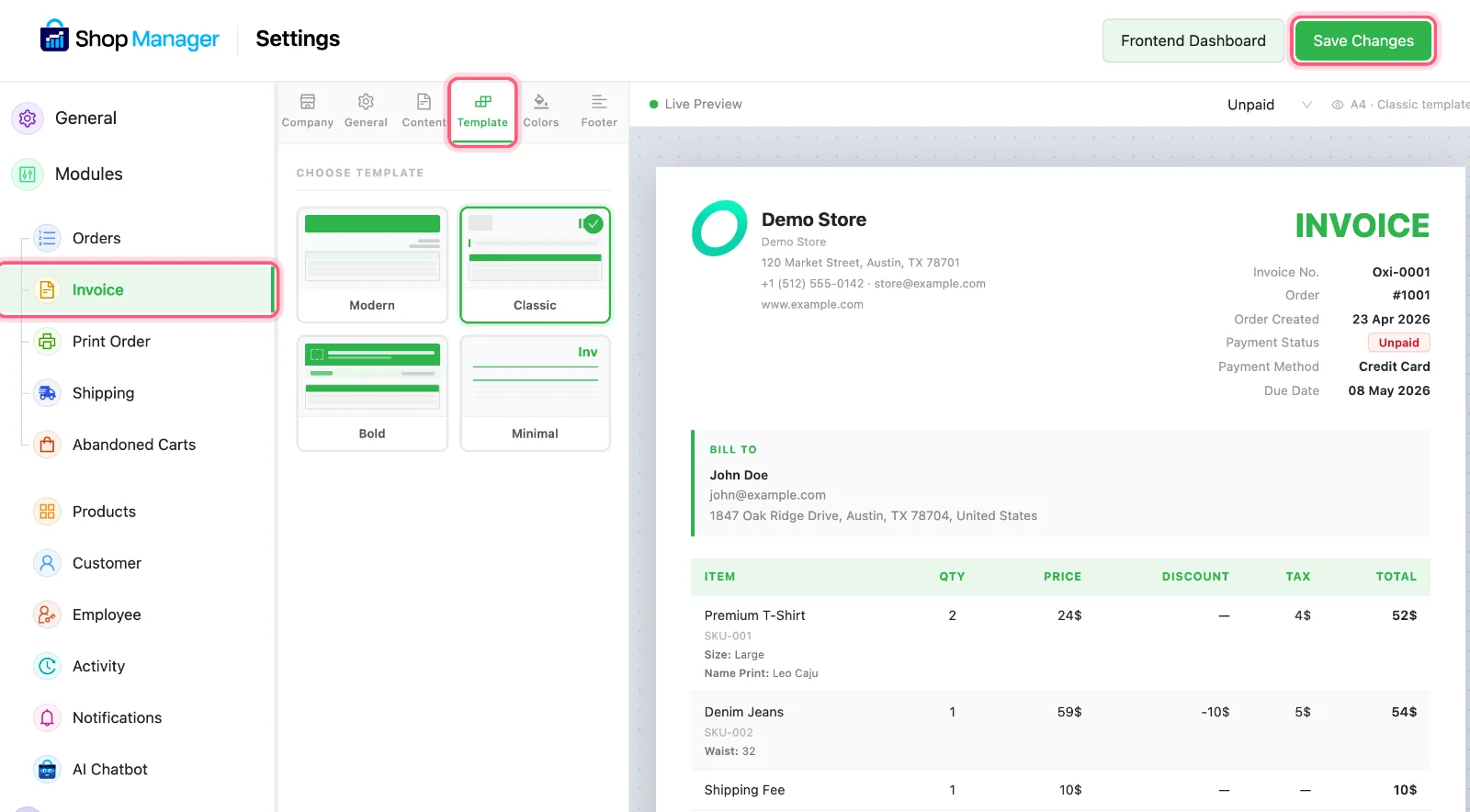
Click Invoice, then Template, then Save Changes when you are done. All three are marked. The preview uses a demo store. -
Let customers get theirs by email
Click the General tab. Send PDF with Email attaches the invoice to the WooCommerce emails for invoice details, processing orders and completed orders. It starts on. If you do not want that, turn it off and click Save Changes.
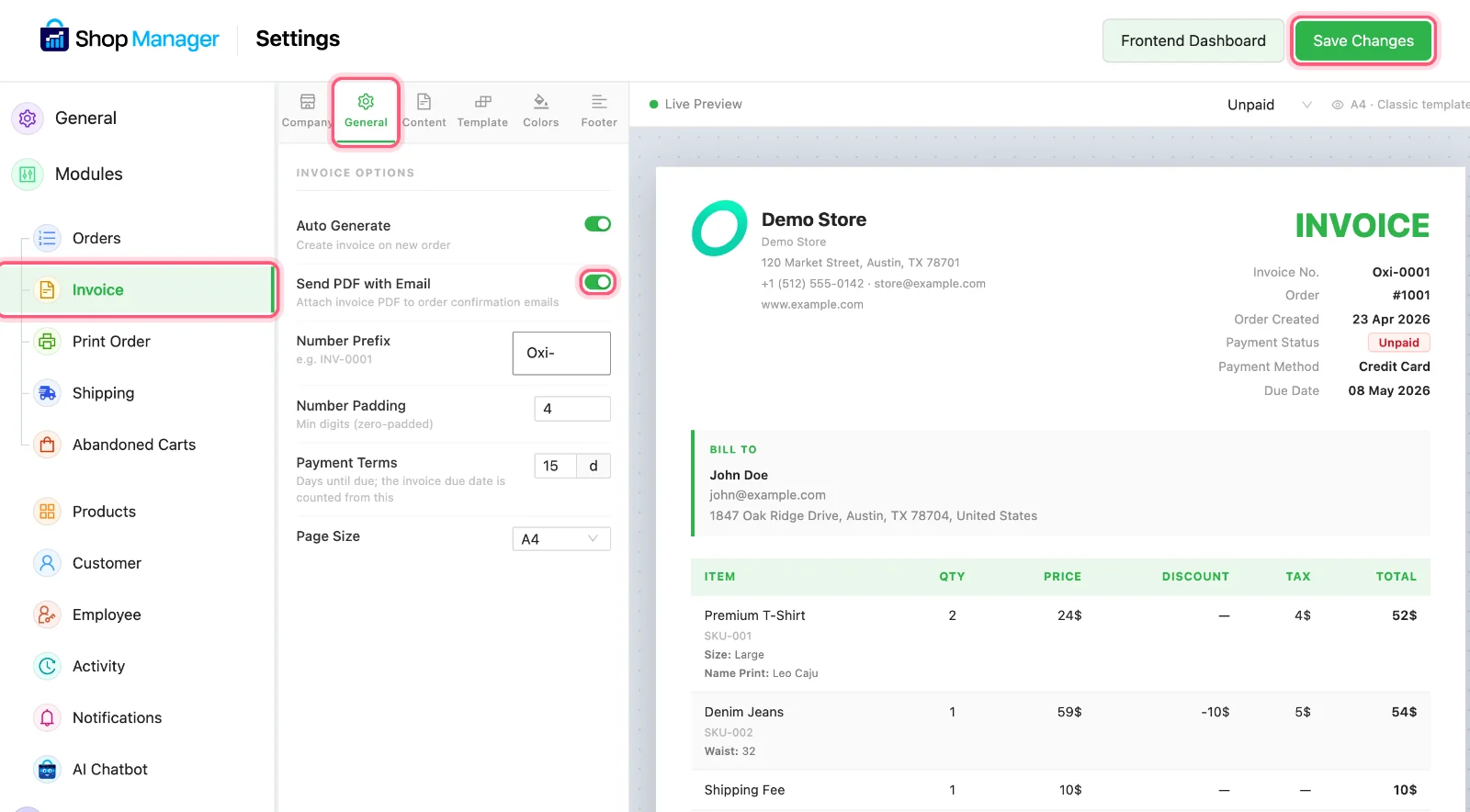
The General tab, the Send PDF with Email switch and Save Changes are marked. -
Find last month's orders
Open Orders and click Filters. Set the Date Range to last month. You can also choose order statuses, such as Completed, and filter by payment method.
Elena picks 1 to 31 October and Completed.


First click Filters. Then set the two marked boxes. -
Make one PDF
Tick the orders and click Generate Invoices. They open in a new tab as one PDF, up to 100 invoices in a file. Save it and send it to your accountant. For more than 100, make a second file.
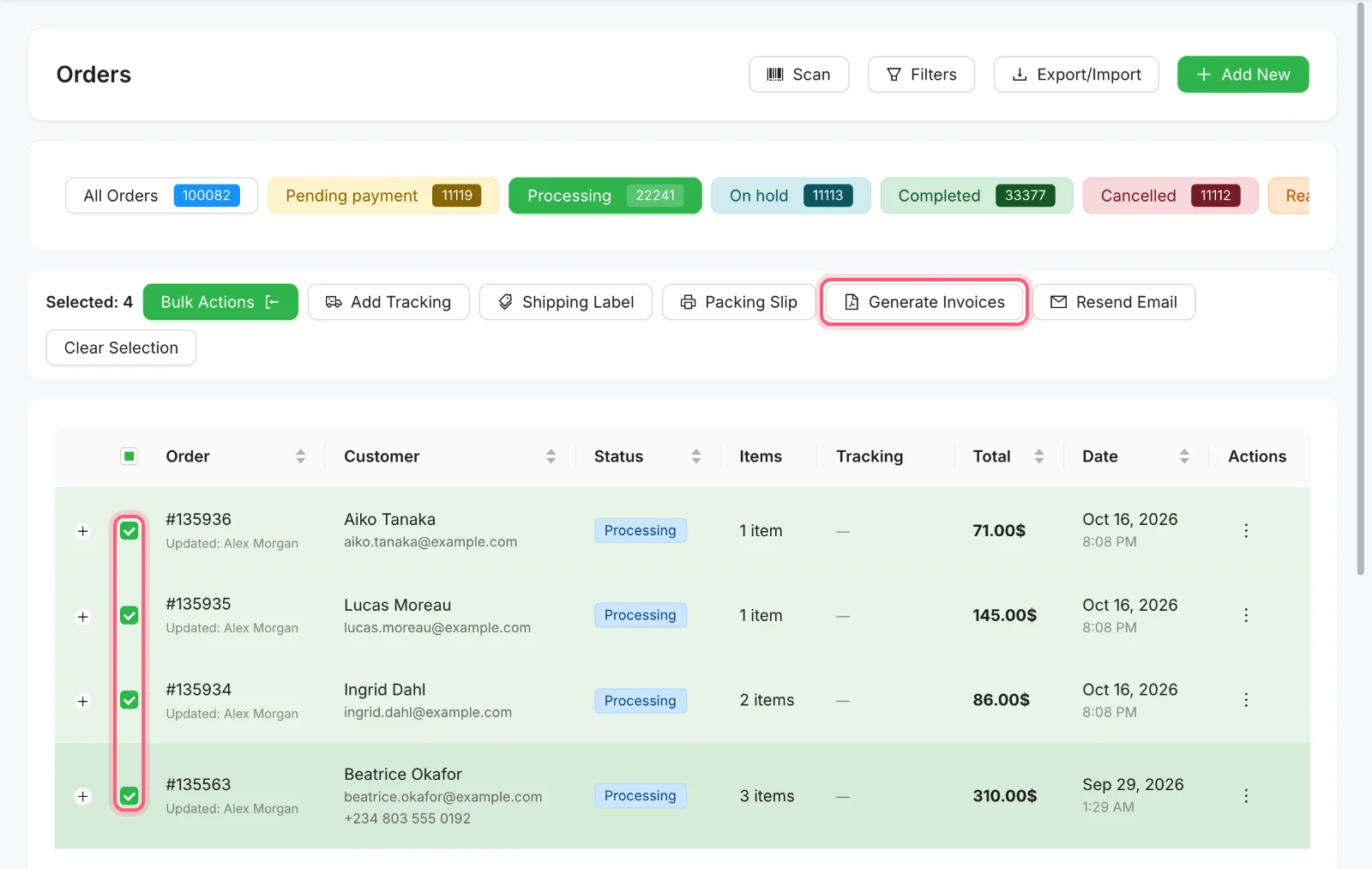
Tick the orders, then click Generate Invoices. Both are marked. -
Add a spreadsheet if they want one
With the same orders ticked, click Export/Import above the list, then click Export. You get a CSV with the order number, date, status, customer details, addresses, payment method, items and total. If nothing is ticked, it exports the status you are viewing. CSV export is free.
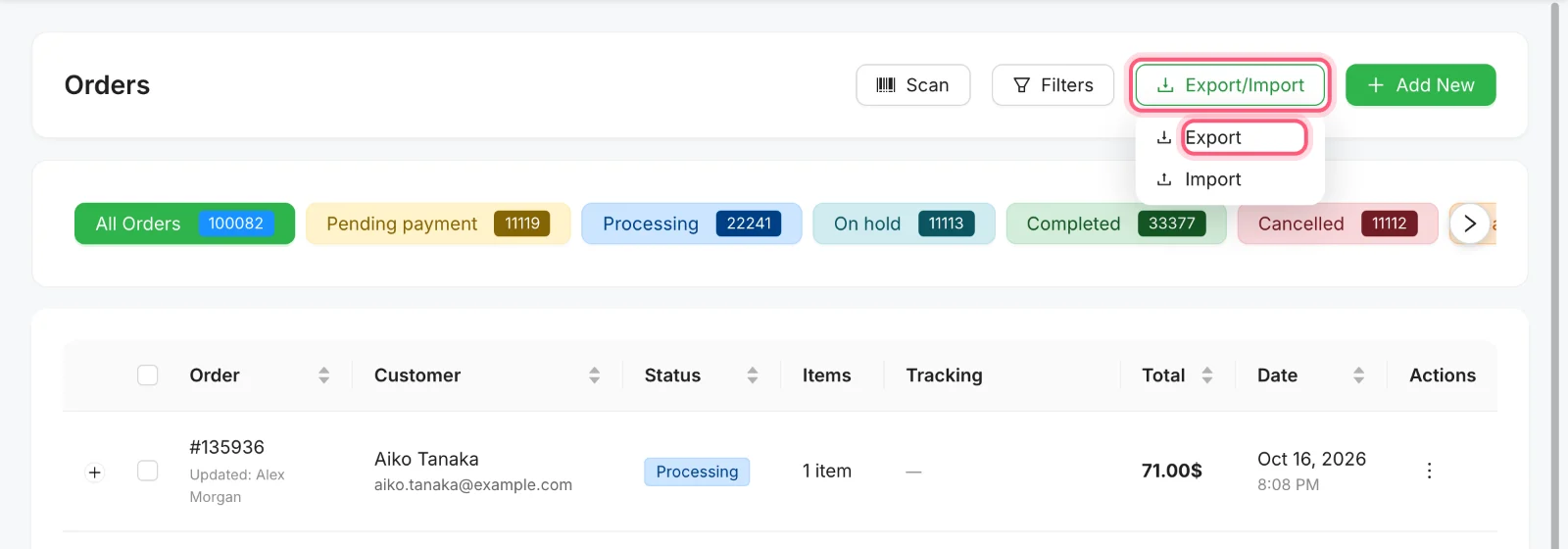
Click Export/Import, then Export. Both are marked.
Elena's month end
| The job | Before | With Pro |
|---|---|---|
| 70 invoices | 70 separate downloads | One PDF |
| File names | Renamed by hand | One file to send |
| Customer copies | Sent when someone asks | Attached to their order email |
How Elena's story ends
On the first of the next month, the message arrives. Elena picks the dates, ticks the orders and clicks one button. She sends the PDF before her tea goes cold. Her accountant replies with a thumbs up, and they both get on with their day.
Make next month the easy one
PDF invoices come with every Shop Manager Pro plan, with a 14-day money-back guarantee.
What you need
- Plan
- Any Pro plan
- Free plugin
- Needed too, Pro runs with it
- Designs
- Modern, Classic, Bold, Minimal
- One PDF holds
- Up to 100 invoices
Features used on this page
- Proper PDF invoices, four designs
- One PDF for a whole batch
- Attach it to the order email
- It looks like your company, not ours
- Export orders to a spreadsheet
- Filter by more than status
Checked against the plugin in .
Questions people ask
Do I need Shop Manager Pro for PDF invoices?
Yes. PDF invoices are in every Pro plan. Without Pro, you can still print order sheets and export orders to a CSV file.
How many invoices fit in one PDF?
Up to 100. For more, make more than one file.
Can my accountant log in and do this?
Yes, with some setup. The ready-made Accountant role only sees the dashboard and analytics. To let them do this, turn on Orders for that role in Roles & Access and tick View and Generate Invoice.
Which emails get the invoice attached?
The WooCommerce emails for invoice details, processing orders and completed orders, while Send PDF with Email is on.
Are these invoices right for tax in my country?
The rules differ from country to country. Shop Manager makes the document from your settings and your order data, so please ask your accountant if your invoices need anything more.
More stories
- A customer is on the phone and wants to order right now. You need a simple form, fast. Take a phone order and fix order mistakes Free
- Thirty boxes to pack, and your slips still print one order at a time. Print a batch of packing slips Free
- Someone filled a cart, typed their email and left. You never knew they were there. Win back shoppers who left at checkout Needs Pro