Ship the day's orders in one pass
Pick the orders, add the tracking numbers, print the labels. One screen, one pass, nothing retyped.
For: Anyone who packs parcels themselves and posts them in a batch
The parcels are packed and the courier is coming at four. Now comes the part nobody counts: opening each order to copy the address, keeping a spreadsheet of tracking numbers, pasting them back in one at a time, and then emailing customers so they stop asking where their parcel is. Twenty orders is an hour of retyping, and one mistyped number means a parcel nobody can find.
-
1
Tick the orders going out today
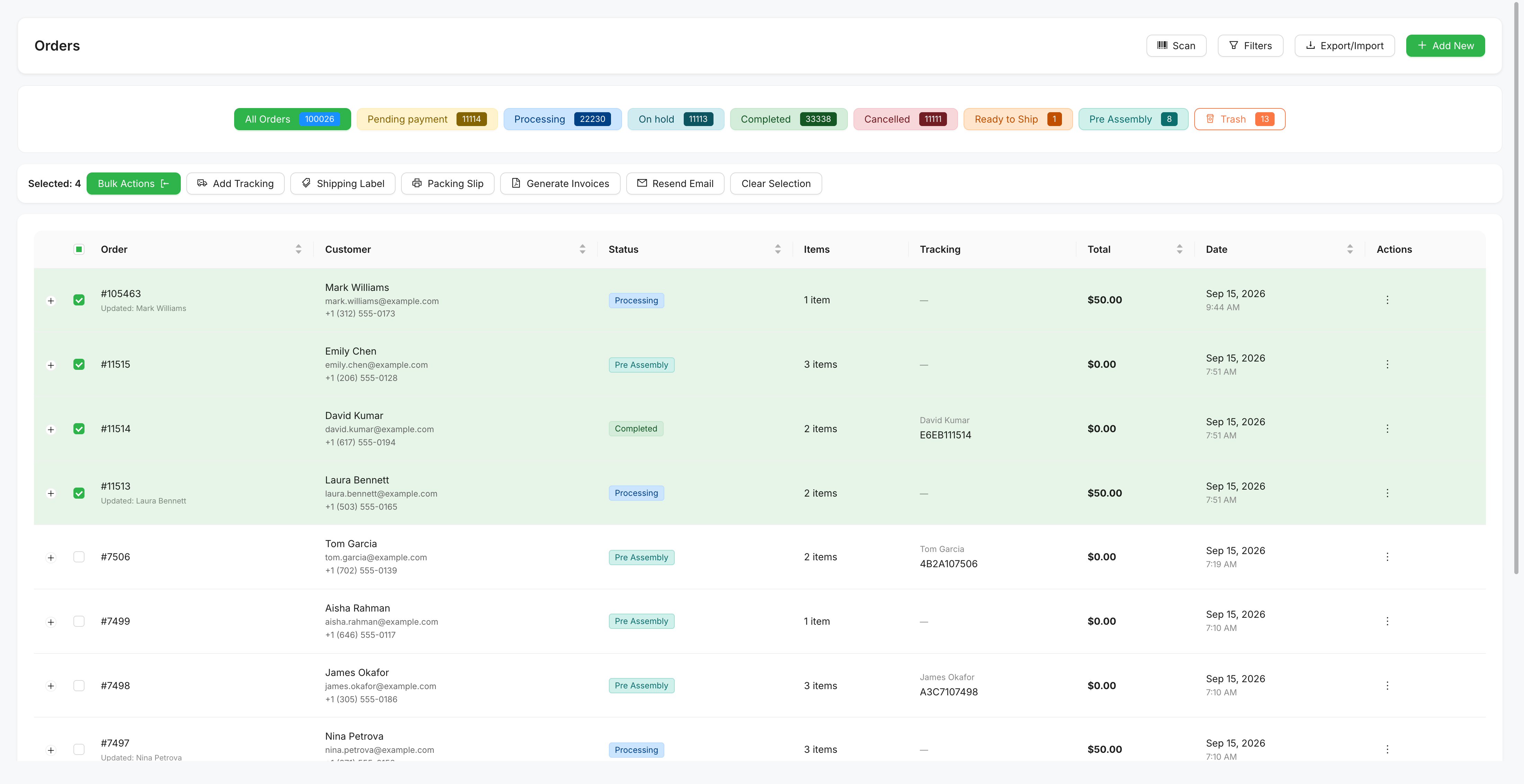
Filter to Processing, tick the ones you have packed, and the bar along the top offers everything you can do to the batch at once: add tracking, print labels, print packing slips, generate invoices, email the customer. The Tracking column shows you at a glance which orders already have a number and which do not.
-
2
Paste the tracking numbers in one go
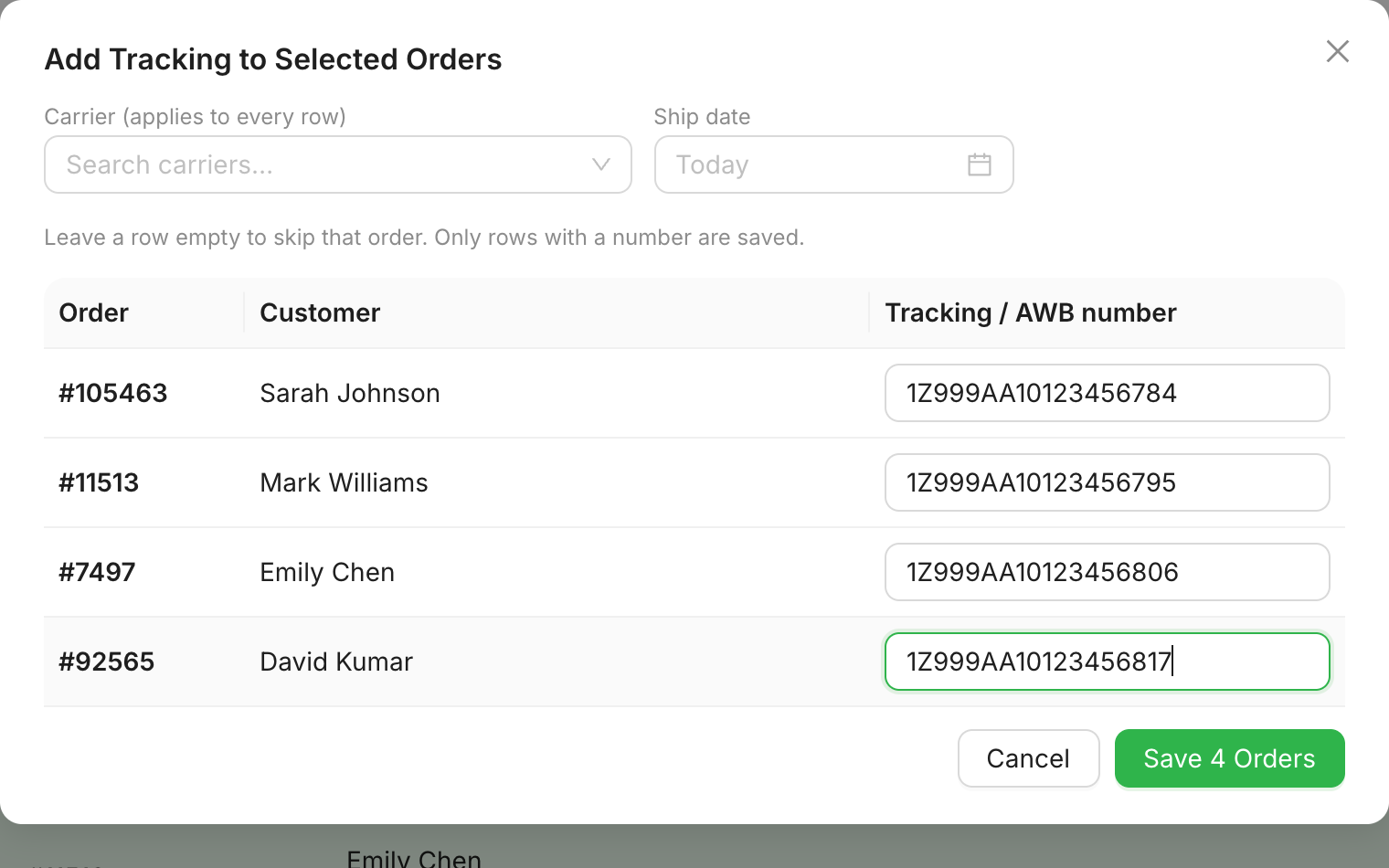
Choose the courier once and it applies to the whole batch. Then paste a tracking number against each order. Leave a row empty and that order is skipped, so a half-finished batch is fine. Pick from 151 couriers across 55 countries, or type your own name for a local courier that is not on the list.
-
3
Print labels with a scannable barcode
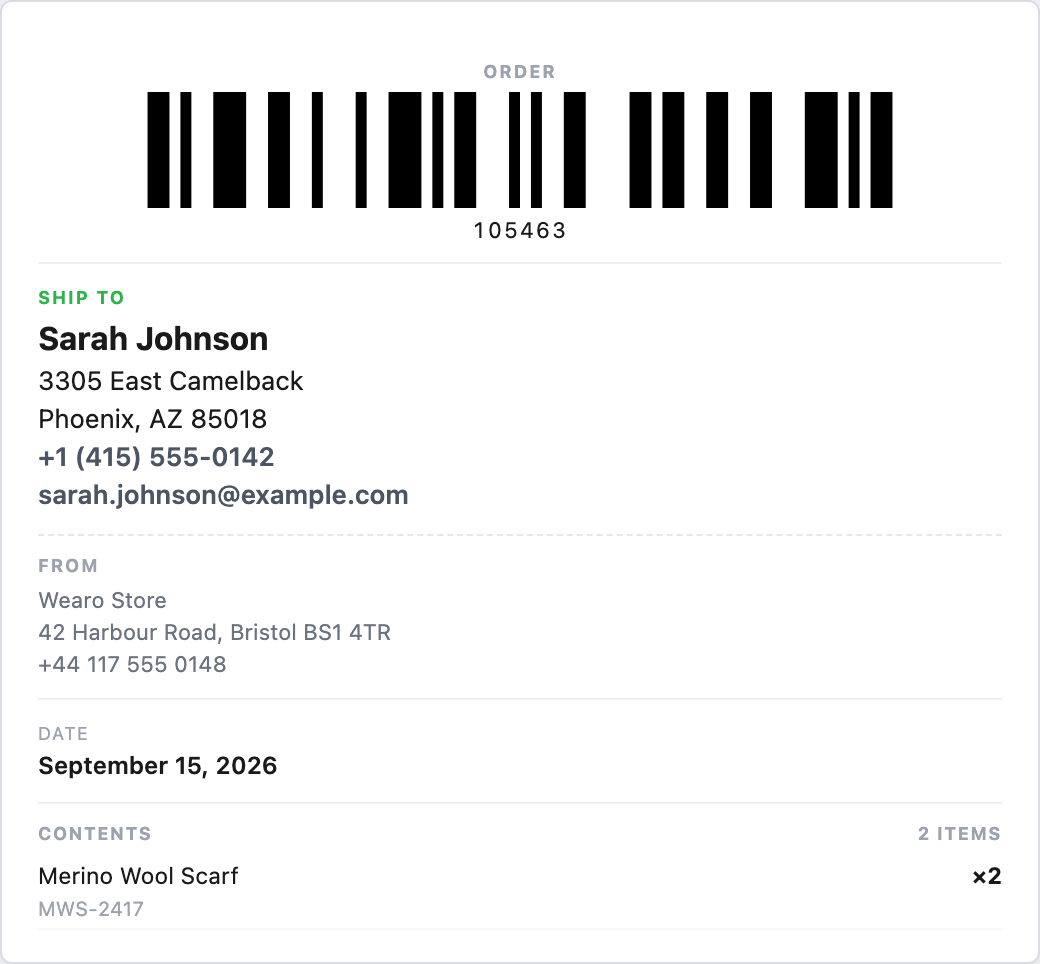
The label carries the delivery address, your return address, what is in the parcel and a Code 128 barcode, the same symbology couriers print themselves. It comes out of your browser, so there is no PDF plugin and no label software. Print on A4 or A5 sheets, 4x6 inch, or an 80 mm or 58 mm thermal roll.
WooCommerce sends the tracking number to each customer in its own order email, with a Track your parcel link, and it shows up on their My Account page. You do not email anyone. If a parcel comes back, scan the barcode on the label with any USB scanner and Shop Manager pulls that order straight up, or moves it to the status you choose.
- Couriers
- 151, across 55 countries
- Barcode
- Code 128, scannable
- Label sizes
- A4, A5, 4x6 in, 80 mm, 58 mm roll
- Courier account
- Not needed
- API key
- Not needed
- Price
- Free, in the free plugin
Features this job used