Shop Manager Frontend Dashboard

Run your WooCommerce store from the front of your own website

Orders, packing slips, tracking numbers, products and customers on one fast dashboard. Your whole team can use it, and nobody needs the WordPress admin.

Free forever, no credit card Works with HPOS 14-day money-back on Pro
yourstore.com/shop-manager
151Couriers supportedacross 55 countries
4Invoice designsModern, Classic, Bold, Minimal
3AI providersClaude, OpenAI or Gemini
0Trips to wp-adminto run your day

See Shop Manager in action

A three minute tour of running your WooCommerce store from the front of your own website.

Shop Manager full tourWatch on YouTube

Jump to a part

One dashboard for the work you do every day

Your dashboard, orders, abandoned carts, printing, shipping, invoices, products, customers, AI and your team. Here is what each part does.

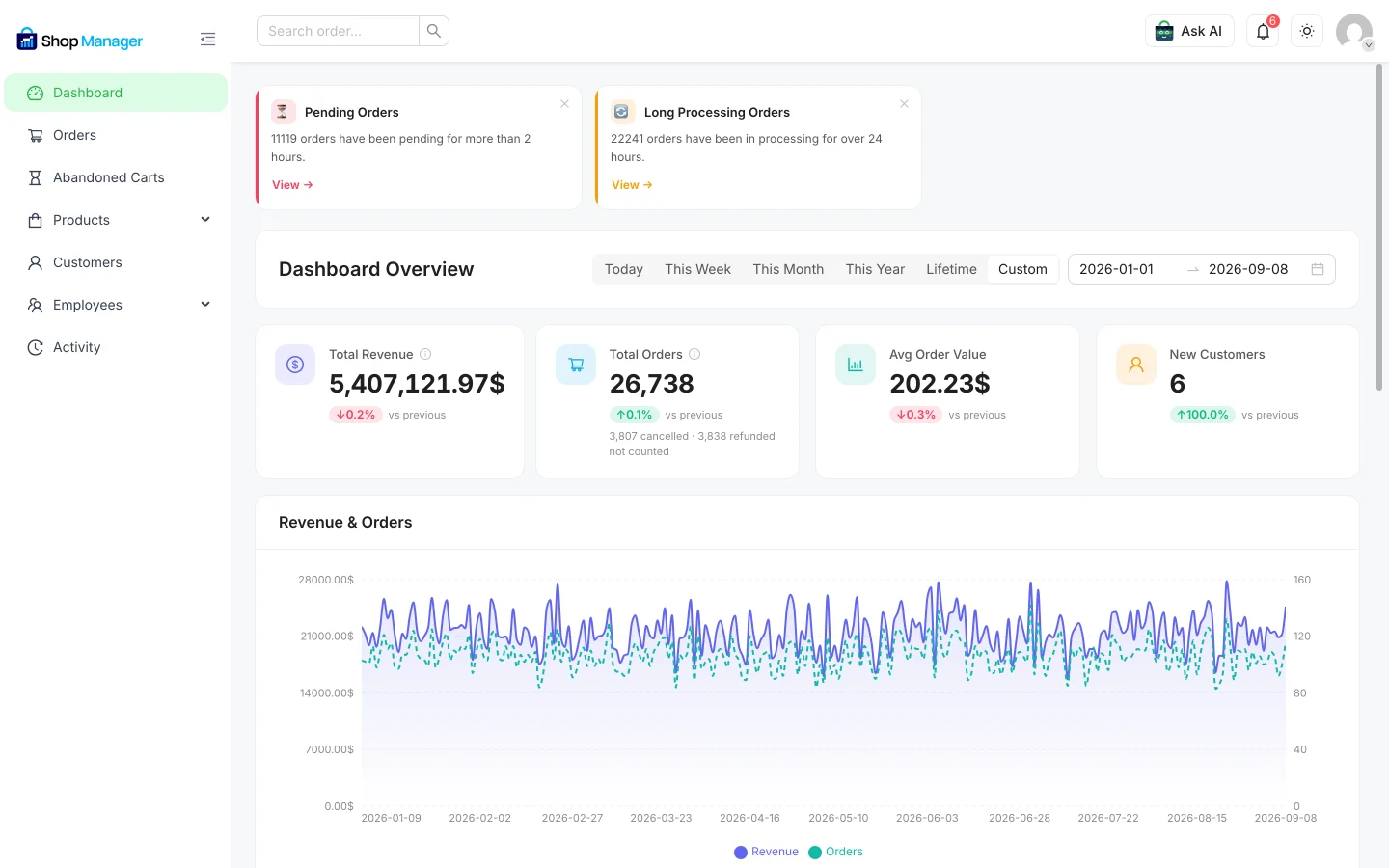
Dashboard and analytics

See how your store is doing the moment you log in

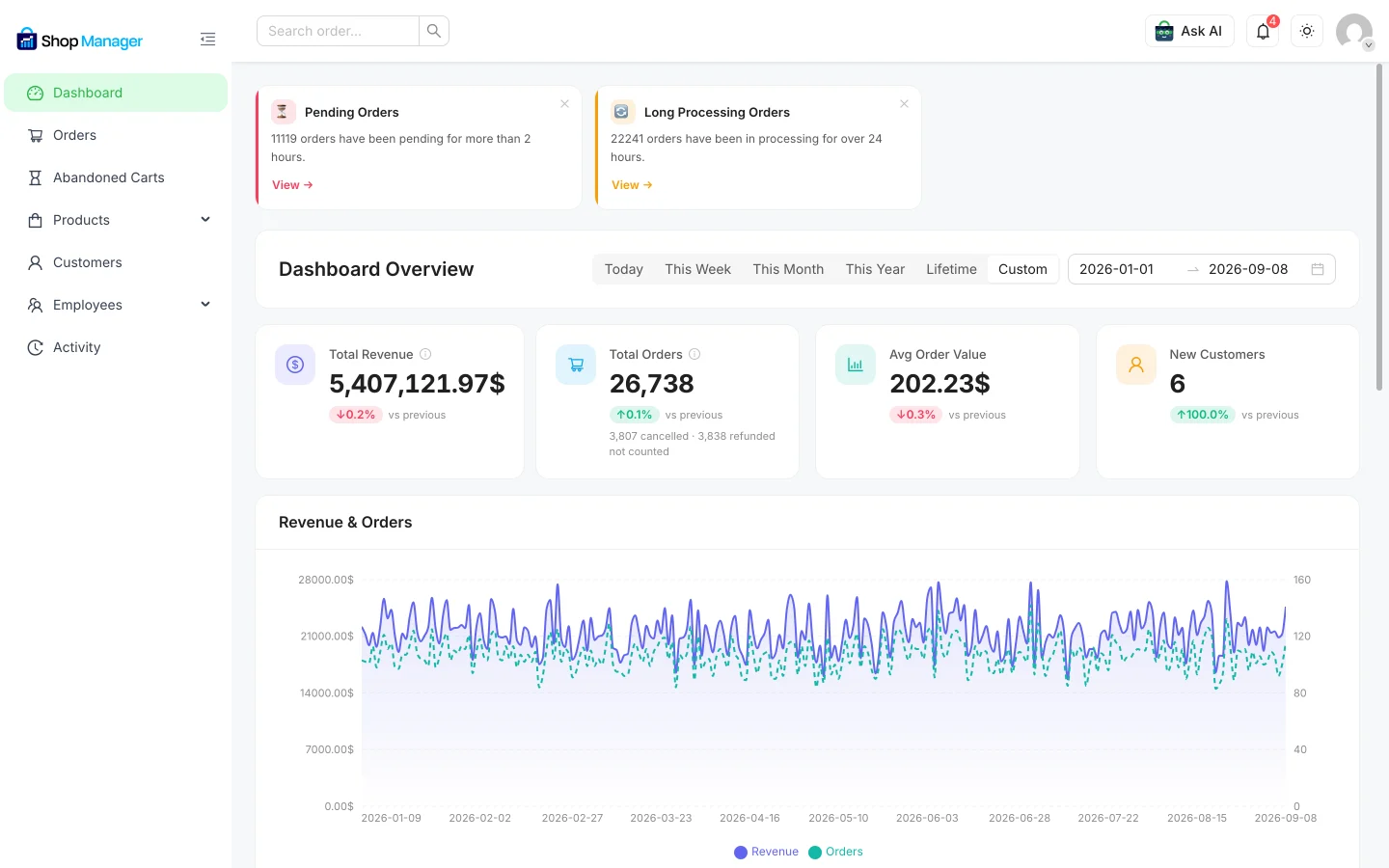
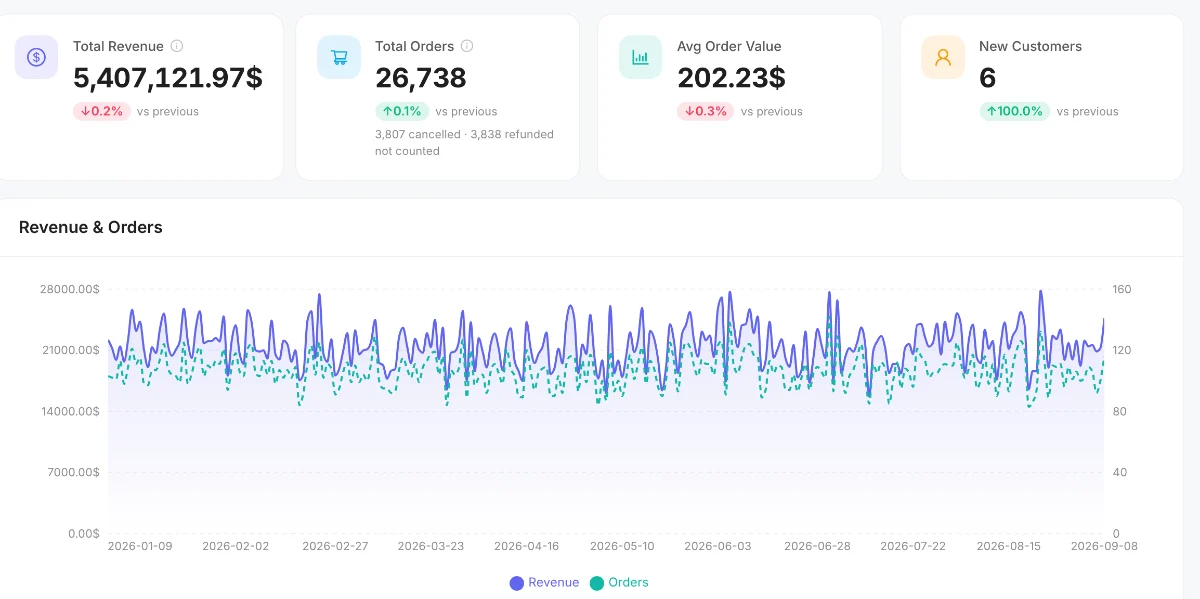
Revenue, orders, average order value and new customers, read from your own store.

  • Pick the period. Today, this week, this month, this year, lifetime or your own dates.
  • Revenue and orders on one chart, day by day for the period you chose.
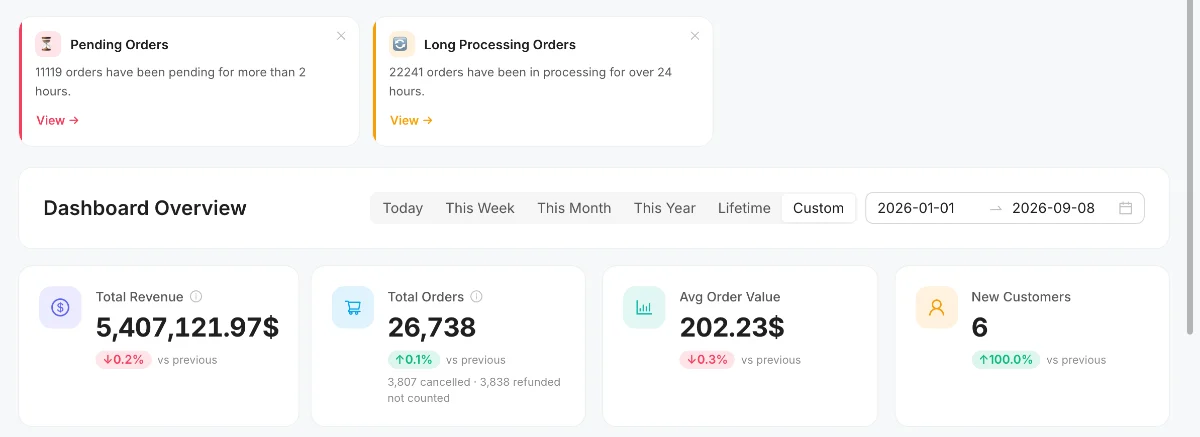
  • Stuck orders find you. Alerts for orders waiting too long, with no AI key needed.
Download free
The Shop Manager dashboard Store totals and the Revenue and Orders chart
Orders

Handle every order without hunting through menus

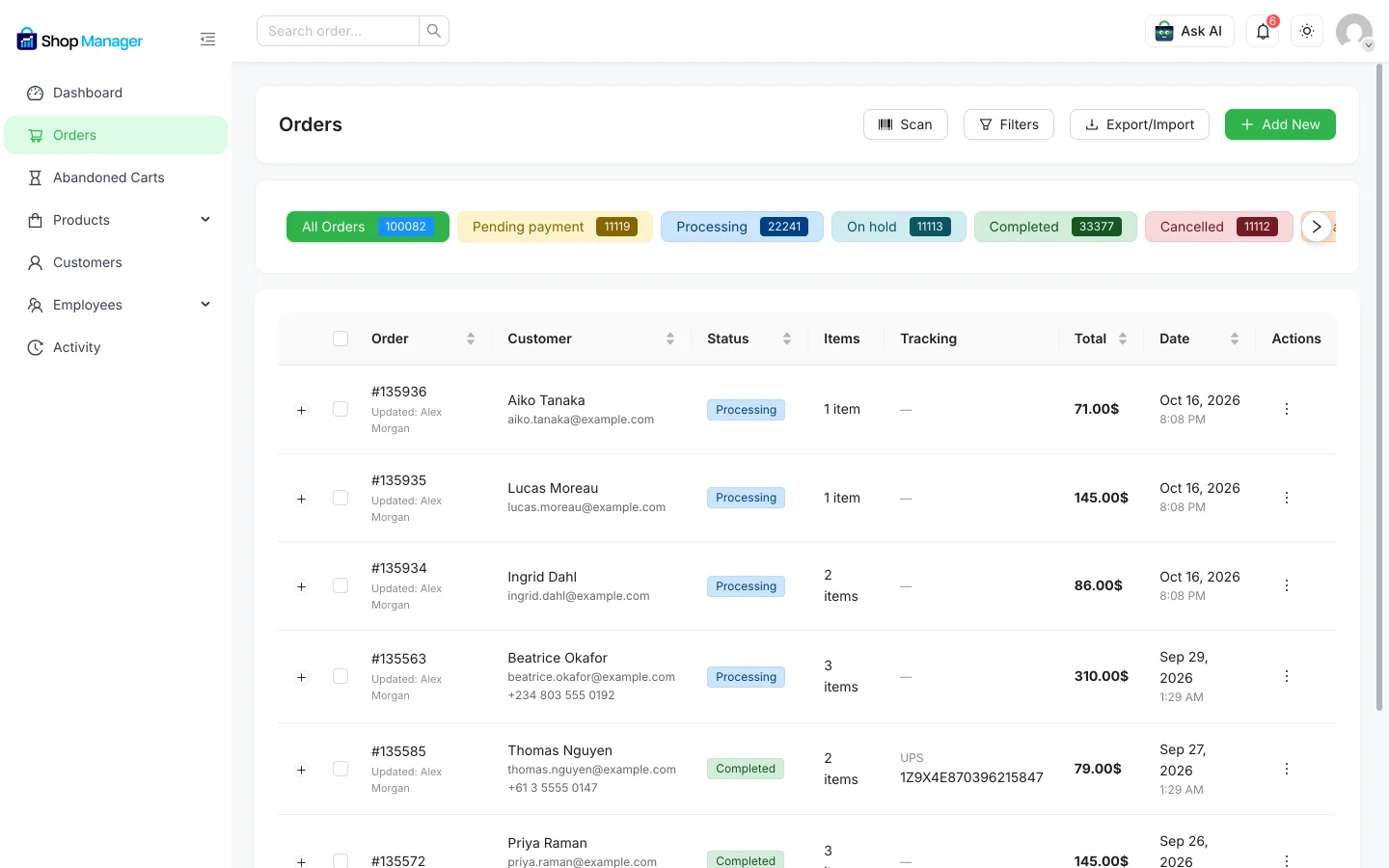
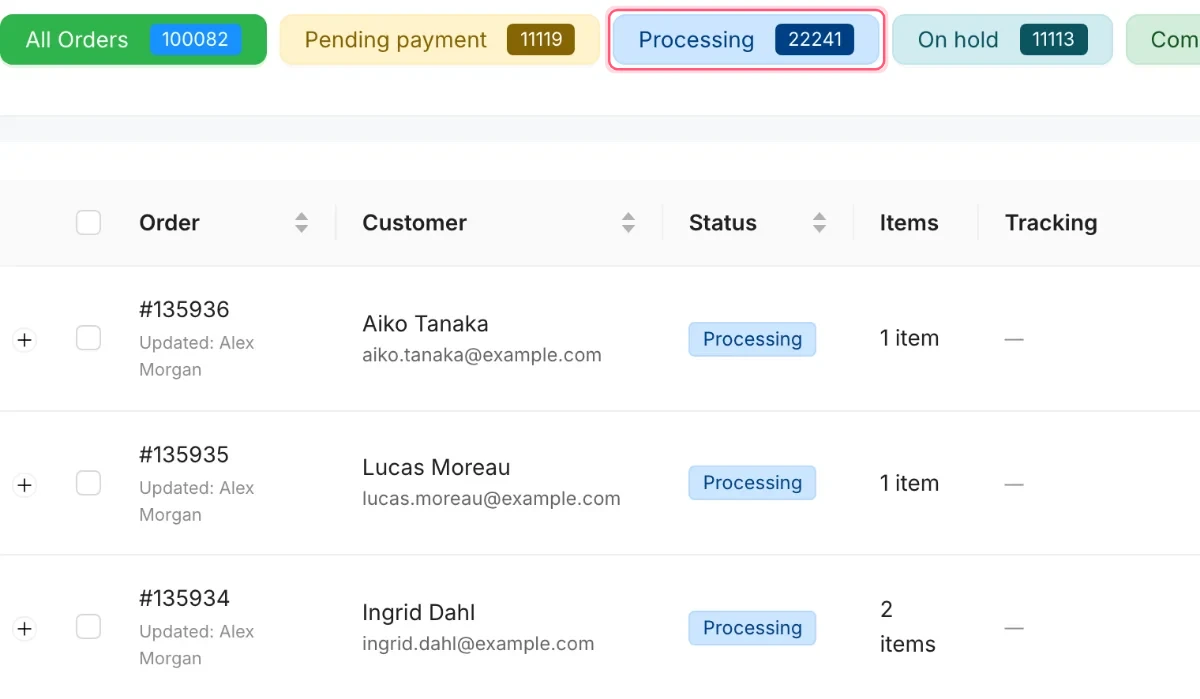
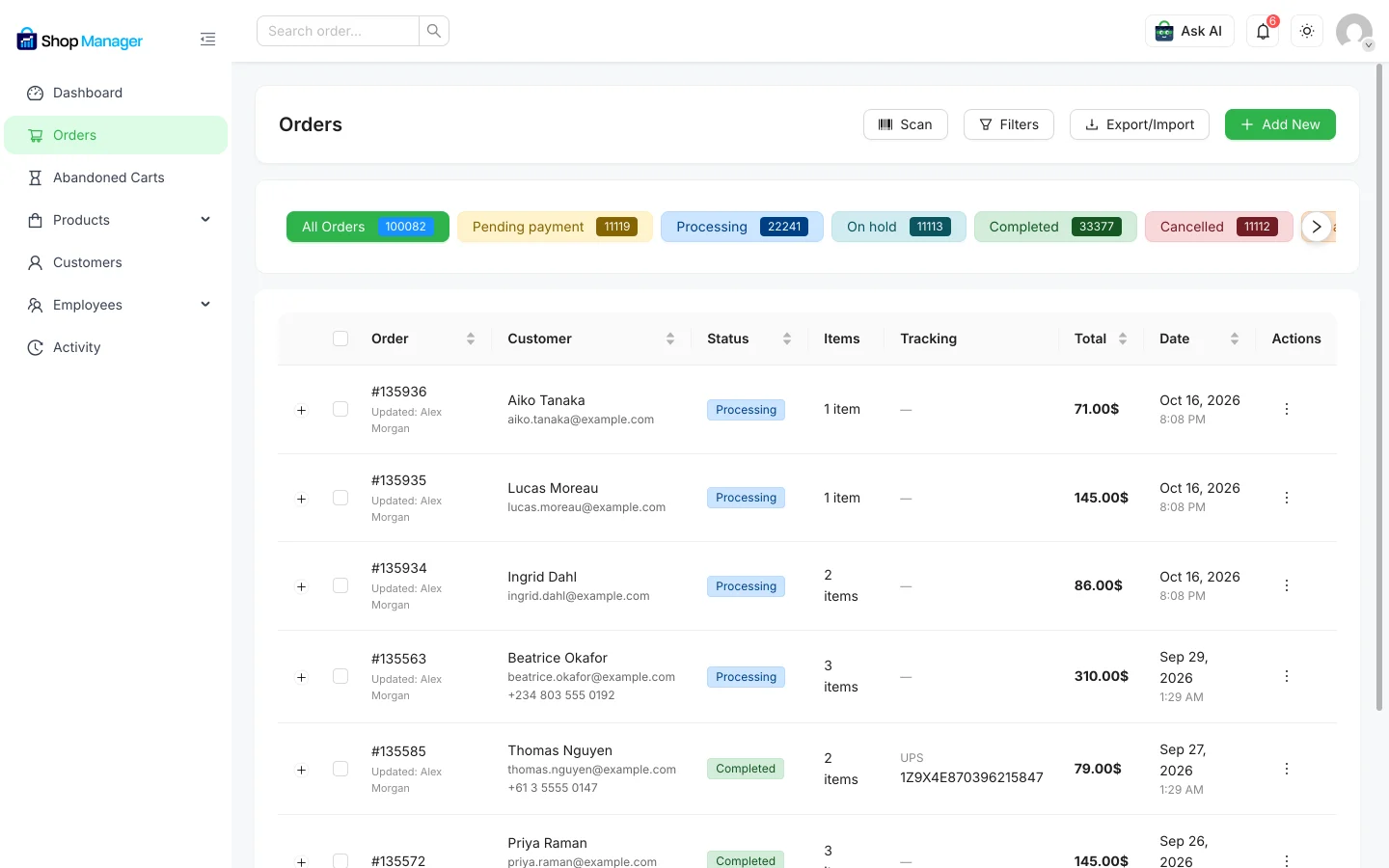
Every order in one fast list, with a count for each status.

  • One click per status. See only the orders that are Pending, Processing or On hold.
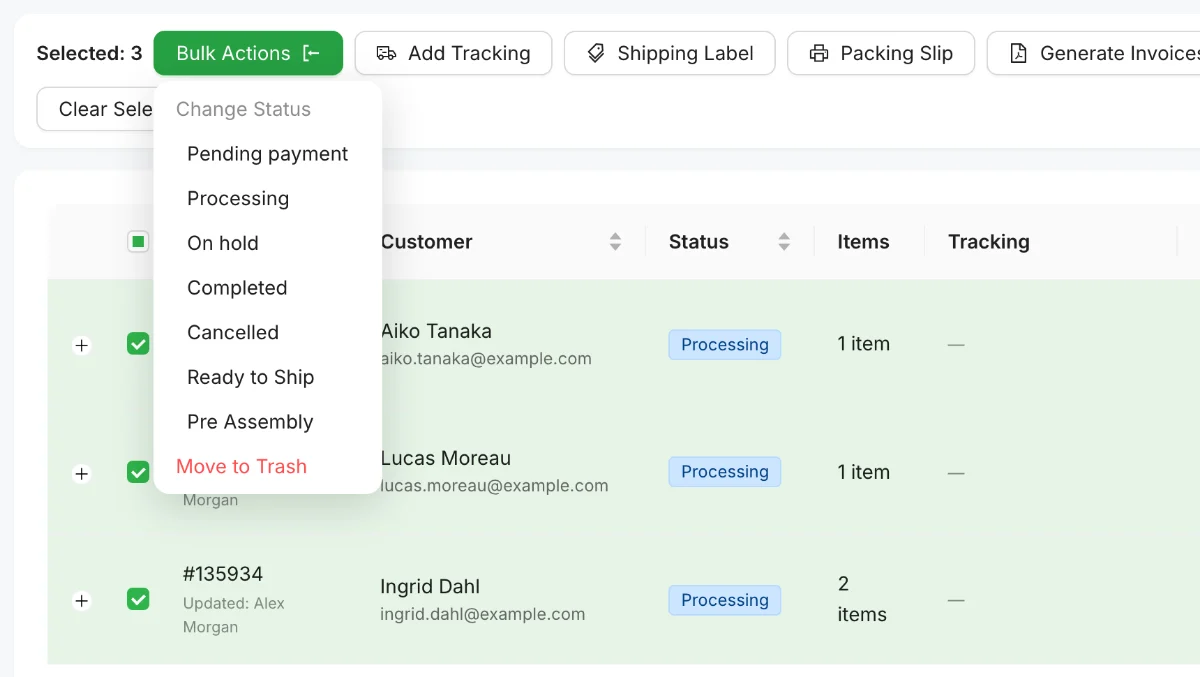
  • Change many orders at once. Change their status or move them to the trash from one menu.
  • Export to a spreadsheet. Tick orders or open one status, then export a CSV your accountant can open.
Download free
Order list in Shop Manager The status buttons with a count for each status, and Processing marked
Abandoned cart recovery Pro

Win back the sales you almost lost

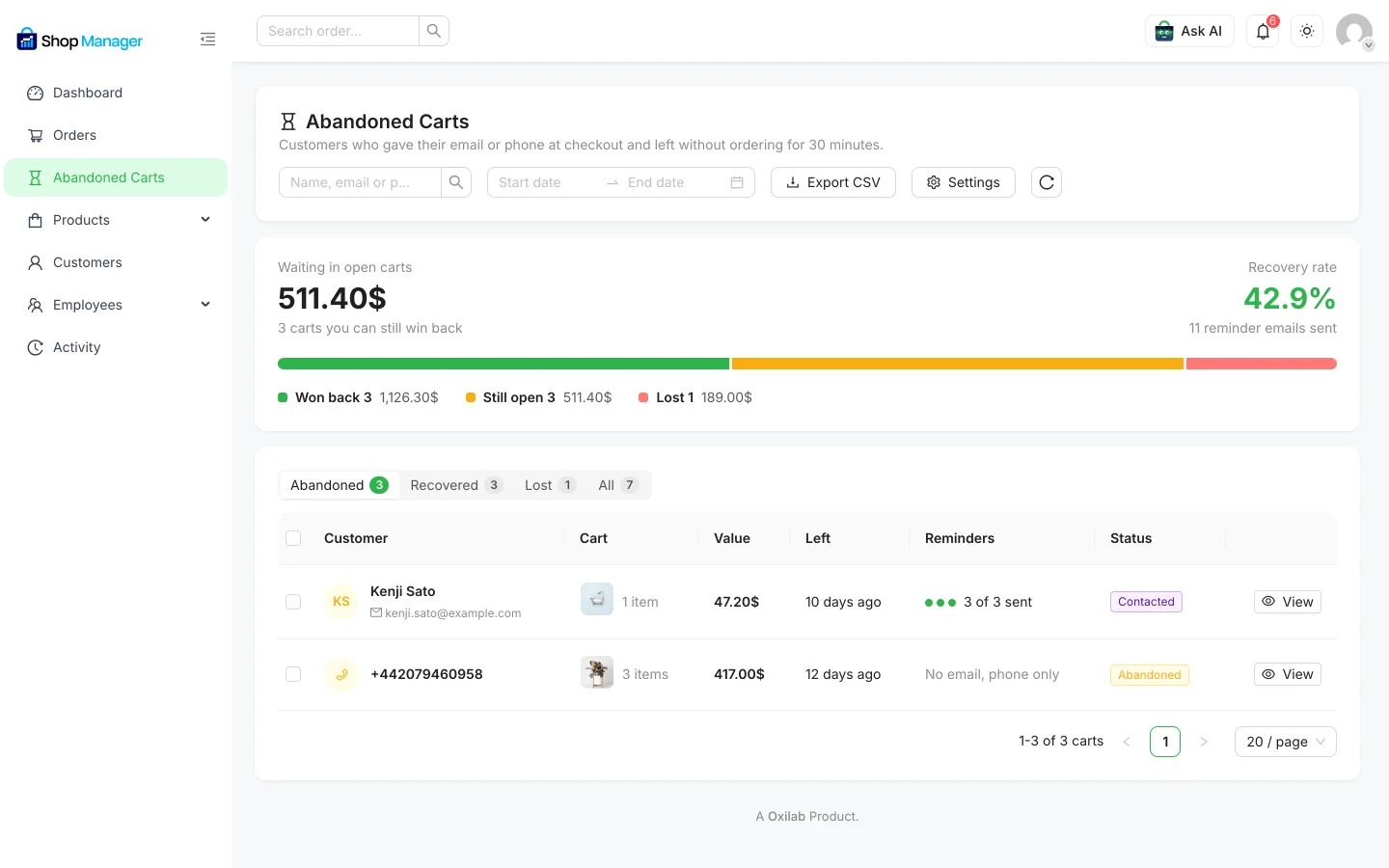
When a shopper gives their email or phone at checkout and leaves without paying, Shop Manager saves the cart and helps you bring them back.

  • Up to five reminder emails, with a coupon to tip them over.
  • WhatsApp and text message buttons to reach shoppers who only left a phone number.
  • See what you won back: money still in open carts, your recovery rate and a weekly report.
See Pro plans
The Abandoned Carts page in Shop Manager Money waiting in open carts, the recovery rate and carts won back
Packing slips

Print packing slips and order sheets from your browser

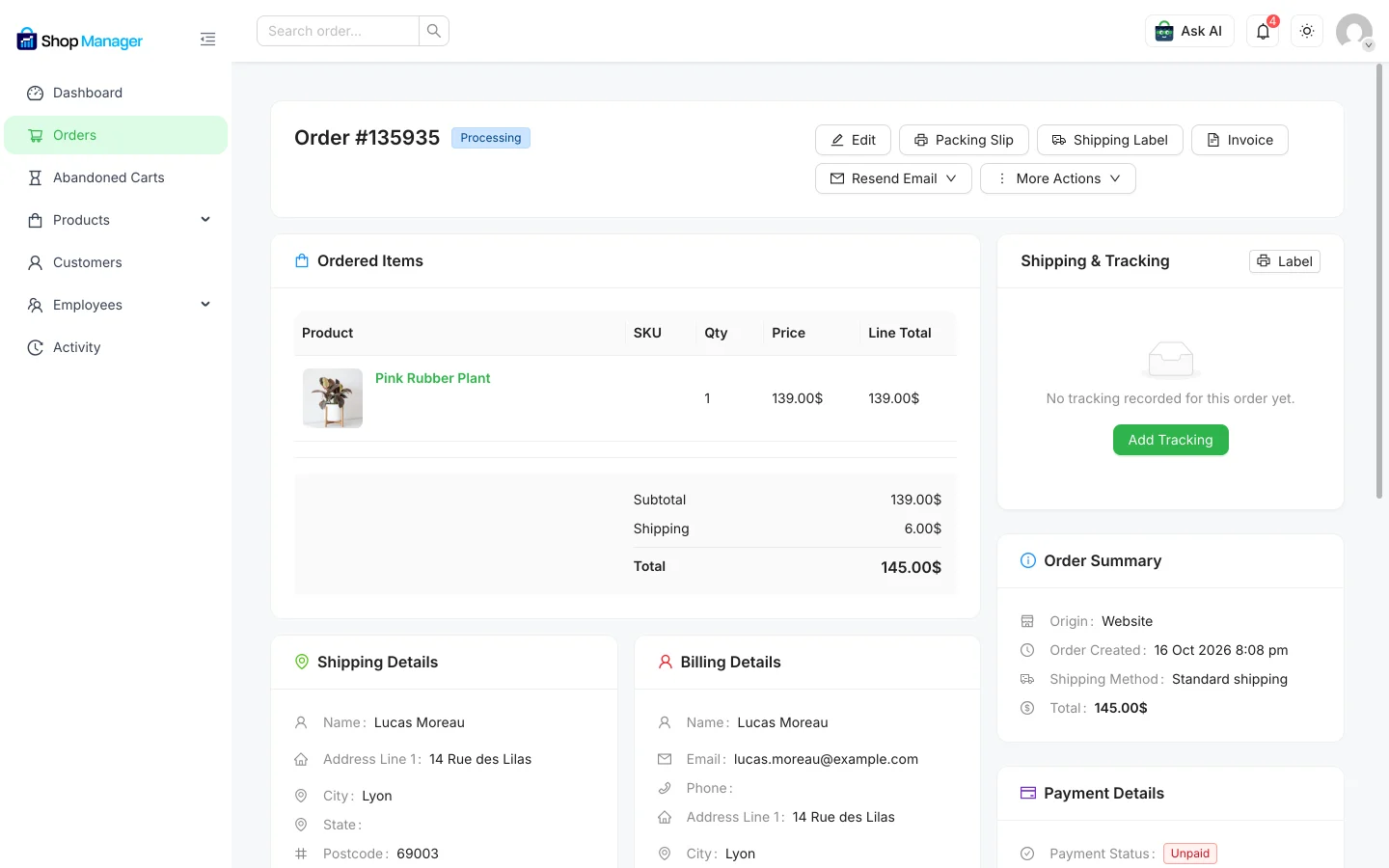
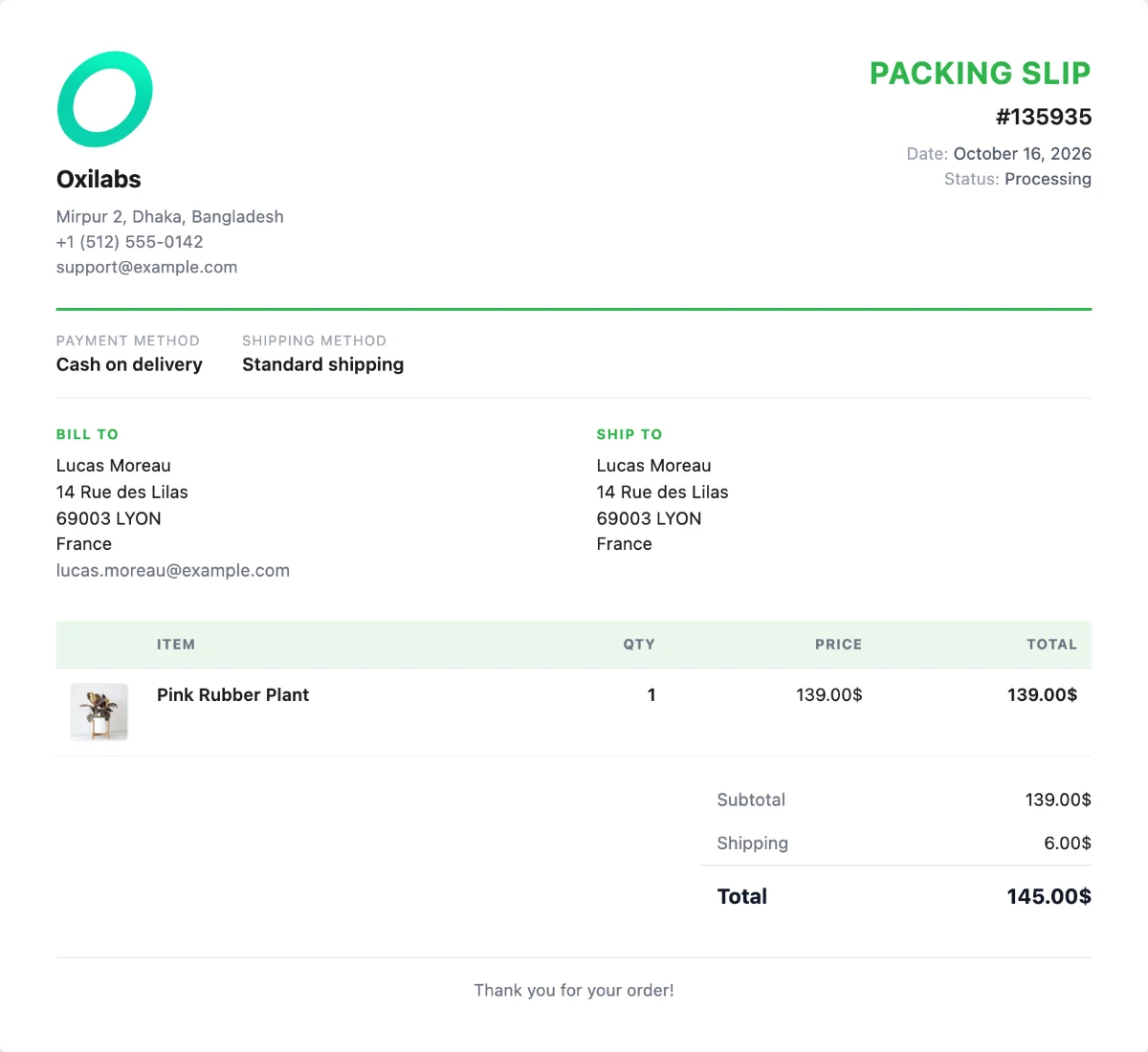
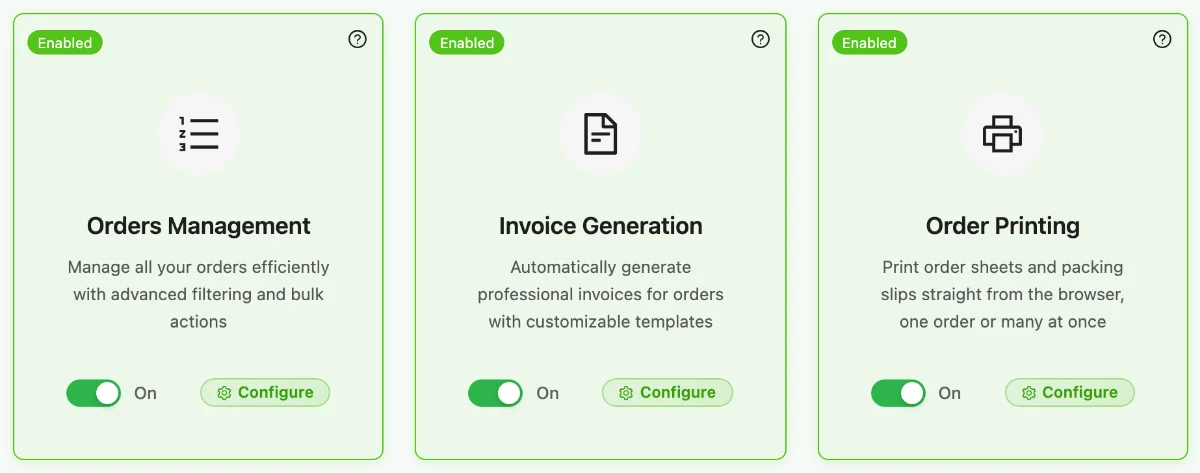
Open an order and print it, or tick a batch of orders and print them all, one order per page.

  • No PDF plugin. Your browser does the printing.
  • Design it with a live preview: document title, paper size, logo, colours and every section on or off.
  • Turn prices off to get a packing slip for the parcel.
Download free
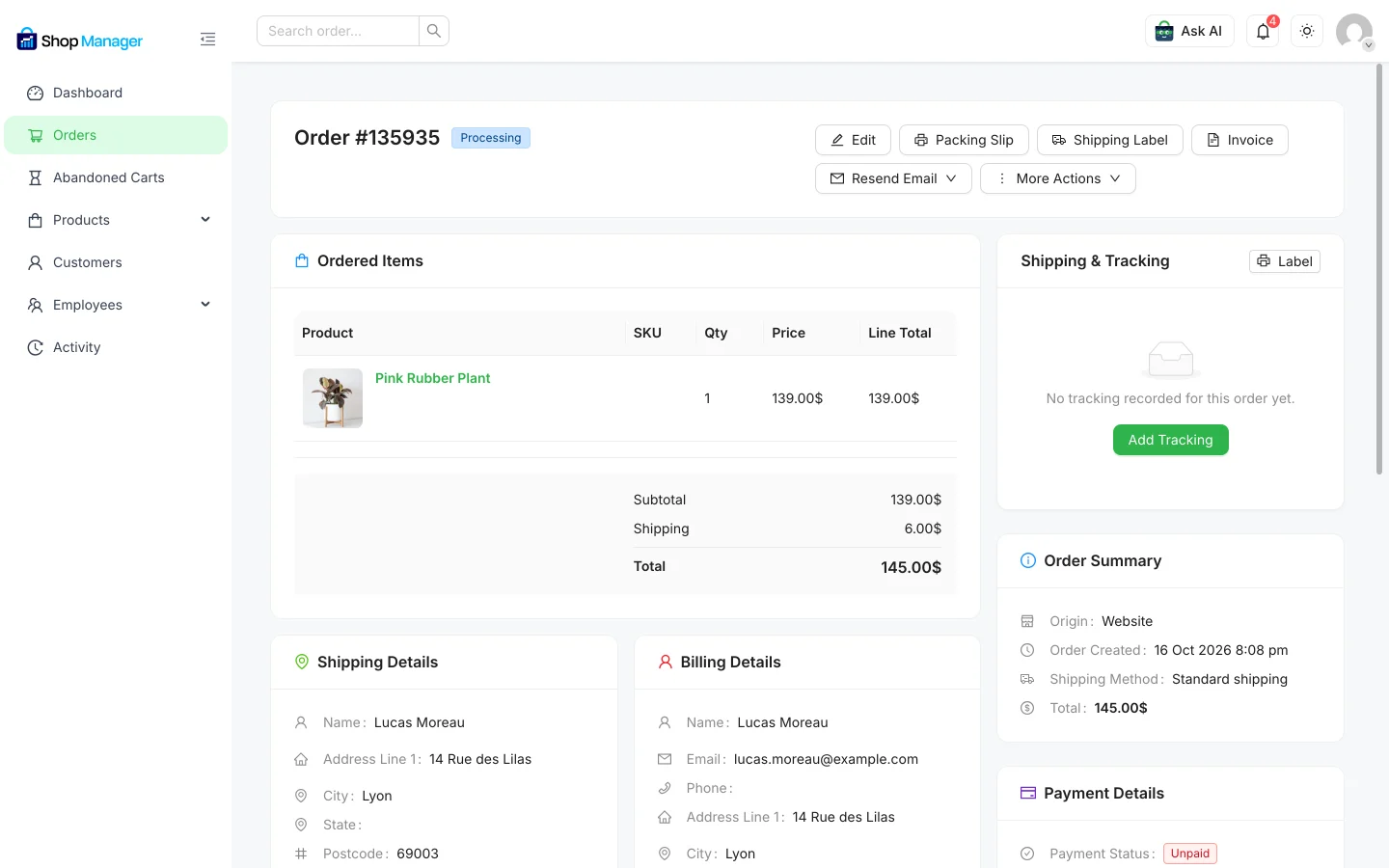
An order in Shop Manager A packing slip ready to print
Shipping labels

Shipping labels with a scannable barcode

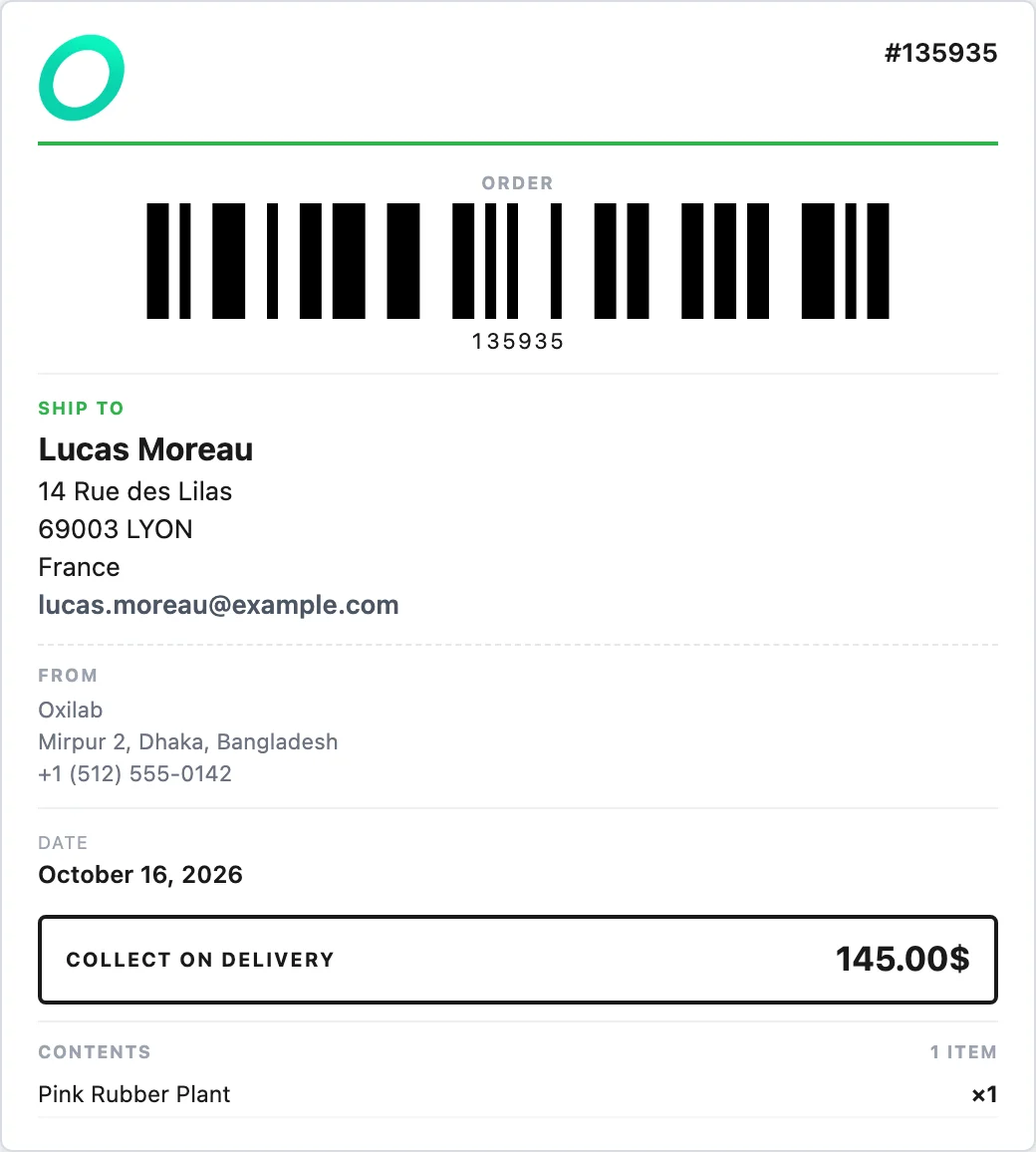
Print a label for one order or a whole batch: the delivery address, what is in the parcel and the cash on delivery amount to collect.

  • Five sizes: A4, A5, 4x6 inch, and 80 or 58 mm thermal roll.
  • A Code 128 barcode. Scan it with a USB scanner to find the order or move it to a status you pick.
  • Printed from your browser, with no courier account and no API key.
Download free
An order in Shop Manager A shipping label with a Code 128 barcode
Tracking

Add tracking in seconds

Pick the courier, type the number, and the tracking link is built for you.

  • 151 couriers in 55 countries, plus your own custom carrier.
  • Customers get the link in their order email and on their My Account page.
  • Find an order by its tracking number from the search box.
Download free
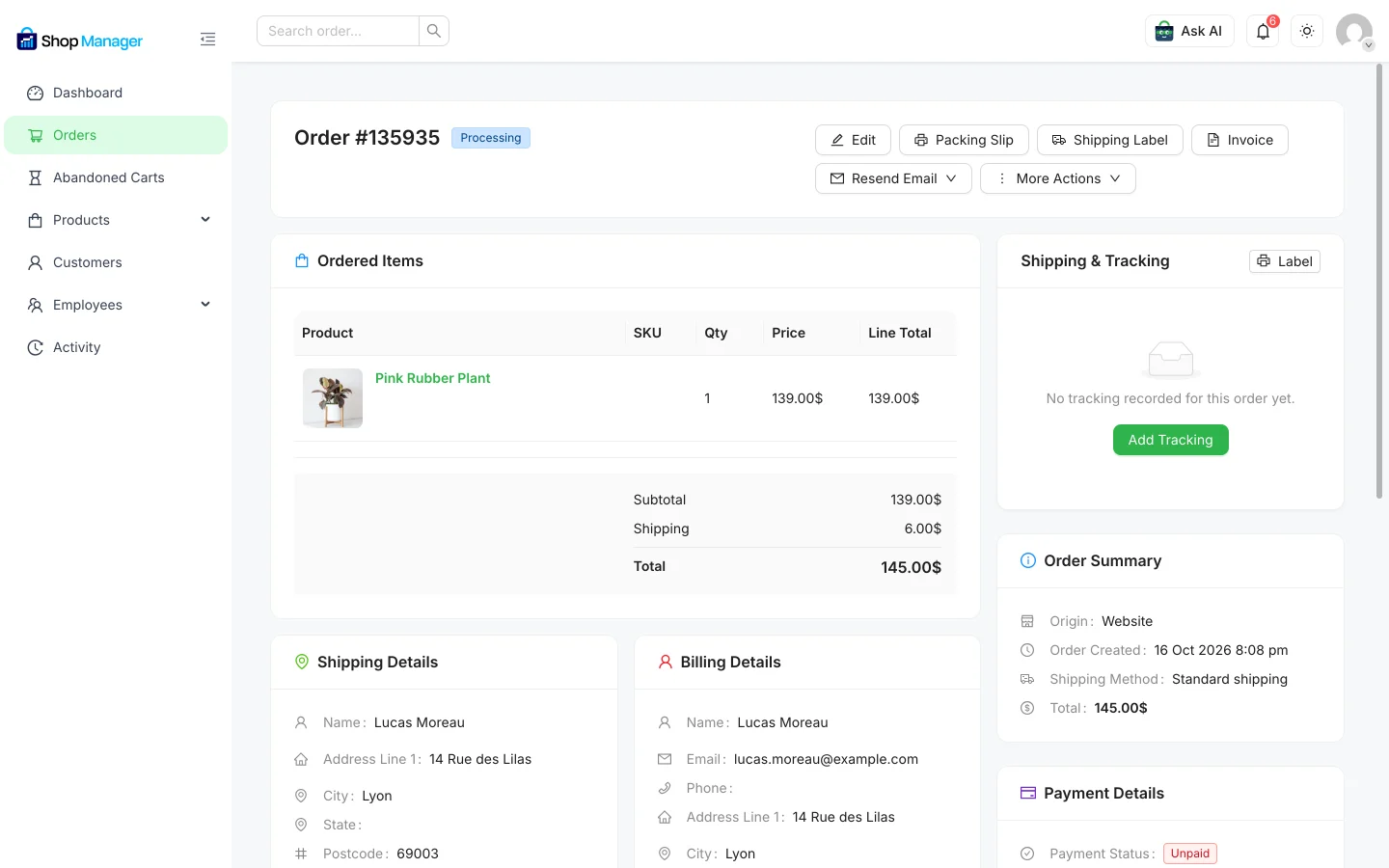
An order in Shop Manager The Add Tracking window with UPS and the tracking link it builds
Invoices Pro

Proper PDF invoices with your own branding

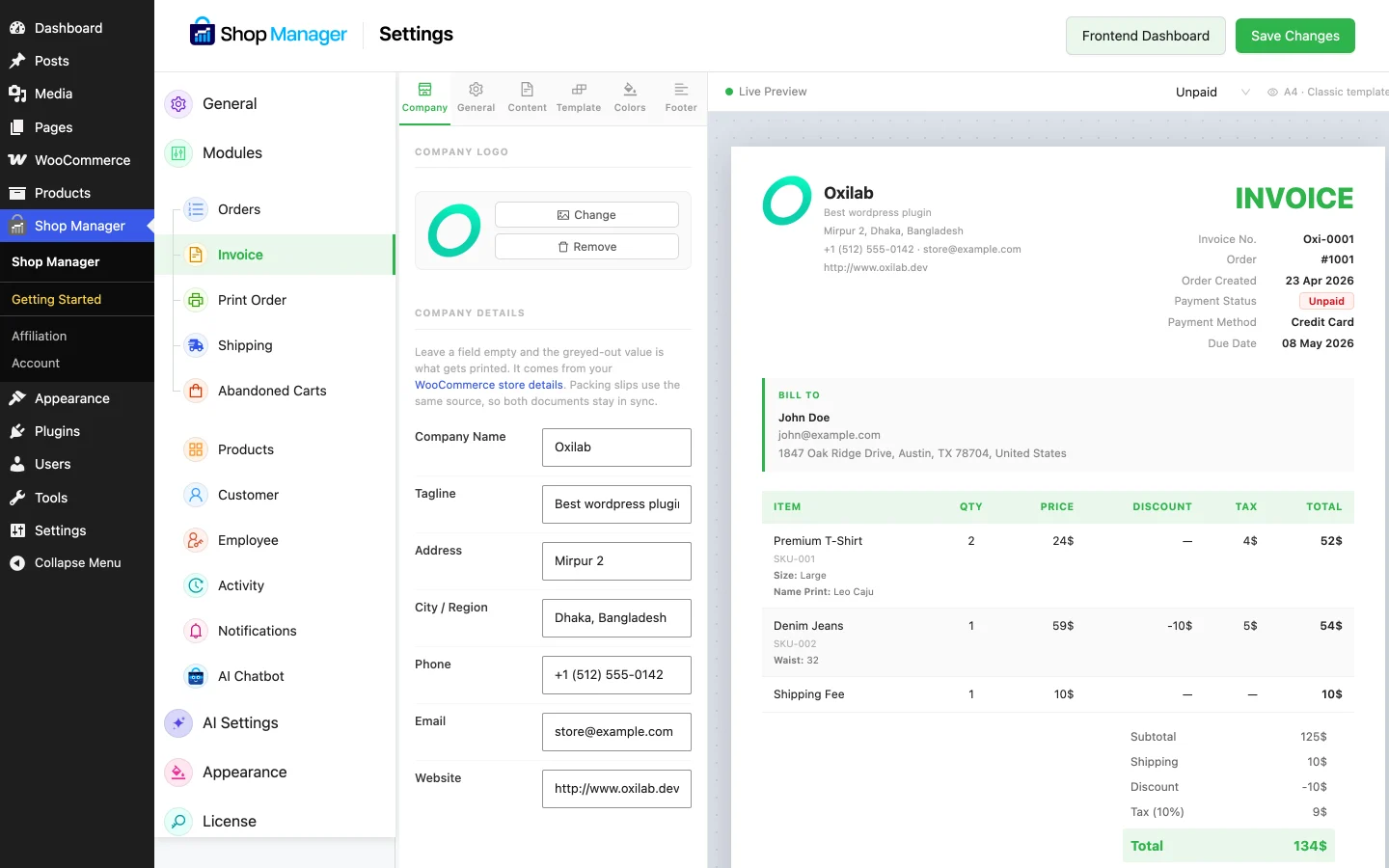
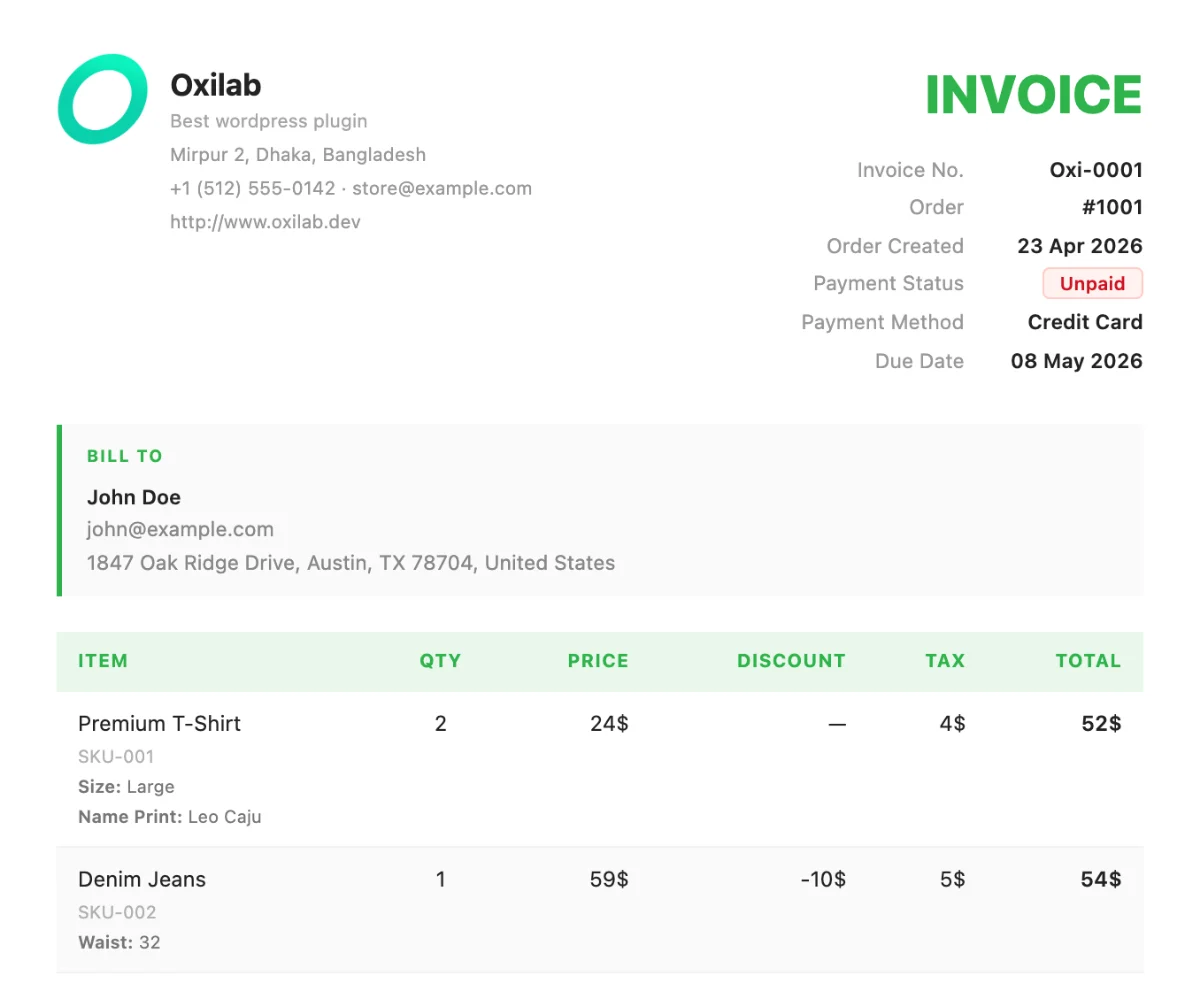
Your logo and company details, with a preview beside the settings that shows how the invoice will look.

  • Four designs. Modern, Classic, Bold or Minimal.
  • Attached to the order email by default, and you can switch that off.
  • One PDF for a whole batch, one order per page, ready for your accountant.
See Pro plans
The invoice designer in Shop Manager settings An invoice in the live preview
Products

Fix a price or a stock count in seconds

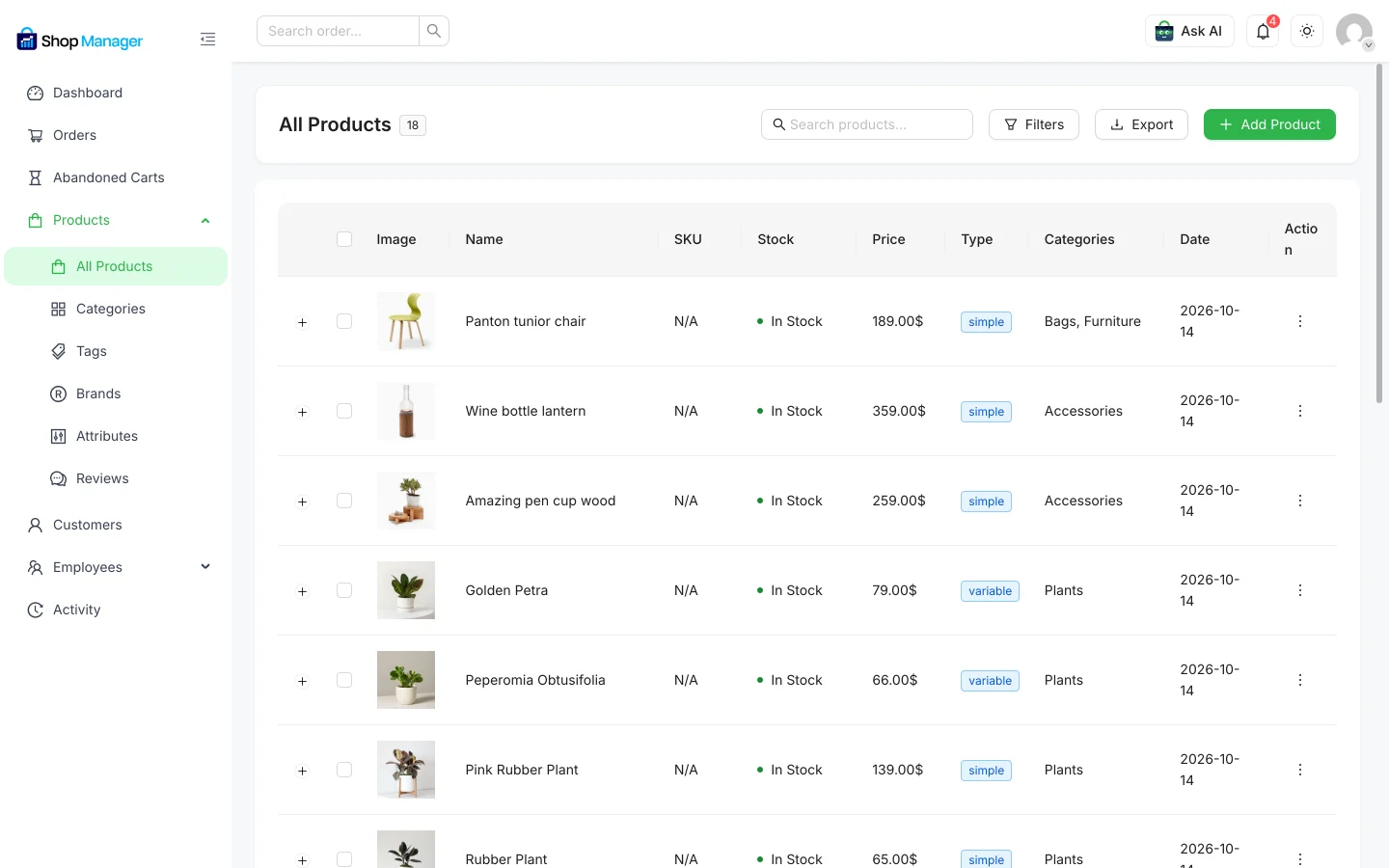
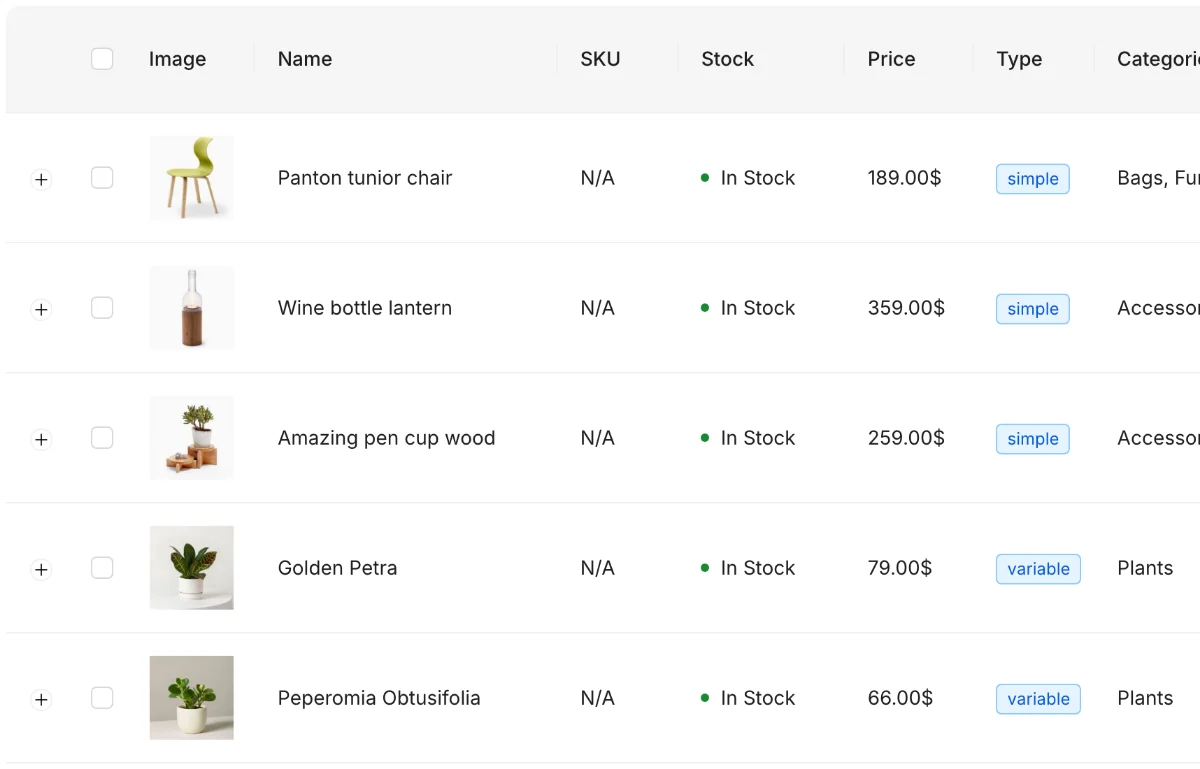
Every product with its image, SKU, stock, price, type and categories, and the full product form from the menu on each row.

  • Add and edit products with variations, categories, brands, tags and attributes.
  • Reviews in the same place, on their own page in the Products menu.
  • Export to a spreadsheet for reporting or accounting.
Download free
Product list in Shop Manager Products with image, stock, price and type
Customers

Know your best customers without doing the sums

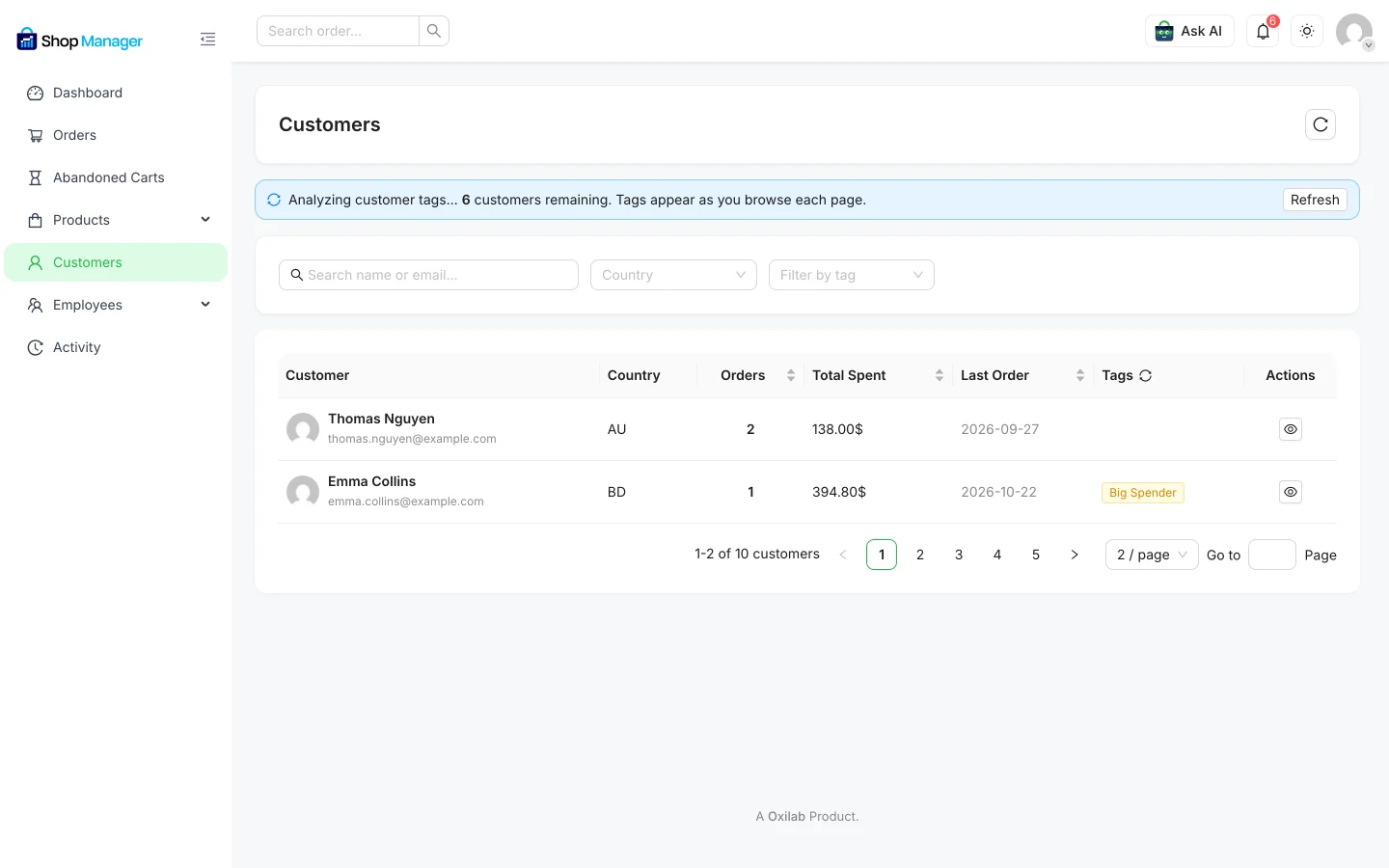
Every customer gets a profile with their whole order history and what they have spent.

  • Customers label themselves. VIP, Loyal, Big Spender, At Risk and more, from real buying behaviour.
  • Find who to talk to. Filter by tag or country, and sort by what they spent.
  • Private notes on each profile, so whoever answers next knows the history.
Download free
Customer list in Shop Manager A customer profile with tags and totals
AI assistant Pro

Ask your store a question. Get a real answer.

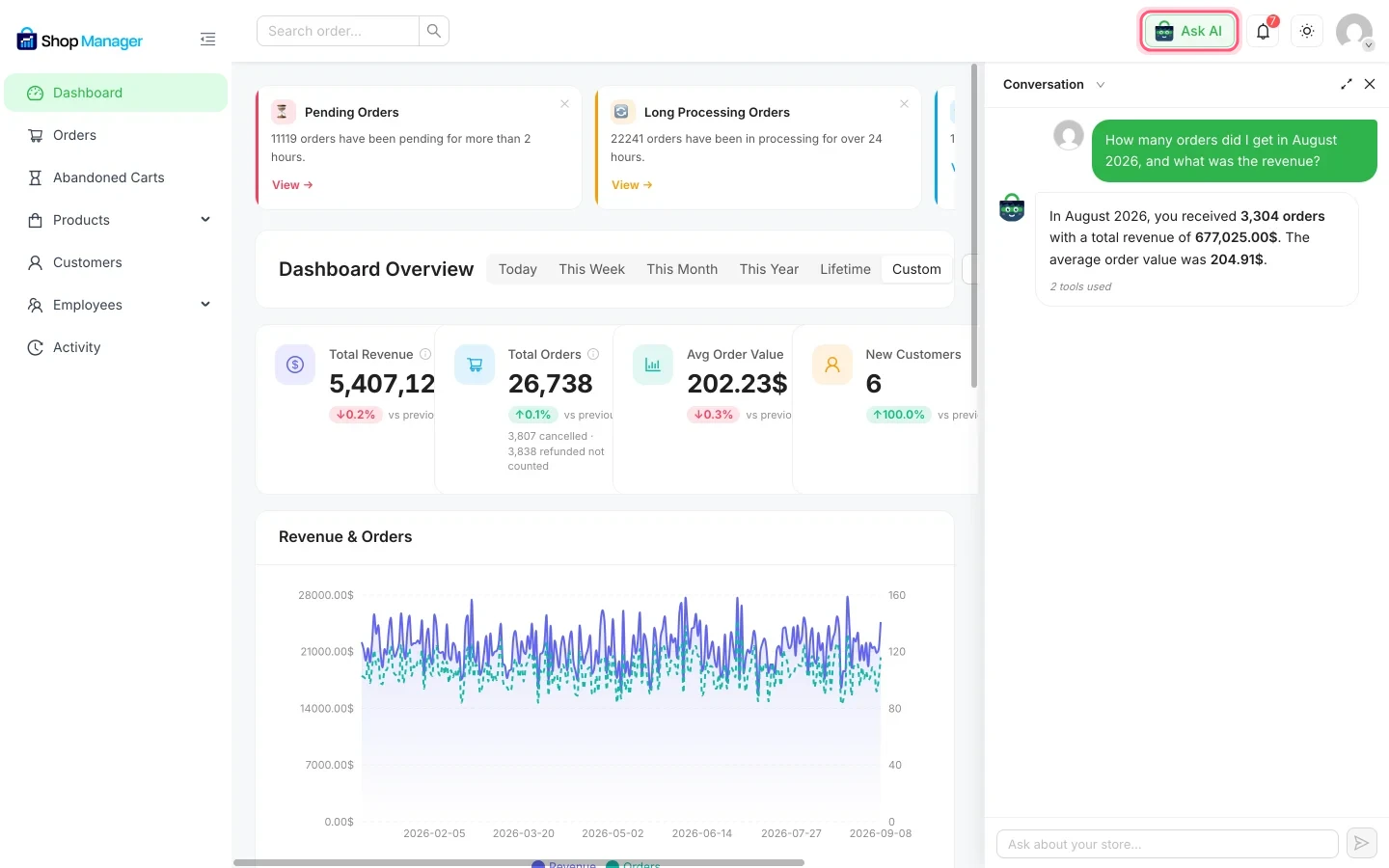
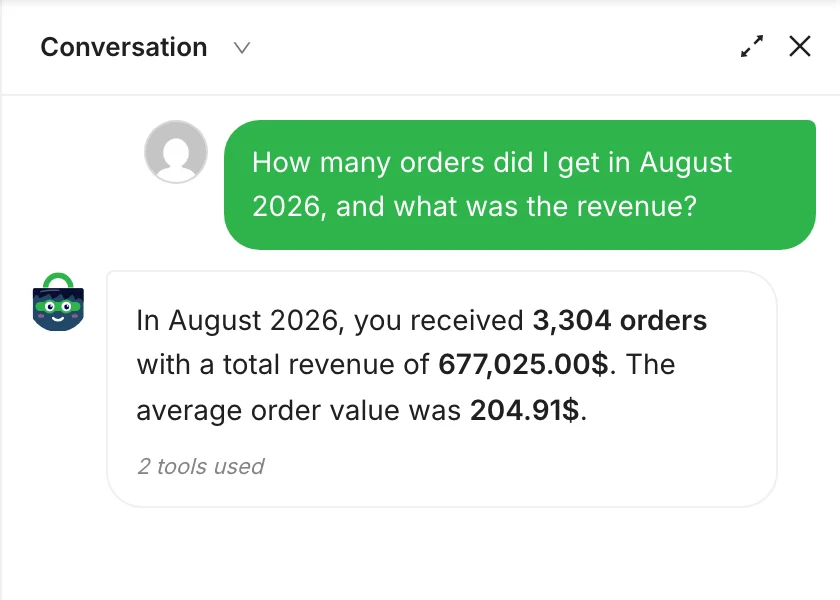
Ask in plain words, from any page of the dashboard. The assistant reads your orders, revenue, products and customers.

  • Answers looked up in your store data, and you can check them on the dashboard.
  • Only for the staff you choose. Give AI access to the roles that need it.
  • Your own AI key, no markup. Claude, OpenAI or Gemini, paid to the provider directly.
See Pro plans
The Shop Manager dashboard The AI assistant answering how many orders came in during August 2026
AI product writing Pro

Write product copy with AI

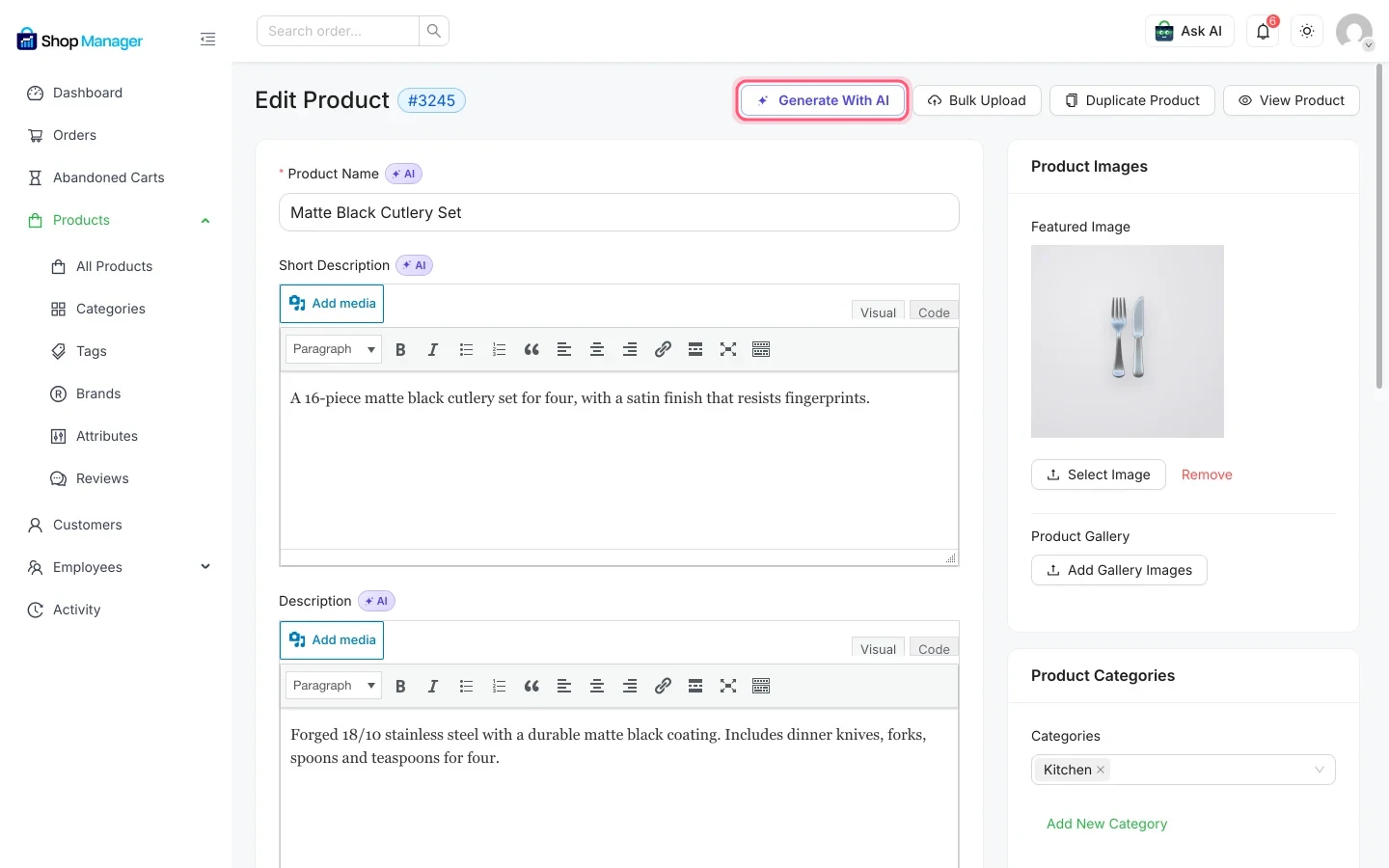
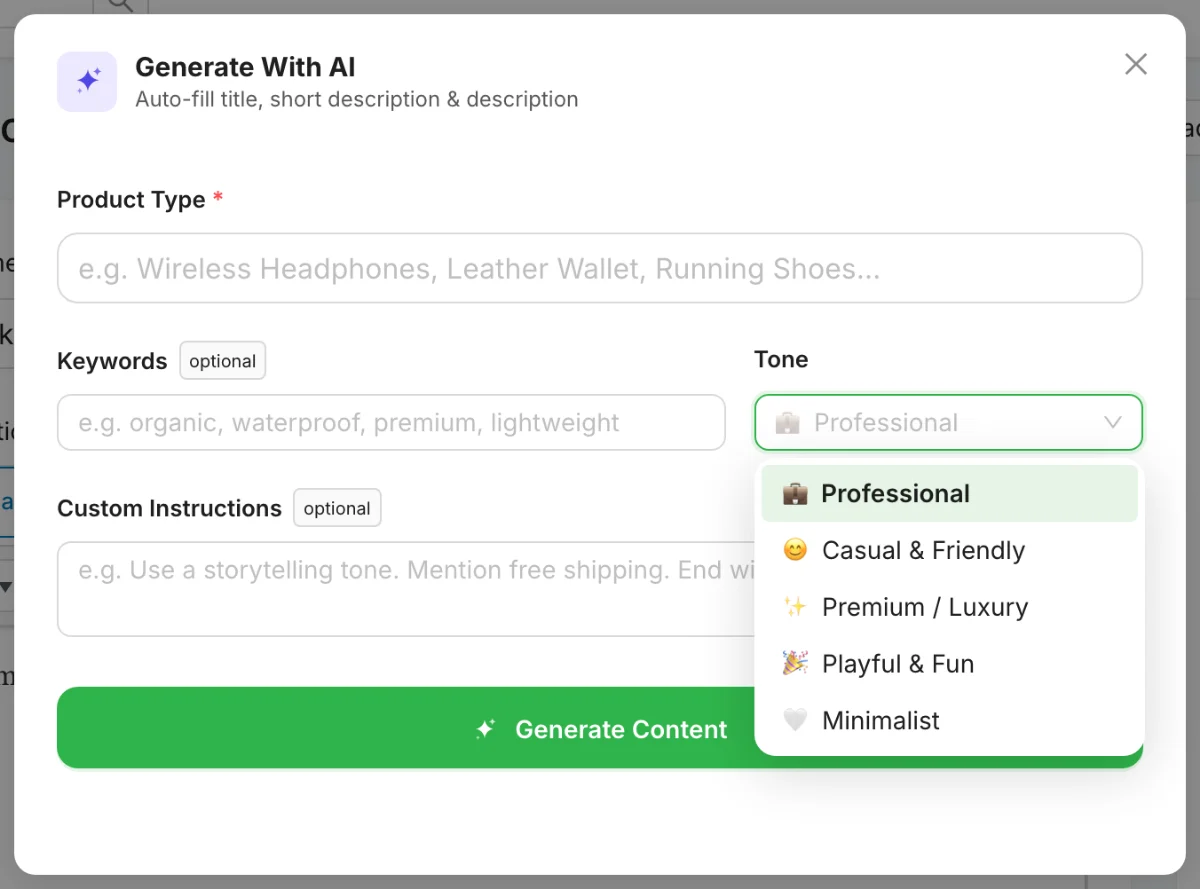
Press Generate With AI, say what the product is, and get a title, short description and full description.

  • Five tones. Professional, Casual and Friendly, Premium, Playful or Minimalist.
  • Steer it your way. Add keywords and your own instructions.
  • One field at a time. The AI button next to a field writes just that field.
See Pro plans
Product form in Shop Manager with the Generate With AI button marked The Generate With AI window with the five tones
Team and access

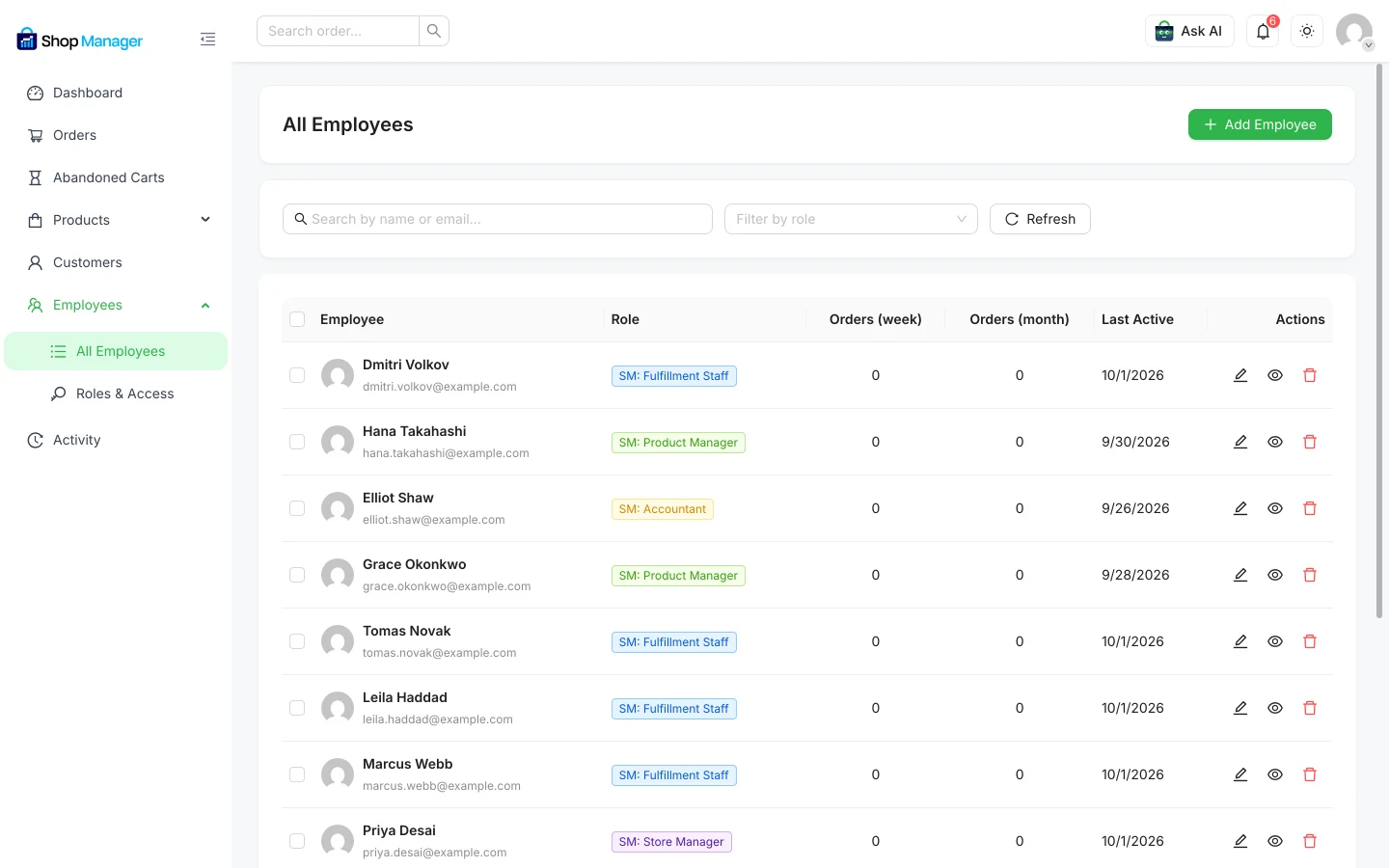
Your team gets in. Your admin password stays yours.

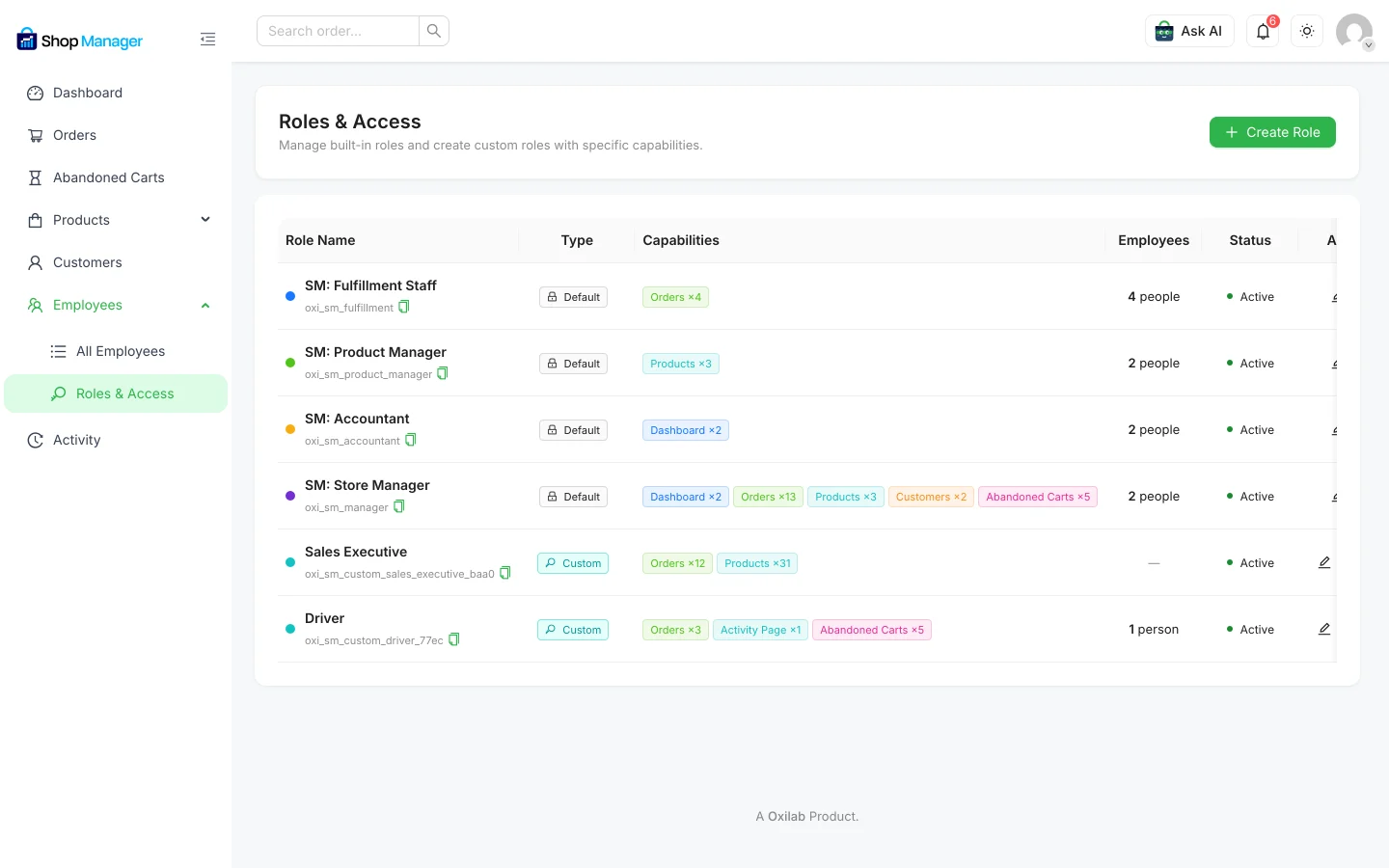
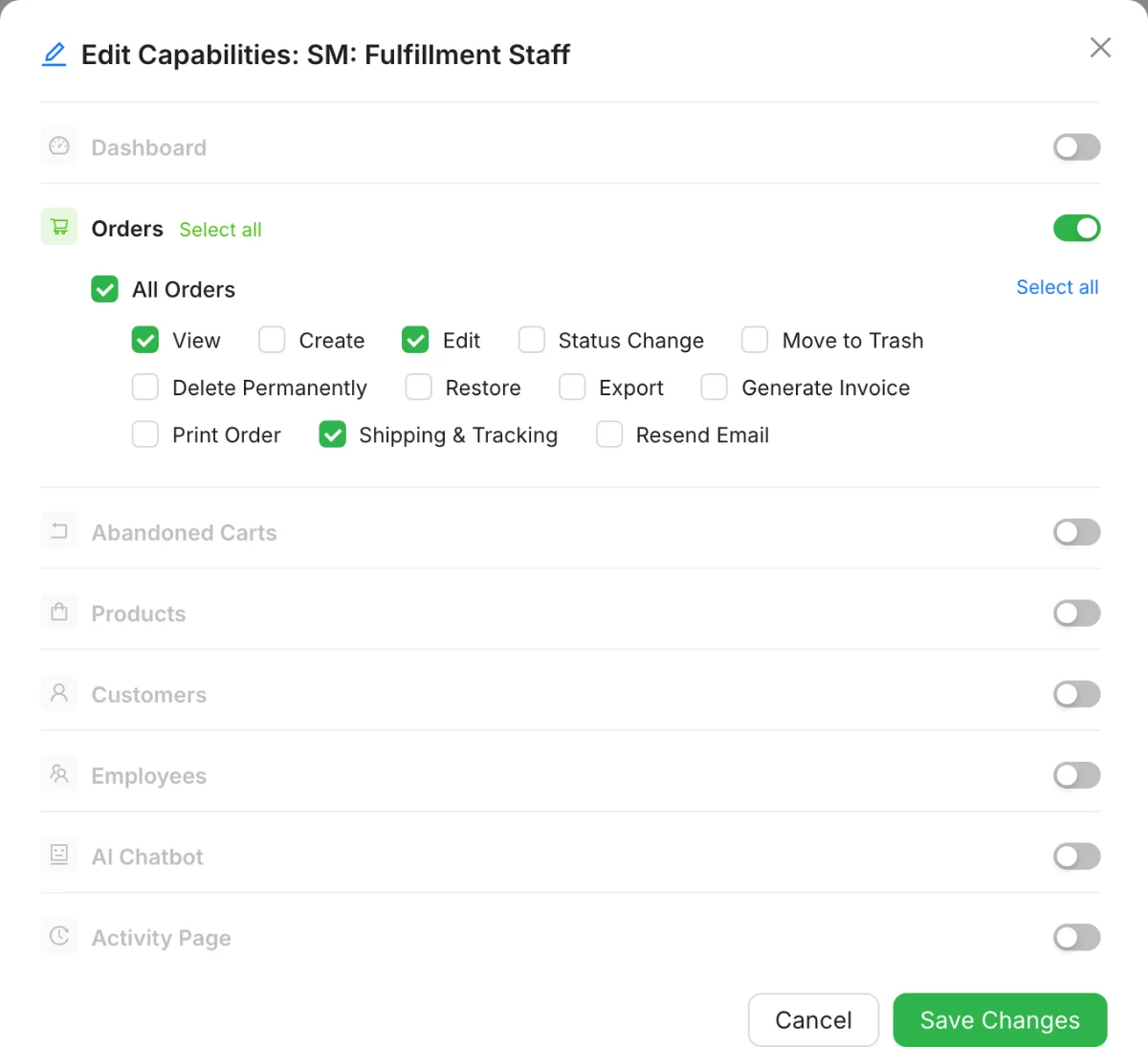
Add staff and decide, permission by permission, what each role can see and do.

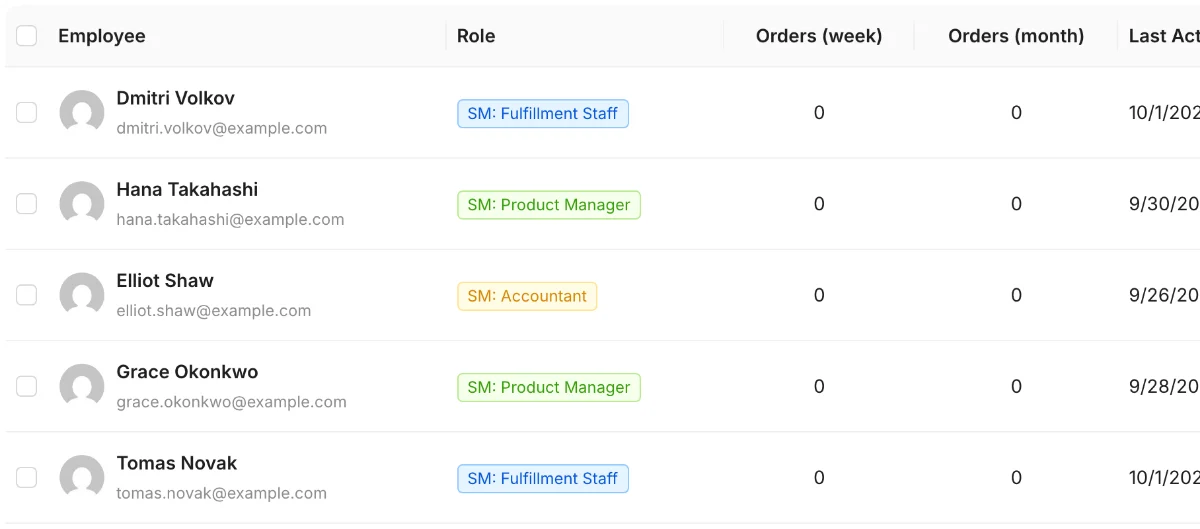
  • Add your staff, free. Every person gets their own way in to the dashboard.
  • Four ready-made roles. Fulfillment Staff, Product Manager, Accountant and Store Manager.
  • Build your own roles with exactly the permissions they need.
Download free
Roles and access in Shop Manager Editing what the Fulfillment Staff role can do

Built for the people who run the shop

Whether you pack every parcel yourself or run a team, Shop Manager fits the way you already work.

The Shop Manager dashboard Alerts for stuck orders and the store totals

Questions shop owners ask

What does Shop Manager actually do?
It puts a dashboard on the front of your own website where you handle orders, print packing slips and labels, add tracking numbers, edit products and look after customers. Everything you normally do in the WordPress admin, in one place that is built for the job.
Do I need WooCommerce?
Yes. Shop Manager is built on top of WooCommerce and reads your existing orders, products and customers. It does not work with other shop plugins.
Is the free version a trial?
No. The free version has no time limit and no credit card. You get the dashboard, full order management including creating and editing orders, bulk actions, product editing, customers with automatic tagging, analytics with insight cards, printing, shipping labels, tracking for 151 couriers, staff accounts and CSV export, for as long as you like.
What do I get if I upgrade to Pro?
Pro adds abandoned cart recovery, the AI chat assistant and AI product writing, PDF invoices, unlimited custom order statuses, custom staff roles and priority support.
Will it break my theme or my shop?
No. Shop Manager runs on its own page, created for you at activation, and does not change your shop design. The one exception is the Pro abandoned cart feature, which adds a short notice to your checkout.
Can my staff use it without a WordPress admin login?
Yes, and that is rather the point. You add each person as an employee, choose what they are allowed to see and do, and they work entirely from the frontend dashboard. Your admin credentials stay with you.
Do the AI features cost extra?
Shop Manager never charges extra for AI. For the two features that write text, the AI chat assistant and AI product writing, you bring your own key from Anthropic, OpenAI or Google and pay that provider directly.
Is my API key safe?
Yes. Keys are AES-256 encrypted with your WordPress secret keys before they are stored, and the real key is never sent to the browser, returned by the API, or written to a log file.
Does printing need a PDF plugin?
No. Printing orders, packing slips and shipping labels all happen in your browser, in the free version, with nothing else installed.
Does it work with High-Performance Order Storage?
Yes. Shop Manager is fully compatible with WooCommerce HPOS, the default for new stores since WooCommerce 8.2.
What happens to my data if I stop paying?
Nothing is deleted. Pro features switch off and custom staff roles stop working, but every order, product, customer and setting stays exactly where it is. Renew and it all comes back.
Can I get a refund?
Yes. There is a 14-day money-back guarantee. Email support within 14 days of buying and we will refund you.

Still have a question? Ask our support team

Spend your morning on the shop, not on the admin

Install the free plugin, open your dashboard, and handle today's orders from one page.