


 Product Layouts
 ThankRedirect
 Image Hover
 Flipbox
How to reward WooCommerce customers with points
The short answer
In Shop Manager Pro, open Marketing, then Points, turn on points and choose how much customers get back, for example 5 percent. Points are given when the order is Completed. Bonus points for a first order, a review and a birthday each have their own switch. Customers exchange points for store credit on their Points page in My Account, and the credit comes off their next order by itself.
Aisha's story
Sells natural skin care. Aisha is a made-up example.
Aisha makes soaps and creams. People love them, but most buy once and forget the shop.
She looked at loyalty apps. They cost a monthly fee, run on another website and need their own setup.
She also wants more reviews. Happy customers rarely write one unless there is a reason to.
Sound familiar?
- Customers buy once and do not come back.
- Loyalty apps cost too much for a small shop.
- Happy customers rarely write a review.
Here is how to do it
-
Turn on points
Open Marketing, then Points, in your Shop Manager dashboard. Points are off until you turn them on. Turn on points, type how much customers get back, and click Save changes. It is a share of what they pay for products, after discounts, without tax, shipping or fees. Points are given once per order, when the order is Completed.
Aisha keeps the 5 percent it starts with.
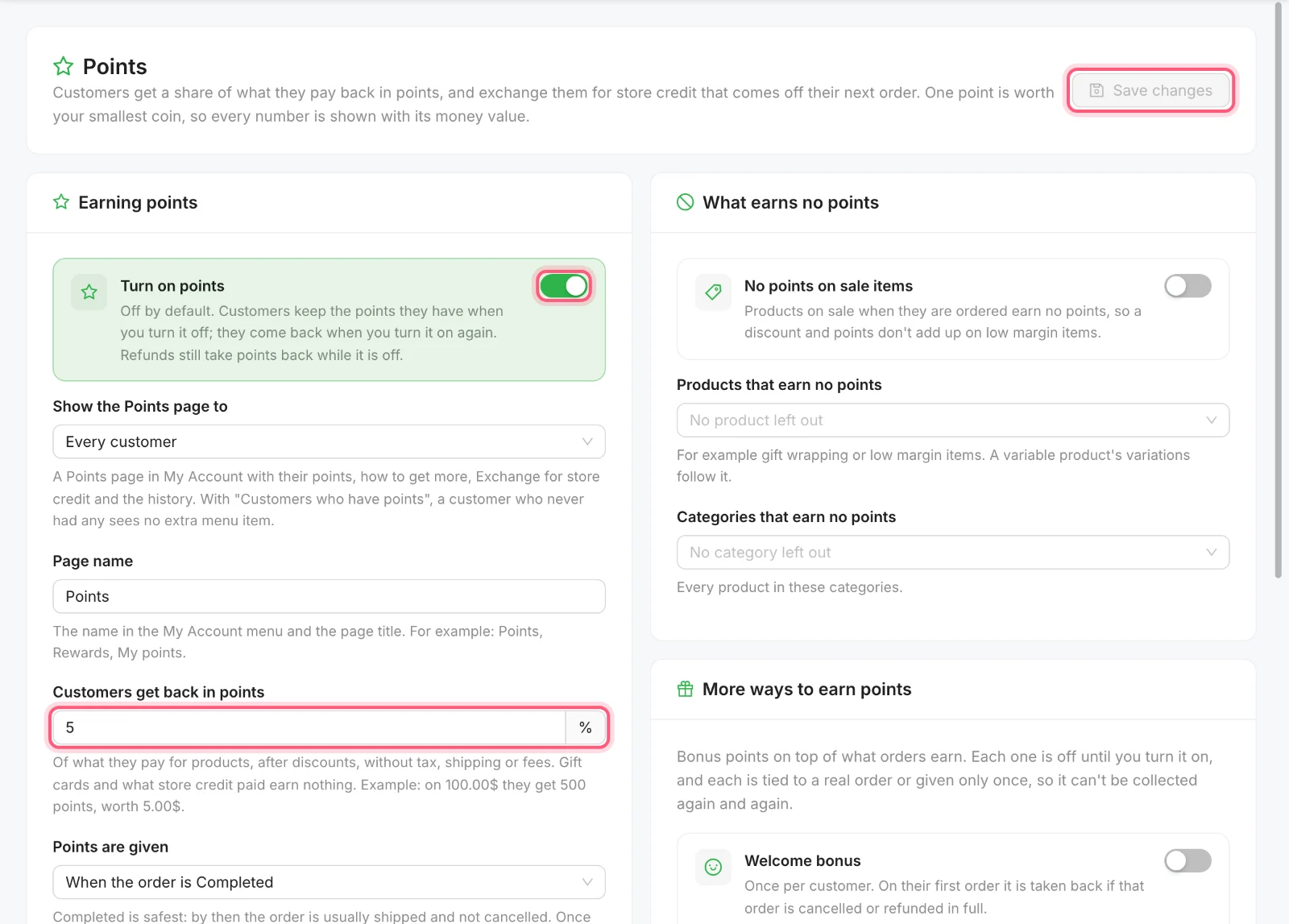
Turn on points, check the marked box and click Save changes. -
Add bonus points
Under More ways to earn points, turn on the bonuses you want. Each one is off until you turn it on: a Welcome bonus on the first order, Points for a review, birthday points and extra points days. Review points go only to customers who bought the product, once the review is approved. Click Save changes again.
Aisha turns on the welcome bonus and points for a review.
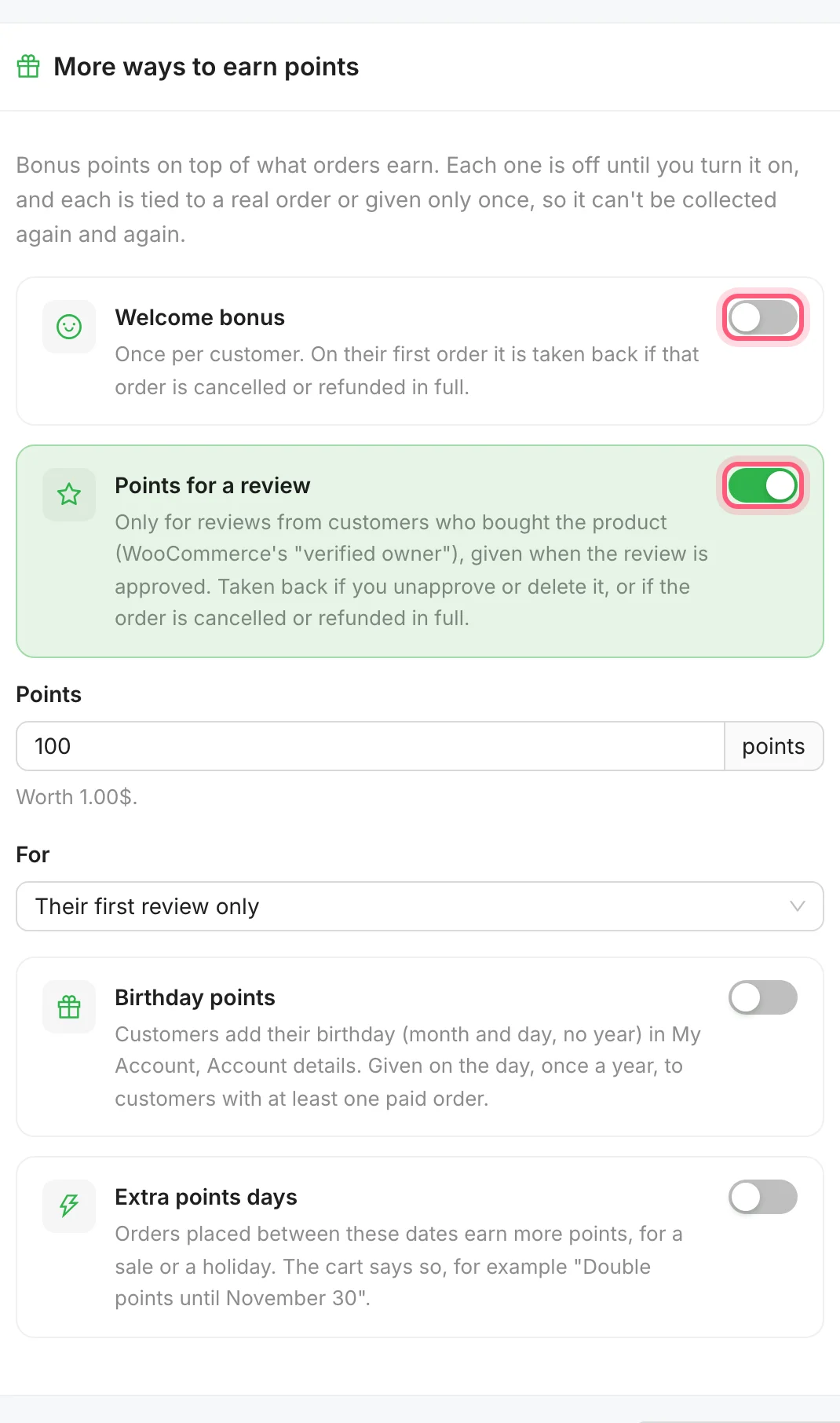
Turn on the marked bonuses you want. -
Customers turn points into credit
Each customer has a Points page in My Account with their points, how to get more and an Exchange for store credit button. One point is worth your smallest coin, so 100 points are 1.00. They can exchange from 100 points, and the credit comes off their next order by itself. The review form tells them how many points a review gives.
-
Write the emails in your own words
In Shop Manager's Settings, Store Credit, open the Emails tab. Pick a ready text or write your own, see it as you type, and send yourself a test.
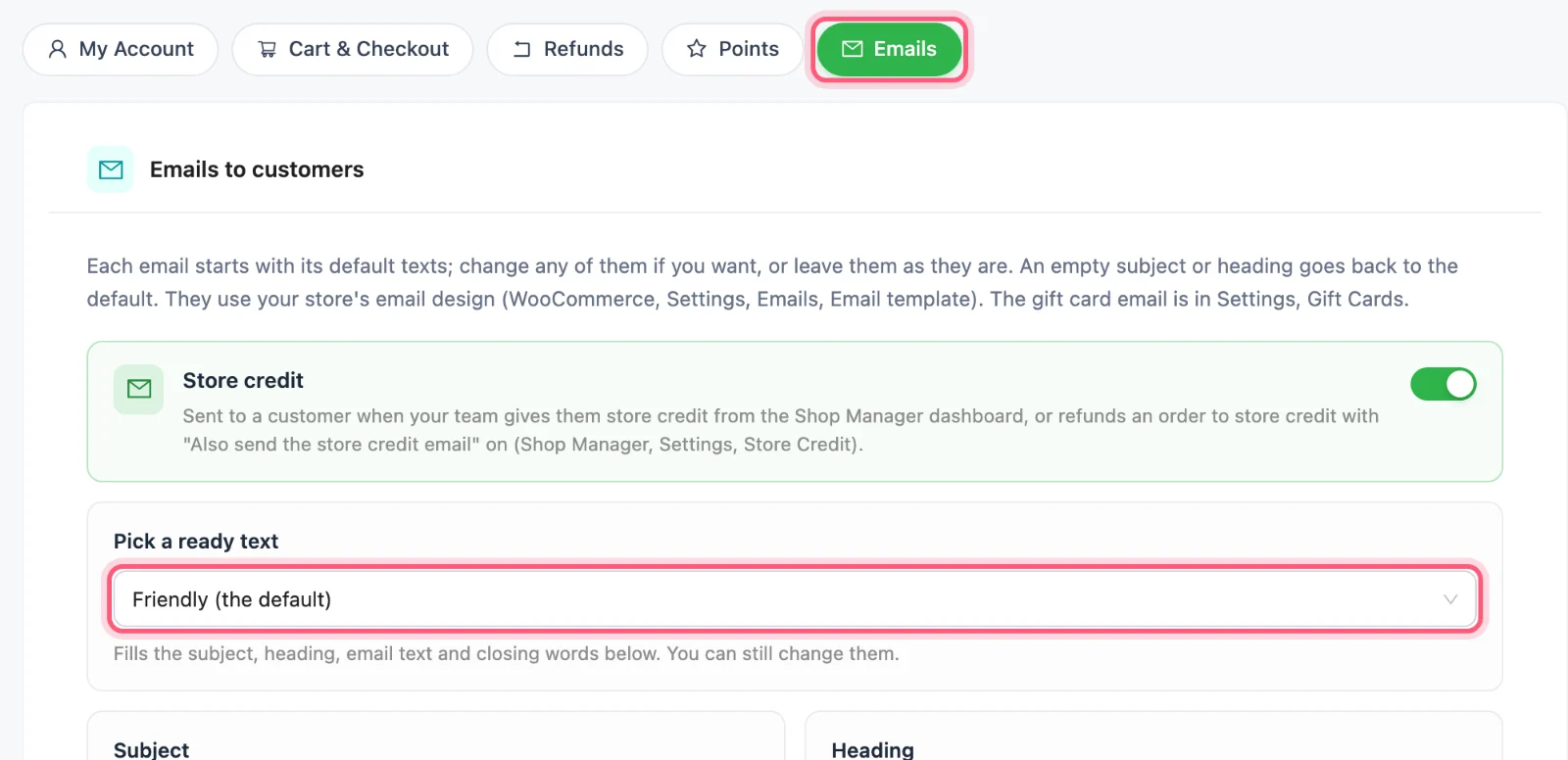
Open Emails, then pick a ready text in the marked box.
One customer's points, as an example
| What happens | Points | Worth |
|---|---|---|
| Spends 80.00 on products at 5% | 400 | 4.00 |
| Writes a first review | 100 more, 500 in all | 5.00 |
| Exchanges them | 0 left | 5.00 store credit |
How Aisha's story ends
Her customers now have a reason to come back: credit waiting for their next order. Some write a review to earn a little more. Aisha pays no monthly fee, and it all runs on her own shop.
Give your customers a reason to come back
Points come with Shop Manager Pro. Every plan has every Pro feature, with a 14-day money-back guarantee.
What you need
- Plan
- Pro
- Starts
- Off, until you turn it on
- Permission
- Points Settings in Roles & Access
- Privacy
- In WordPress' export and erase tools
Features used on this page
Checked against the plugin in .
Questions people ask
Do tax and shipping earn points?
No. Points come from what the customer pays for products, after discounts, without tax, shipping or fees. What gift cards and store credit paid earns nothing.
What happens to points when an order is refunded?
Refunds take the points back. A welcome bonus is taken back too if that first order is cancelled or refunded in full.
Can some products earn no points?
Yes. Under What earns no points, choose products and categories, or turn on No points on sale items.
Can my team change the points settings?
Yes, on the Points page in the dashboard, if their role has Points Settings in Roles & Access. Every change is saved in the Activity log.
More stories
- The shoes were the wrong size. The customer wants another pair, not their money back. Refund to store credit instead of the card Needs Pro
- Customers ask for a gift voucher, and you have nothing to sell them. Sell gift cards for the holidays Needs Pro
- Some of your best customers stopped buying months ago. Nothing told you. Find your best customers and the quiet ones Free