


 Product Layouts
 ThankRedirect
 Image Hover
 Flipbox
How to write WooCommerce product copy and ask your store questions with AI
The short answer
Shop Manager Pro adds AI in two places, using your own key from Anthropic, OpenAI or Google. On a product, Generate With AI writes the title, short description and full description. In the dashboard, Ask AI answers questions about your store, such as how many orders you got in a month and what the revenue was. Check what it writes and any number that matters, because AI can make mistakes.
Marco's story
Sells bicycle parts. Marco is a made-up example.
Marco sells bicycle parts. He knows everything about them, and he hates writing about them.
His new supplier has sent 40 products. He has photos and prices. The descriptions are in a spreadsheet, in very short supplier English. Every evening he says he will write them tomorrow.
His sister asks him how August went. He opens the reports, picks the dates and reads her a number. Then she asks him about July, and he picks the dates again.
Neither of these jobs is hard. They just keep taking his evenings.
Sound familiar?
- Products sit half finished because the text is not written.
- You stare at an empty description box.
- Simple questions about your store take several clicks.
Here is how to do it
-
Add your AI key
Open the Shop Manager settings in WordPress and click AI Settings. Choose Anthropic, OpenAI or Google under AI Provider, paste your key and click Test Connection. If a key is already saved, click Change first. Then click Save Changes, because the key is not kept until you do. You pay your provider for what you use. Your key is encrypted before it is stored.
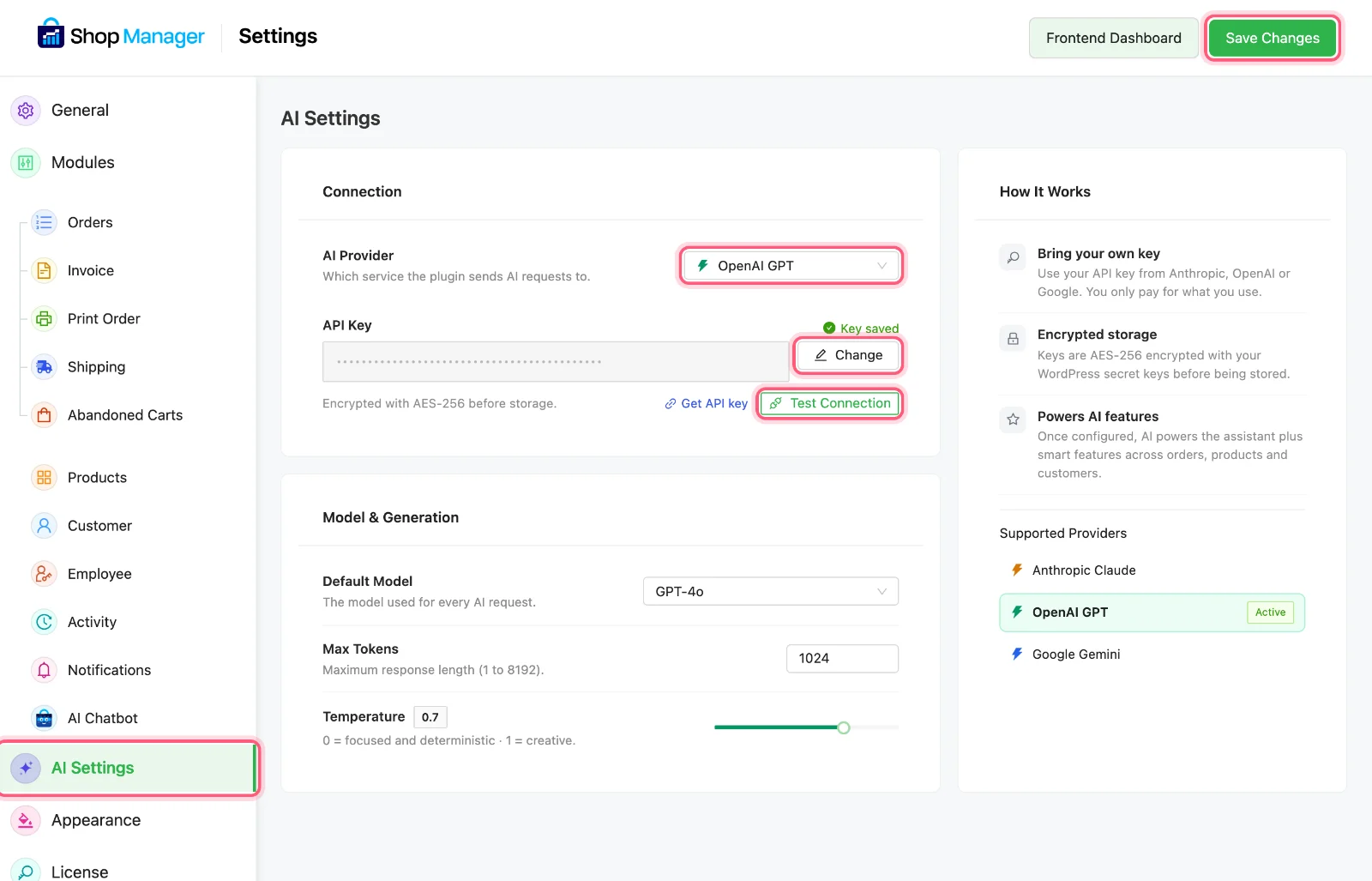
AI Settings, AI Provider, your key, Test Connection, then Save Changes. A key is saved on our test store, so it stays hidden and Change shows. -
Write product copy
Open a product and click Generate With AI. Type what the product is, add keywords if you like, and choose a tone: Professional, Casual, Premium, Playful or Minimalist. You can add your own instructions too. It writes a title, a short description and a full description. Use the AI button beside a single field to redo only that part.
Marco tells it to use short, plain sentences and never to say "elevate your ride".

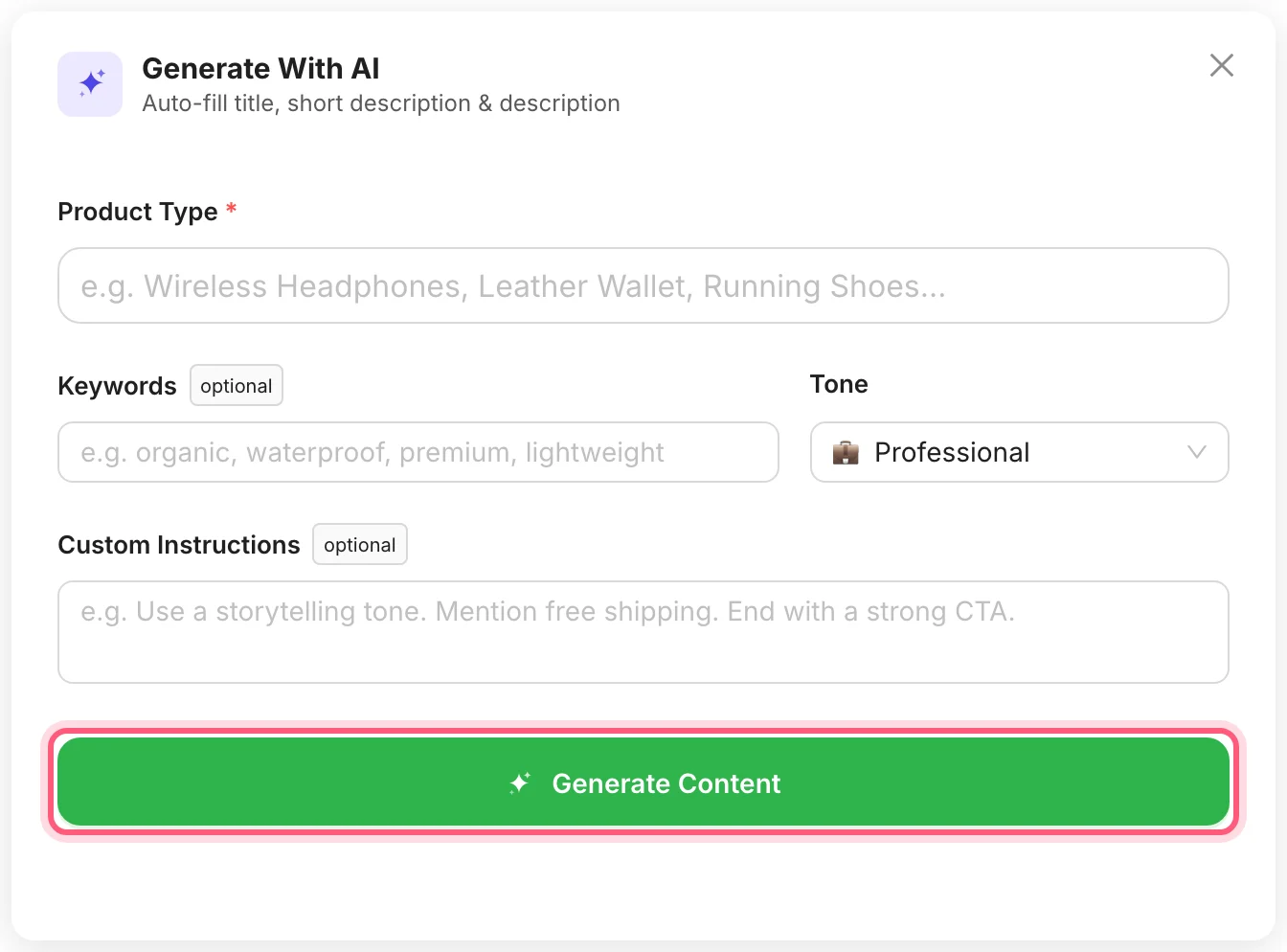
First click Generate With AI. Fill in the window, then click Generate Content. -
Read it before you save
The AI only knows what you tell it, and it can get details wrong. Check sizes, materials and anything you promise before you click Update Product.
Marco fixes one wrong thread size. He is glad he looked.
-
Ask your store a question
Click Ask AI at the top of the dashboard and type a question in your own words. It looks up your store data to answer. It has tools for orders, revenue, customers, low stock and staff activity.

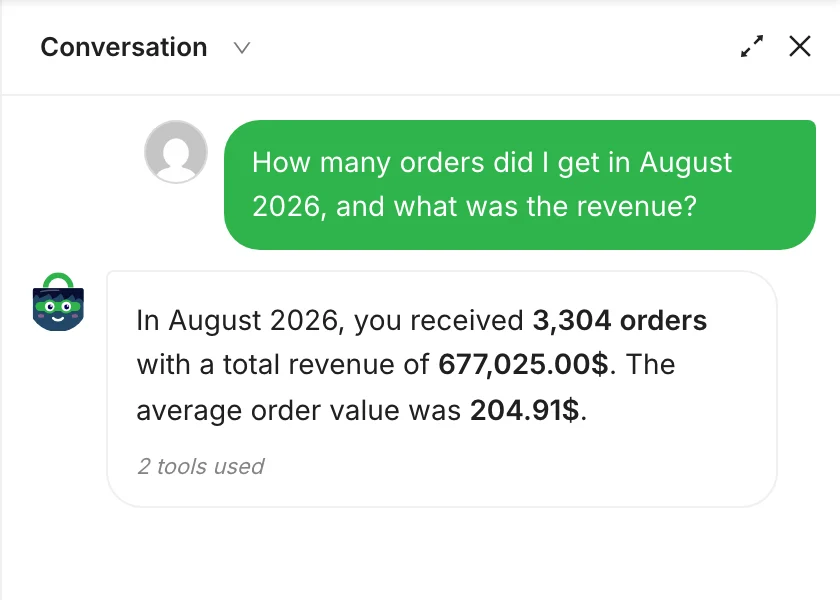
First click Ask AI. This is a real answer from our test store. -
Choose who can use it
Staff only get Ask AI if you turn on AI Chatbot for their role. Open Roles & Access, click the pencil next to the role and turn on the AI Chatbot switch. By default each staff member can send up to 50 messages a day, and you can change that number. Administrators have no limit.
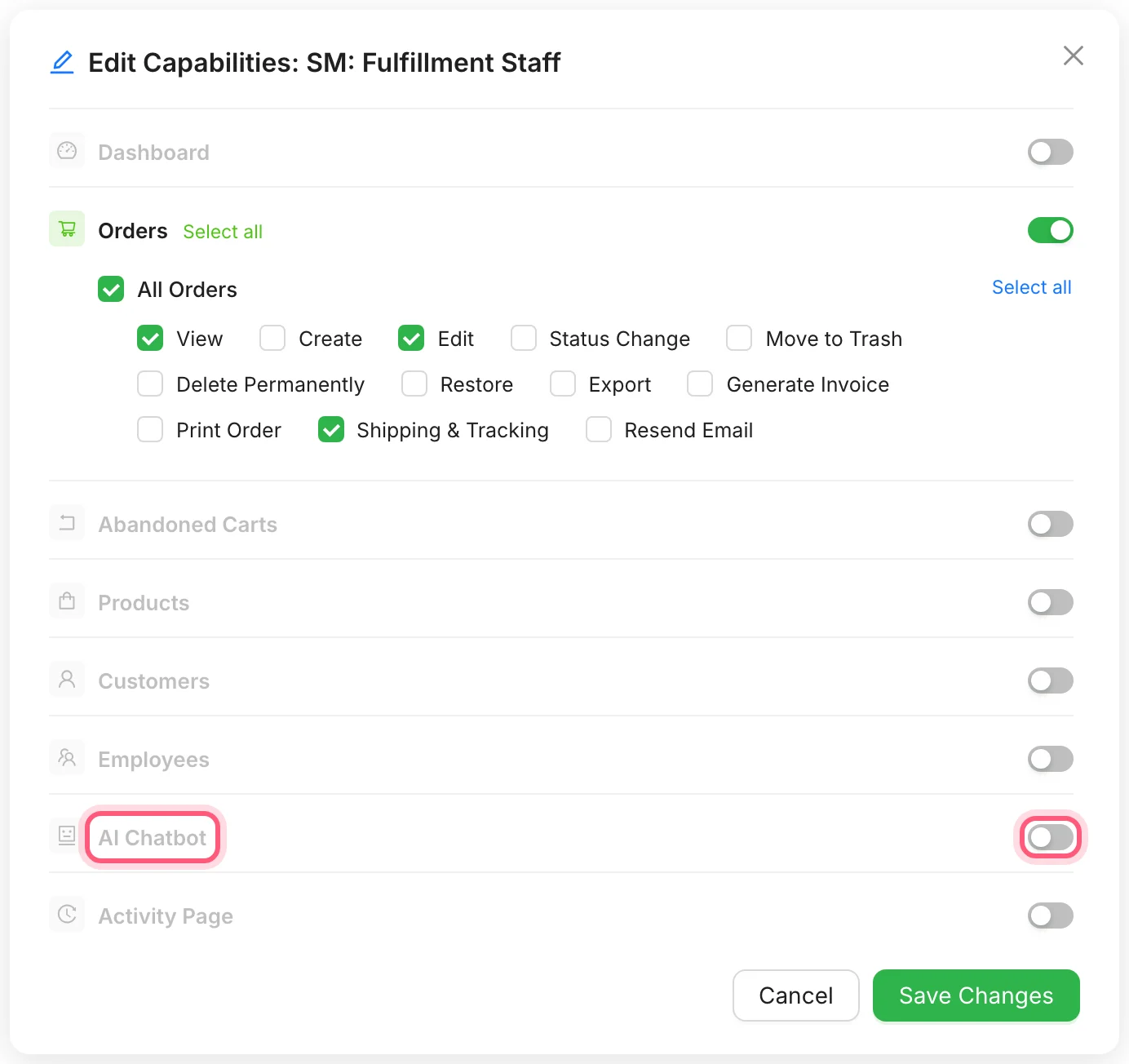
The AI Chatbot switch, marked, is off until you turn it on.
What Marco gives it, and what he does next
| What he gives it | What he does next |
|---|---|
| Product Type: "Alloy bike stem" | Reads the text it writes |
| Keywords: "lightweight, 31.8 mm" | Checks the size is right |
| Instructions: "Short, plain sentences" | Changes the one line he does not like |
How Marco's story ends
Marco still reads every description before it goes live, and he changes a few words in most of them. But the empty boxes are filling up. His sister asks about September, and this time he types the question into Ask AI. It answers before she has finished her tea.
Get those descriptions written
The AI tools come with every Shop Manager Pro plan, with a 14-day money-back guarantee. You bring your own AI key.
What you need
- Plan
- Any Pro plan
- Free plugin
- Needed too, Pro runs with it
- AI key
- Your own, from Anthropic, OpenAI or Google
- Staff access
- AI Chatbot, per role
Features used on this page
- Ask your store a question
- Write product copy with AI
- Your own AI key, no markup
- Your API key is encrypted
Checked against the plugin in .
Questions people ask
Do I need Shop Manager Pro for the AI tools?
Yes. Generate With AI and Ask AI need Pro, and you also need your own key from an AI provider.
What does the AI cost?
You pay your AI provider for what you use, at their prices. Shop Manager adds no charge on top.
Can the answers be wrong?
Yes. AI can misread a question or give a wrong number. For anything that matters, check it on the dashboard or in your orders.
Is my store data sent to the AI provider?
Your question and the store data the assistant looks up to answer it go to the provider you chose. Please check that provider's terms, and name them in your privacy policy if your country requires it.
Is my API key safe?
It is encrypted with AES-256 using your WordPress secret keys before it is stored, and it is never sent to the browser.
Which AI providers work with it?
Anthropic Claude, OpenAI and Google Gemini.
More stories
- The delivery came in. Now you have stock counts to change and new products to add. Keep products and stock up to date Free
- Every morning you click through five screens to find out if anything went wrong. Check your store each morning Free
- Some of your best customers stopped buying months ago. Nothing told you. Find your best customers and the quiet ones Free