 Shop Manager
 Product Layouts
 ThankRedirect
 Image Hover Effects
 Flipbox
How to Design Category Archive Page.
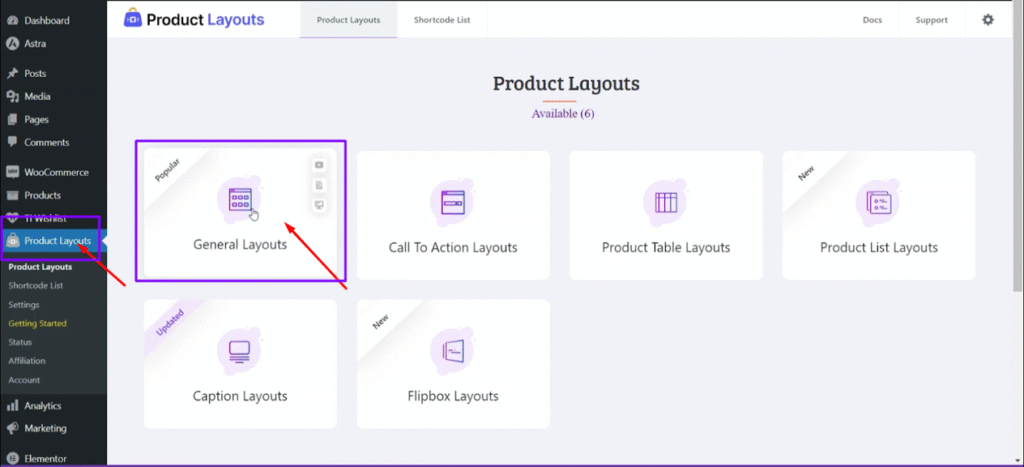
Step1: Go to Dashboard > Product Layouts> create a Layouts.
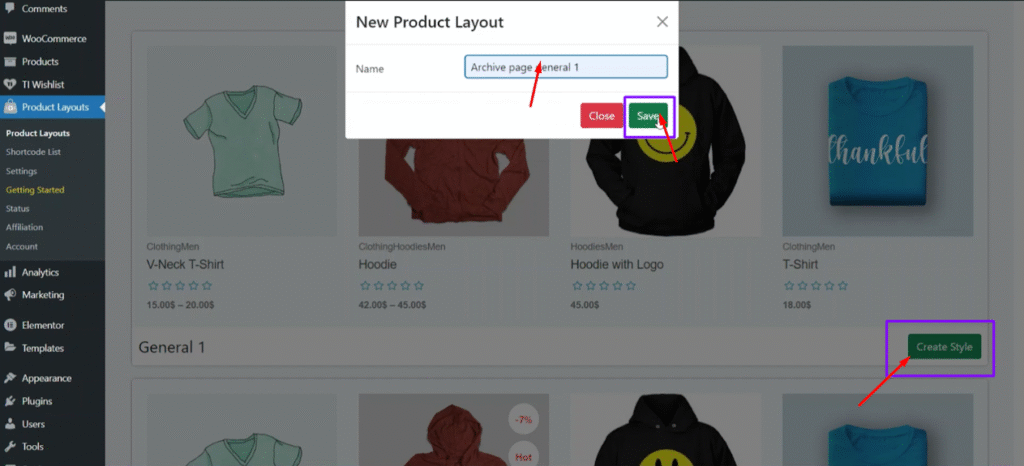
Step2: Create style> set a name > Save
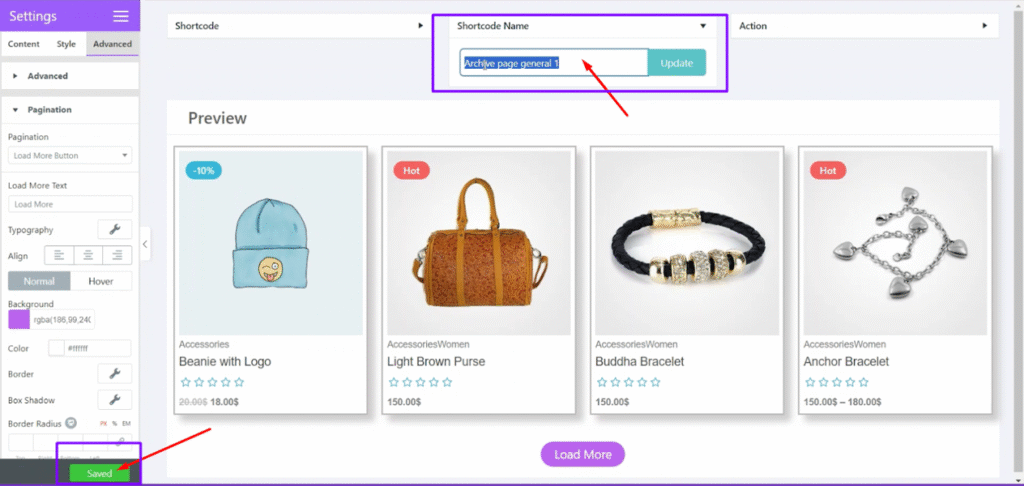
Step3: After design, save > copy the Shortcode name
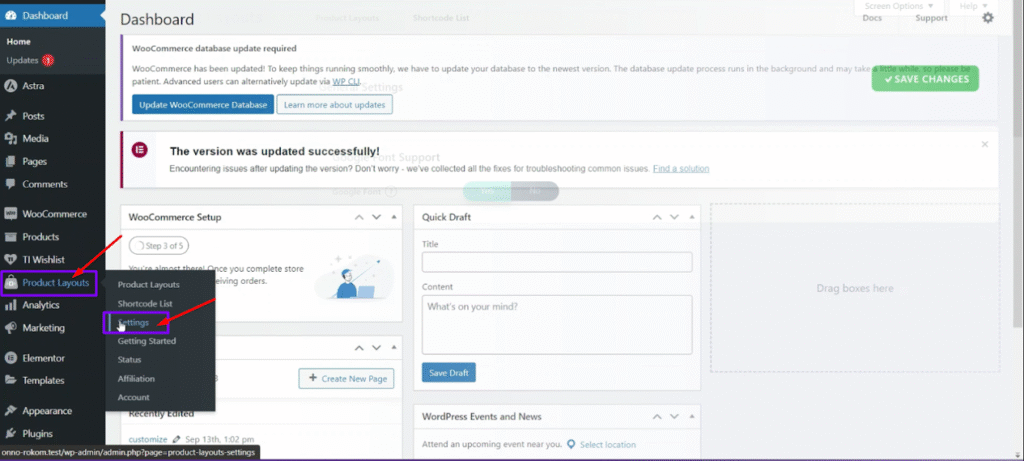
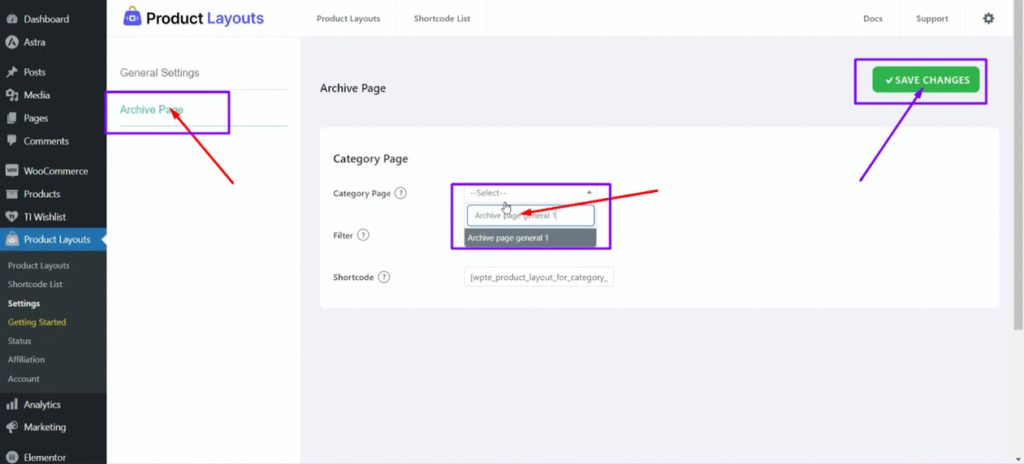
Step4: Go to Product Layouts > Setting
Step5: Archive page> paste and locate Layouts Shortcode name> Save changes
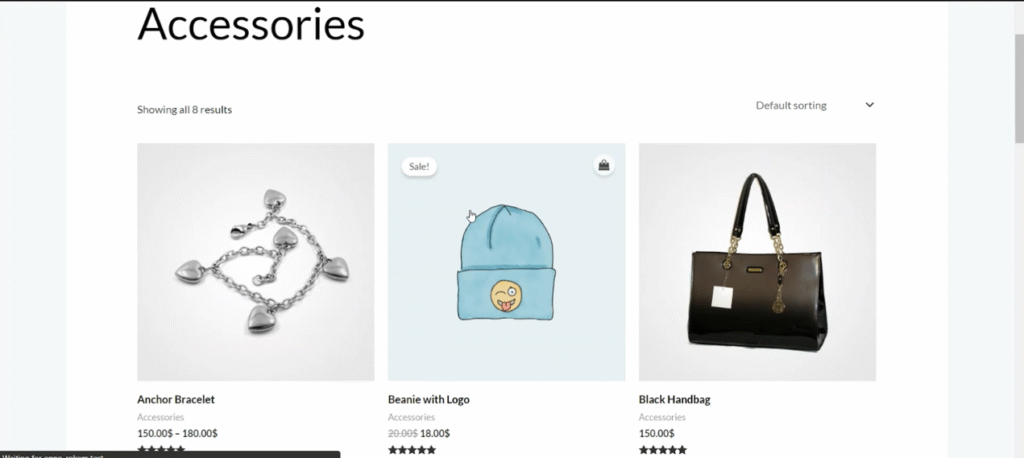
Before set archive page
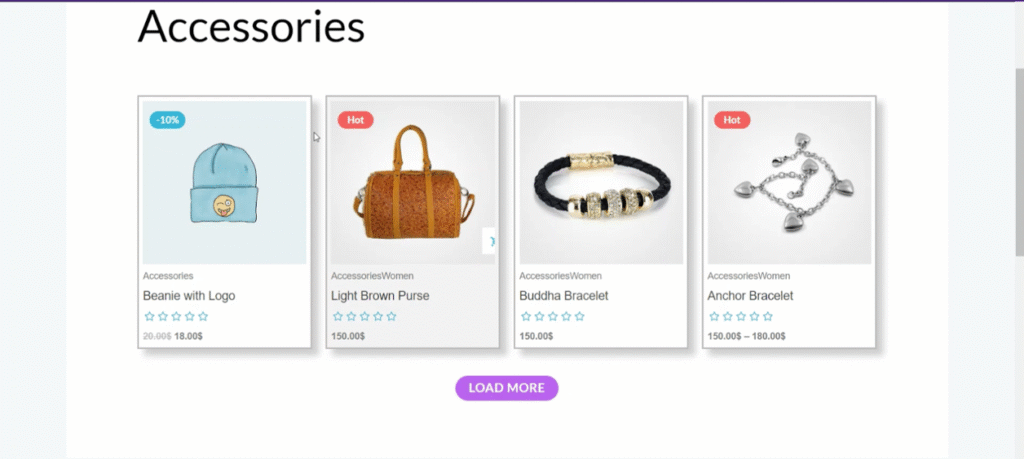
After set Archive page
Still stuck?
Open a ticket
A developer who works on Product Layouts answers every ticket.