 Shop Manager
 Product Layouts
 ThankRedirect
 Image Hover Effects
 Flipbox
How to Customize Product Layouts.
Step1: Go to dashboard > Product layouts > Create a layouts.
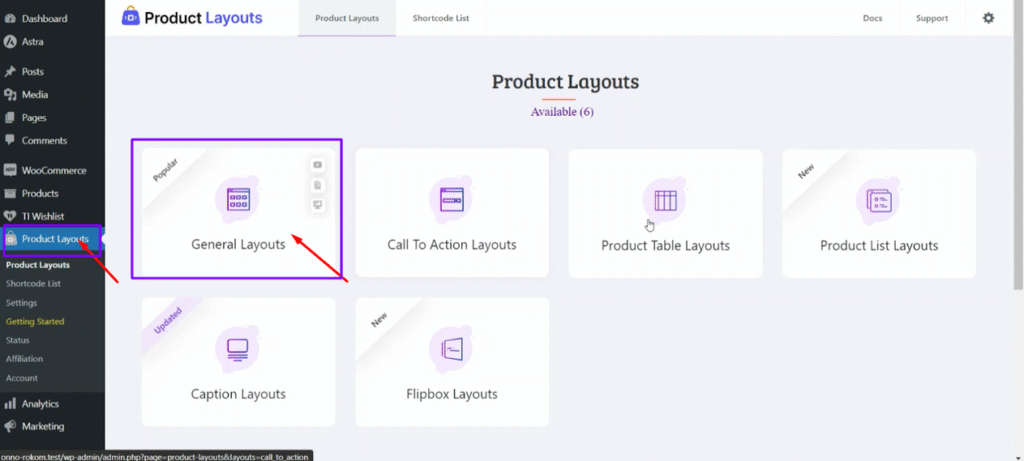
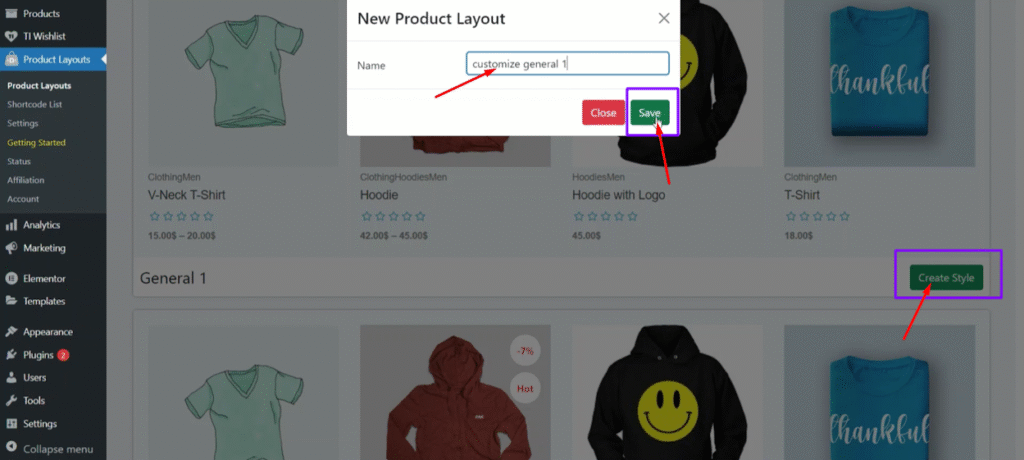
Step2: Create style > set a name >Save.
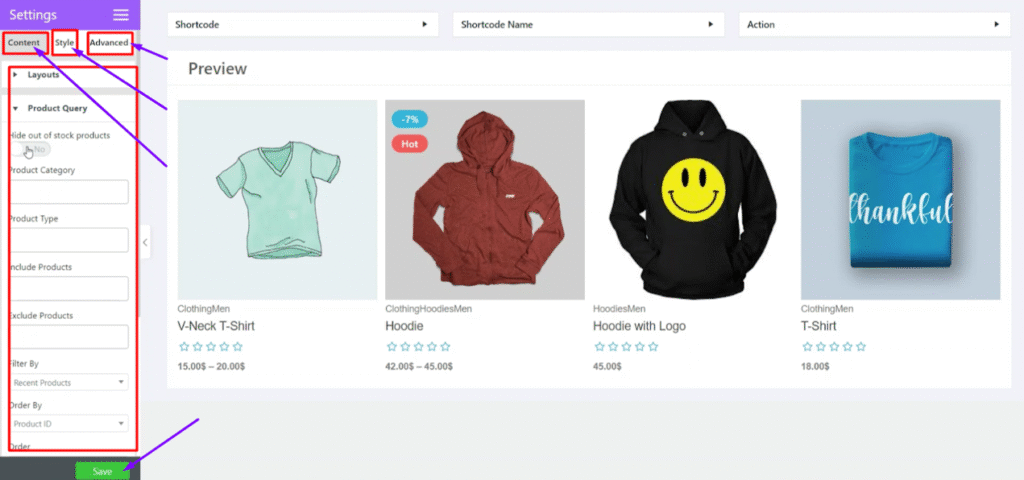
Step3: After create layouts we can customize the layouts from left sidebar there are many option for customize the layouts>After customize save the design
Still stuck?
Open a ticket
A developer who works on Product Layouts answers every ticket.